15
INSTRUCTIONS
2.4 Channel Manager
In this menu, you can use the Left/Right buttons to change the settings, Up/Down
to select the item or press EXIT to cancel. (The default password is 0000.)
Lock: lock/unlock a channel. This means a particular channel will require a
password to access.
Delete: You can delete selected channels. Be aware that this function can
completely delete the saved channels. When you delete a channel in the
menu, the channel is also deleted from the Favorite List.
Move: You can move a channel position. First press the OK button to pick up the
channel. A check mark will be shown next to the selected channel. Use the
cursor to move to the position you want and press the OK button to drop the
channel.
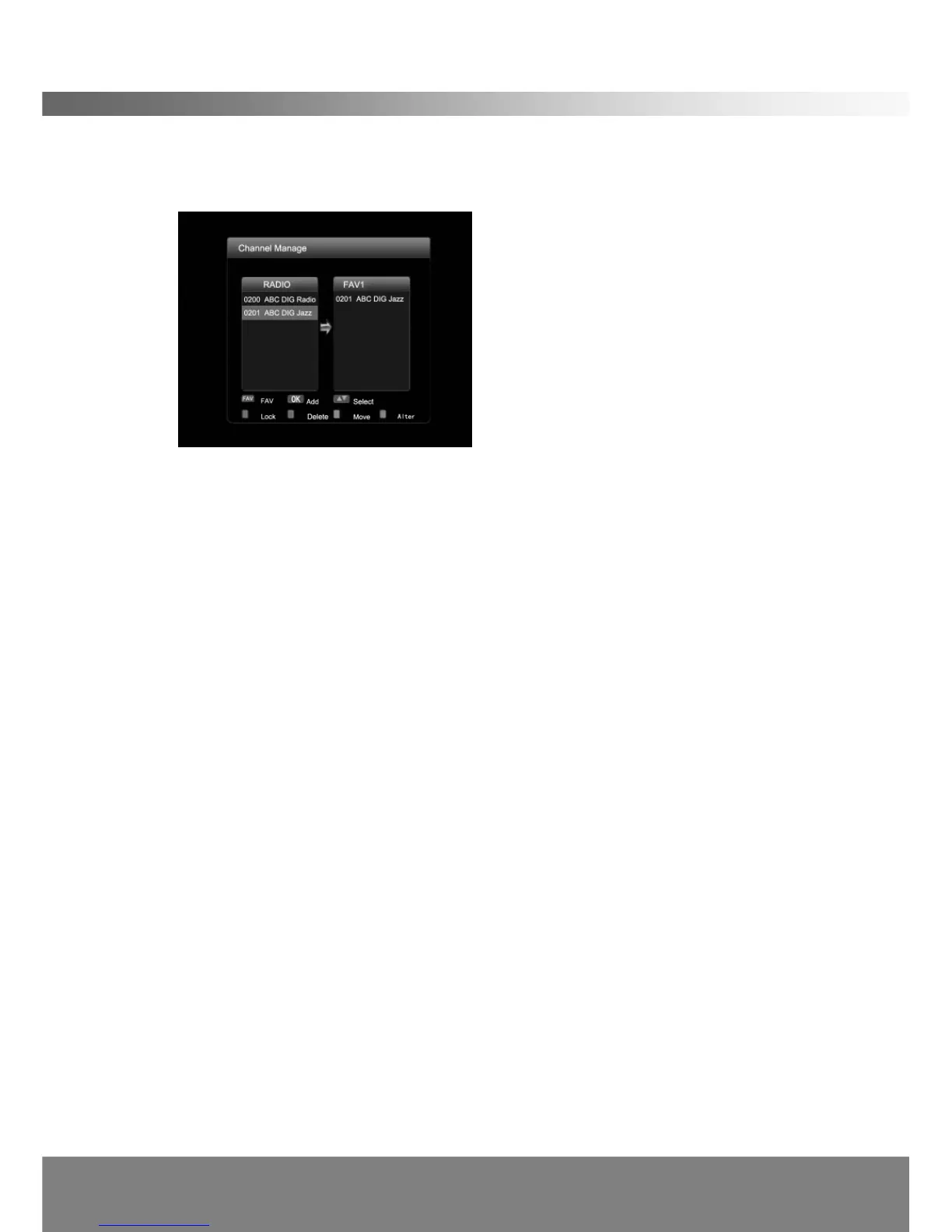
Alter: Use Alter button to switch between TV and FAV channel lists.
You can create up to 3 lists of your favorite channels. The default favorite list names
are “Fav1 ”,“Fav2 ”,“Fav3 ”.
Move cursor to the required channel with Up/Down buttons, and then press OK
button on the remote control to add the channel to the current favorites list. One
channel can be selected for more than one favorite list. You can change default
favorite lists by pressing the FAV button.
You may access the favorite list if you press the FAV button while you are watching
TV.
2.5 Parental Control
In this menu, you can use the Left/Right buttons to change the settings, Up/Down
to select the item or press EXIT to cancel. (The default password is 0000.)



 To Next Page