3
ASSEMBLY AND PARTS LIST
1.1 Parts List
Please make sure the following accessories are supplied with the STB.
① High Definition Digital Set Top Box
② Remote Control
③ RCA Video/Audio Cable
④ Batteries (AAA Size)
⑤ User Manual
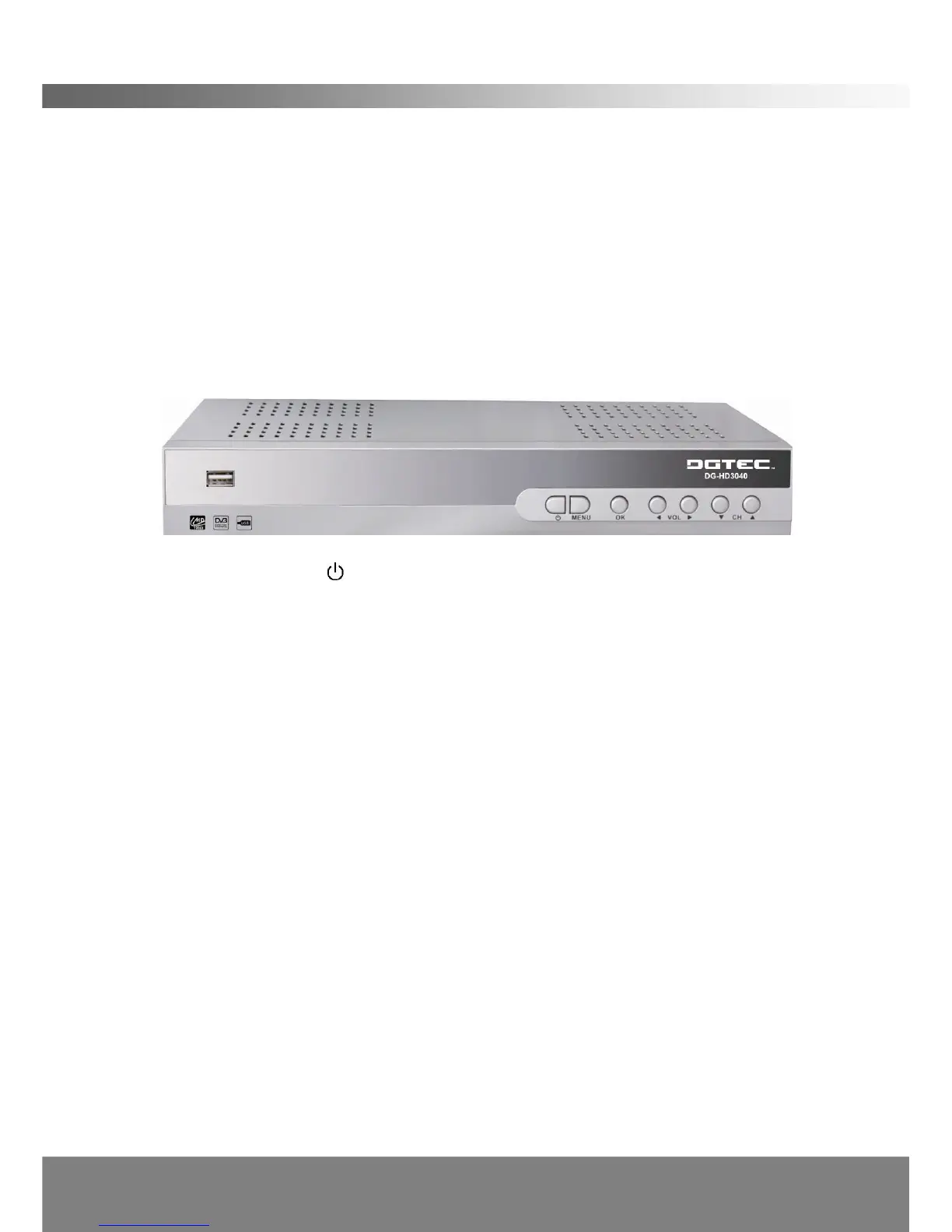
1.2 Front Panel
1. POWER Button ( )
Turns the STB’s power on and off.
2. Menu Button (MENU)
Press to display the Main Menu or to exit from the menu.
3. OK
Press to select the item in the menu or to list the TV/Radio channels.
4. Volume Left/Right Button (◄ /► )
Moves the cursor left/right when in the menu or adjusts the volume level.
5. CH Up/Down Button (▲ /▼ )
Moves the cursor up/down when in the menu or changes the current program to the
previous/next channel.
6. Front Panel Display
Front panel window displays information concerning current operation such as CH
number. The blue LED lights up when power on, the green LED lights up when the
channel is locked in.
7. USB
USB port is used for viewing external files on a memory stick, recording content to
an external USB drive, and for possible software upgrades. (Only to be advised by
service technician)



 To Next Page