3. OPERATION
Page 27 © 1998 DH Instruments, Inc.
OPERATION
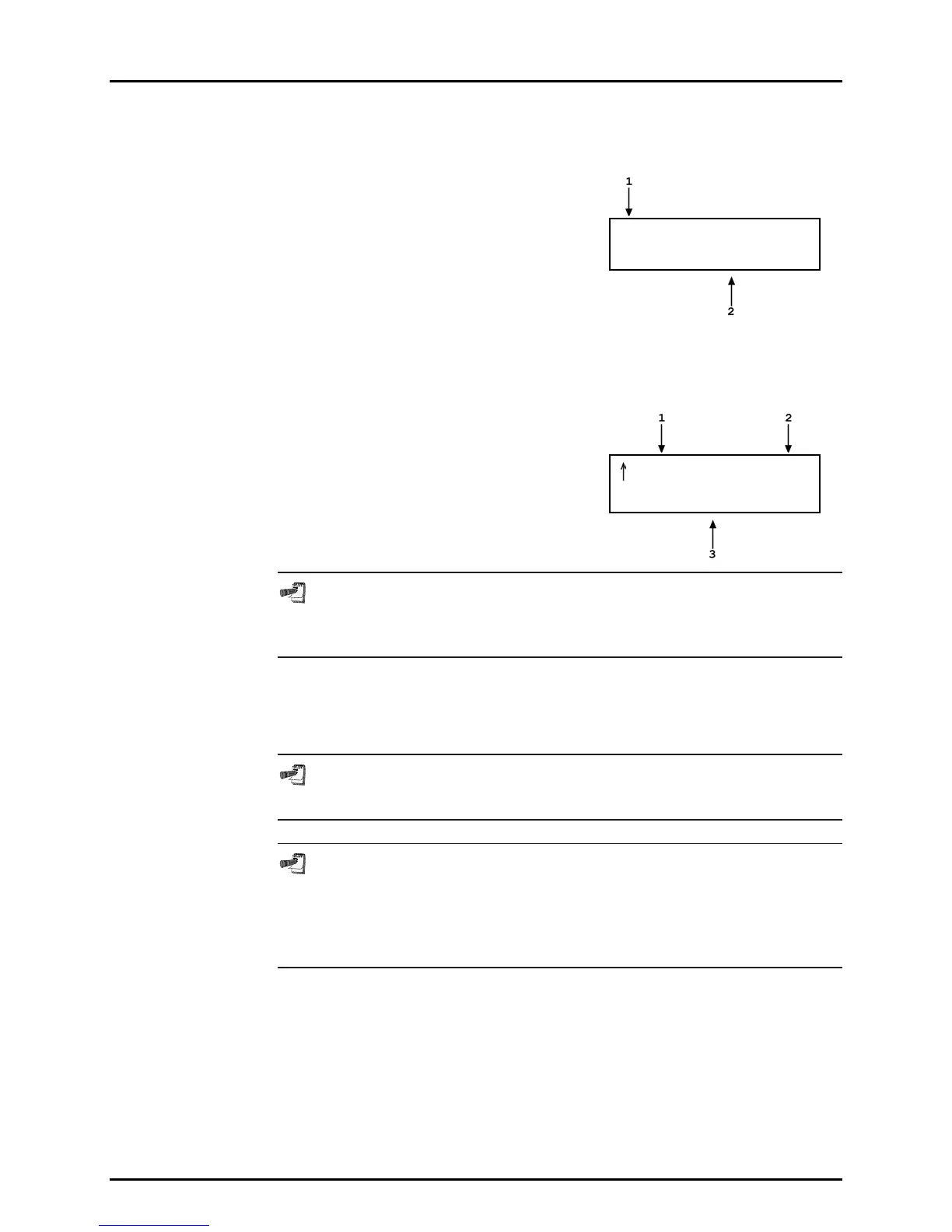
To set a pressure press ENTER from the main run screen. The display is:
1. Ready/Not Ready indication, current pressure,
units, measurement mode, range (regular first
line of main run screen).
2. Entry field for target pressure to be set
automatically. Comes up with last entry or
zero if pressure measurement units have
been changed, range has been changed, or
system has been vented.
* 134.56 psi a H3
Target: 135.000 psi
Use the numerical keys and editing keys to enter the target pressure value
desired (see Section 3.2.3.1.2 for information on zero pressure commands).
Press ENTER to start pressure control to the target pressure and return to the
main run screen. The main run screen is:
1. "Ready/Not Ready indication, current
pressure, units, measurement mode, range
(regular first line of main run screen).
2. Target pressure value (T) or pressure rate of
change value (R) if in dynamic control and
pressure is in ready condition.
3. Current control mode flashing to indicate that
control is on.
134.56 psi a H3
T 250.000 DC
A target pressure entry that exceeds the current upper limit (see Section
3.2.4 or that is out of range will not be accepted as the target value when
ENTER is pressed.
Observe the Ready/Not Ready indication for indication of when ready conditions
have been satisfied (see Section 3.1.2.4). PPC2 AF will continue controlling
following static or dynamic control operation protocol (see Section 3.1.2.3) until
automated pressure control is interrupted.
See Section 6 if PPC2 AF is unable to control pressure or appears to control
pressure poorly.
For PPC2 AF to set pressures under atmosphere and/or to reliably set
pressures under 2 psi (14 kPa) gauge other than zero gauge, a vacuum pump
must be connected to the EXHAUST port (see Section 2.3.4) and PPC2 AF
must be set up for control using a vacuum reference (see Section 3.3.1).
Zero gauge pressure can always be set.
3.2.3.1.1 Interrupting Automated Pressure Control
Automated pressure control is interrupted by:
• Pressing ESCAPE.
• Pressing any direct pressure control key (see Section 3.1.2.2).
• Pressing any function key.
To start automated pressure control again, press ENTER and ENTER a target
pressure value.



 To Next Page