Tel/Fax: 0755-82734836 www.dh-robotics.com
10
Figure 2.6 Modbus RTU parameters
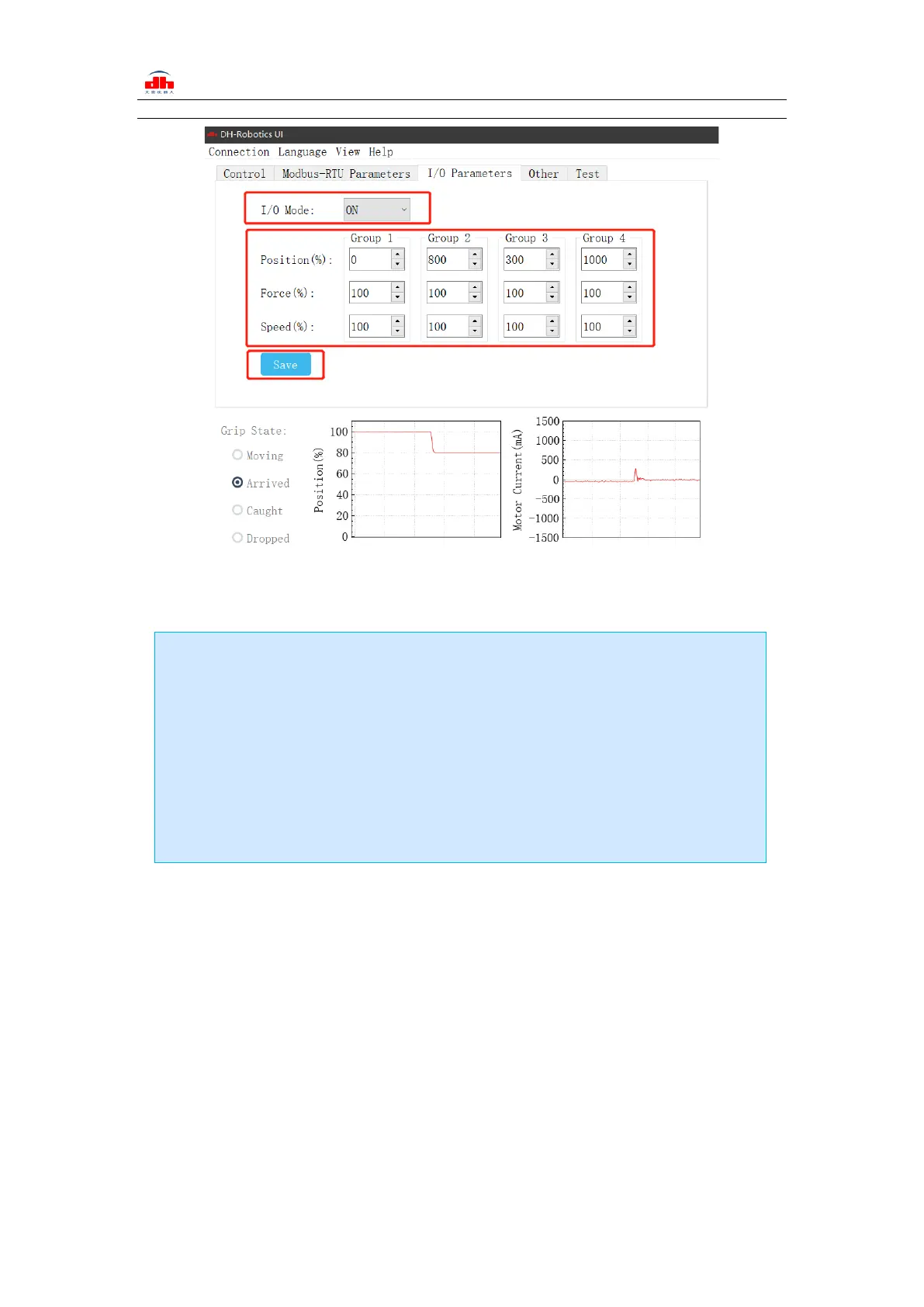
The steps of switching IO are as follows:
2.2 Default Communication Parameters
Slave Address :1
Baud Rate :115200
Data Bits :8 bits
Stop Bits :1 stop bit
Parity :None
Steps to switch IO mode
·① Open IO mode: open IO mode first.
·② Configure four groups of IO parameters: set the four groups of parameters of
gripper, including position, force and speed.
·③ Save: click the Save button to write the parameters to the internal register of flash,
and restart to control.
·④ Restart: after the restart, the switch to IO mode is successful. You can control the
gripper according to the input signal, and the running status will be fed back through
output.


 To Next Page