12
1250 Ef Owner’s Manual
Console (continued)
DISPLA
YS
a.
Dot Matrix /Pr
ofile display
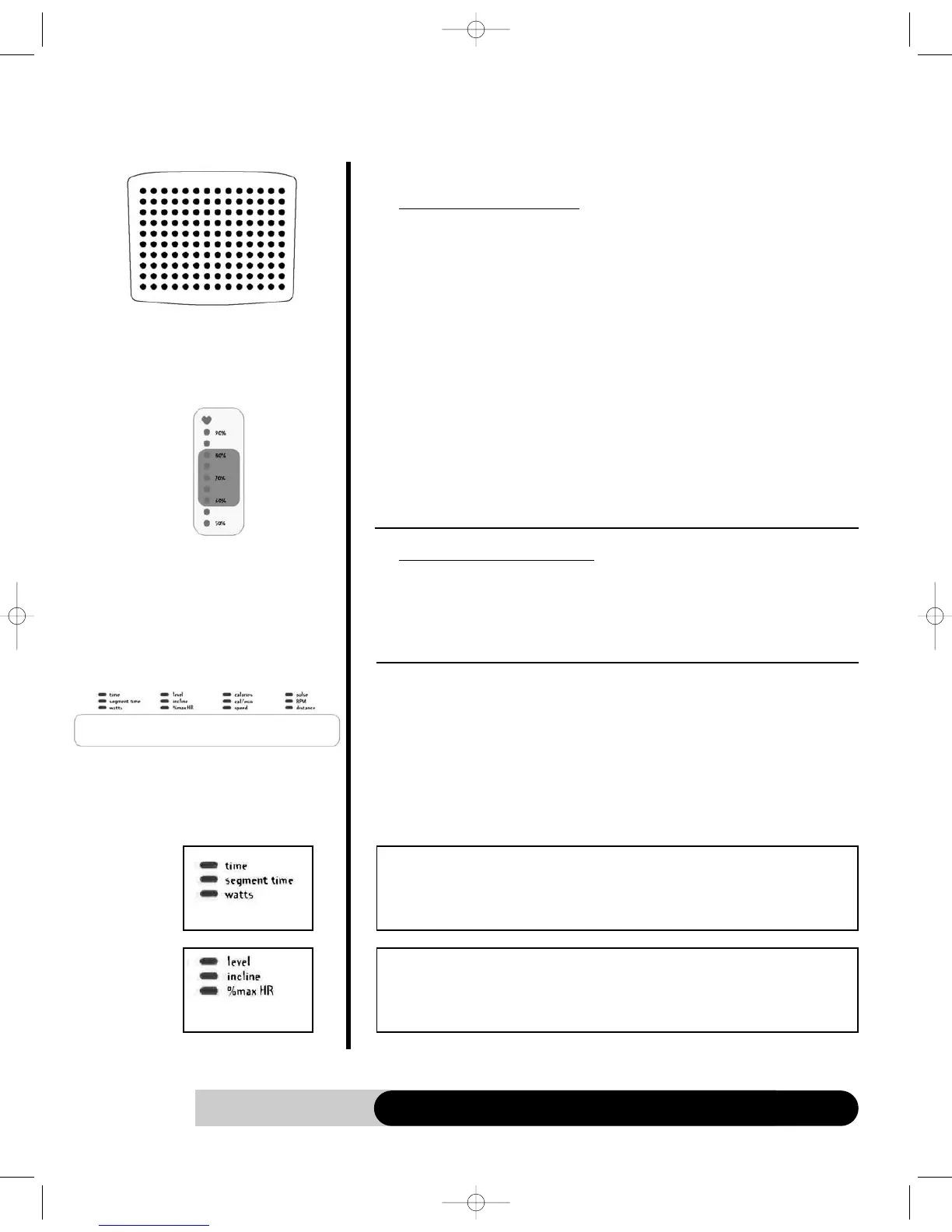
1. It displays the program profile during the program setup and executing modes.
• Display the Intensity profile & incline profile during the Classic & Cross
training programs.
• Display the % Max HR profile & incline profile during the HR interactive
programs
2. Profile definitions:
• Intensity profile – The LED represents the resistance level, L1- L20; the higher
LED lights up, the higher resistance it is on. The LED will blink to indicate the
current workout segment.
• Incline profile – The LED represents the incline level, L1 - L10. The top LED will
blink to indicate the current workout segment.
• % Max HR profile – The LED represents the % Max HR: 0-100%
3. If you choose the incline as the data display, it will switch the default intensity
pro file display or % Max HR profile display into Incline profile display as well.
4. If Incline UP/DOWN key is pressed to adjust the incline, the profile display will
be switched to “Incline profile” and shows the adjustment until the adjustment is
done.
b. Heart rate bar graph display
1. The ♥ will light up and blink once there is a valid pulse detected.
2. It will light up the % Max HR during a program, if there is a valid pulse detected.
3. It will use the default age for % calculation unless there is an age entry during
setup.
C. Message/Workout data display
1. During a program setup, this display will scroll the messages to guide you through
the setup process.
2. In the Cross Training and Personal Trainer programs, it will display additional
messages to focus on your total body workout.
3. During workout, it also acts as data display window and display four data at the
same time. You may select your favorite 4 displays by pressing the “SELECT”
button under each group at any time.
Dot Matrix/Pr
ofile
display
Heart Rate Bar Graph
display
The most effective Heart rate
zone: 60%-85%
Message/W
orkout
data display
• Time (hr: min or min: sec): The remaining of current program time.
• Segment time (min: sec): The remaining of current segment time.
• Watts (watt): Current workout wattage.
• Intensity (level 1-20): Current workout intensity level.
• Incline (level 1-10): Current workout incline level.
• % Max HR (%): Current workout % Max HR. If there is no pulse, it will display
“ - - - “ instead.



 To Next Page