Rev. 1.2 (12.2021) MINI-CUBE | SERVICE MANUAL 38
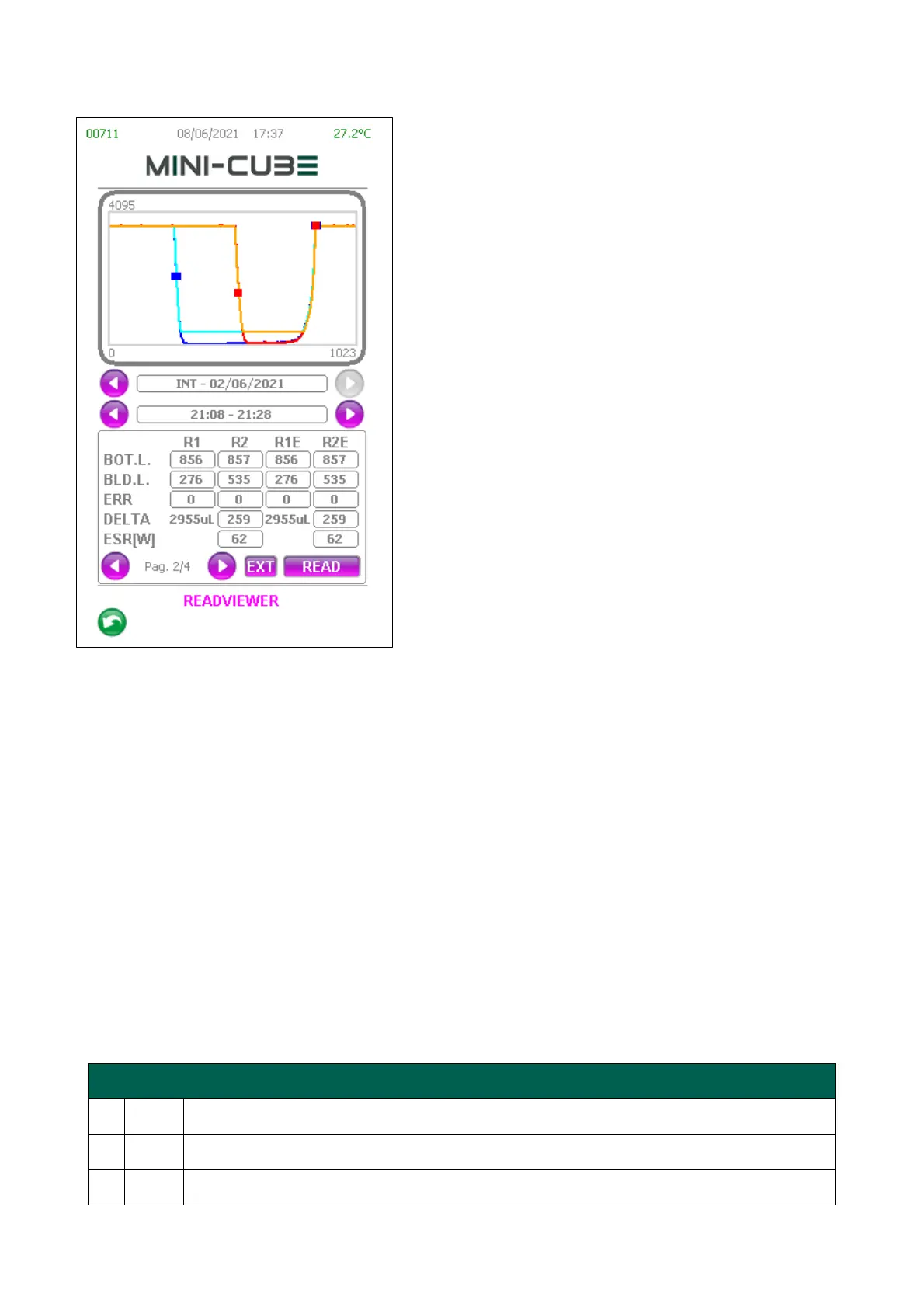
(Pag. 2/4) – The second page contains more
detailed information about the loaded reading:
BOT.L. = Bottom level;
BLD.L. = Blood level;
ERR = Error (the detailed list of errors is described
in the table below);
DELTA = Delta between readings (for
comprehensive examinations only);
ESR [W] = ESR calculated (for comprehensive
examinations only).
R1 = Column of values for the first reading log;
R2 = Column of values for the second reading log;
R1E = Column of the values for the first reading
elaborated with the current parameters set on the
ReadViewer;
R2E = Column of the values for the second reading
elaborated with the current parameters set on the
ReadViewer.
ESR results are always presented in Westergreen method. Since while saving the LOG,
the HCT is not present, ESR results cannot take account of HCT correction.
Note: the graph shows the tracks that originated the data through four different colors
Blue = R1
Red = R2
Cyan = R1E
Orange = R2E
In the graphs, the blue squares (for the first reading) and the red squares (for the second
reading) identify the bottom level and the blood level.



 To Next Page