Rev. 1.2 (12.2021) MINI-CUBE | SERVICE MANUAL 37
3.1.5 Reading viewer
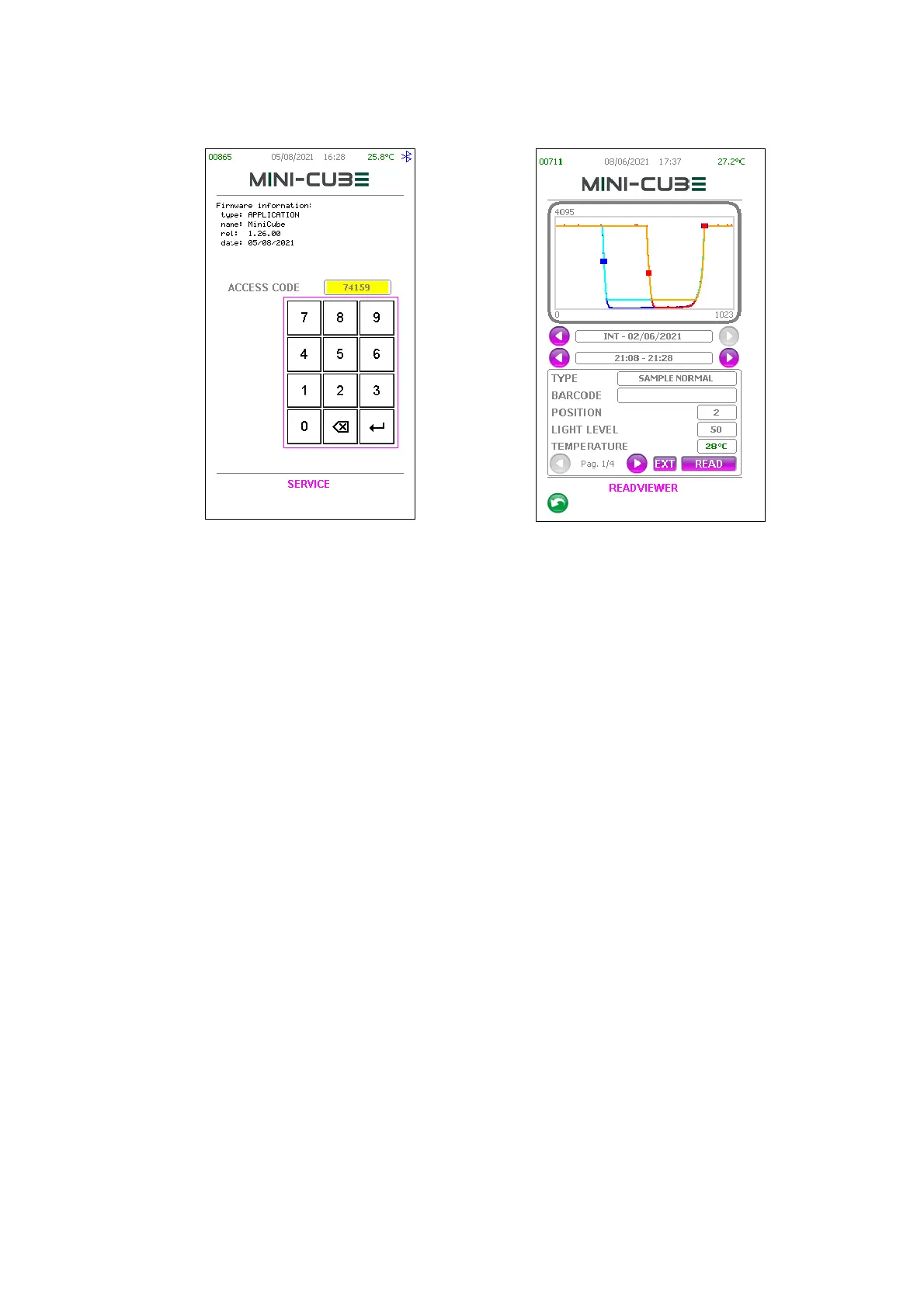
This part of the program displays all graphs of the samples readings present in the
LOG.txt file. As you enter, the latest LOG.txt file reading is showing on screen.
Below the graph, there is the acquisition date of the LOG.txt file (a file log, covers a day),
with a right and left arrow keys to scroll forward and backward through the LOG files.
Below the date, there is the time of the test. If the readings are two (full examination),
the times shown represent respectively that of the first and second reading.
Below the time, there is instead a window with a right and left arrow keys to scroll
through four different pages containing various information and parameters about the
LOG.txt file reading.
The command “READ” allows the reading of a tube in real time. Before starting the test,
it’s possible to choose the position and the power of the light. The parameter LIGHT ALL
must always be set to OFF.
The command “EXT” allows to check the LOG files presents in an external USB KEY.
(Pag. 1/4) – The first page contains basic information about the loaded reading: type of
test tube, barcode, position of the analysis, light level and temperature.
Note: the temperature is only stored in the second reading. In case of a single reading,
the temperature is not displayed.
The temperature is always displayed in degrees Celsius and it is green or red depending
on whether the correction is respectively enabled or disabled.



 To Next Page