DS-425 Service Manual
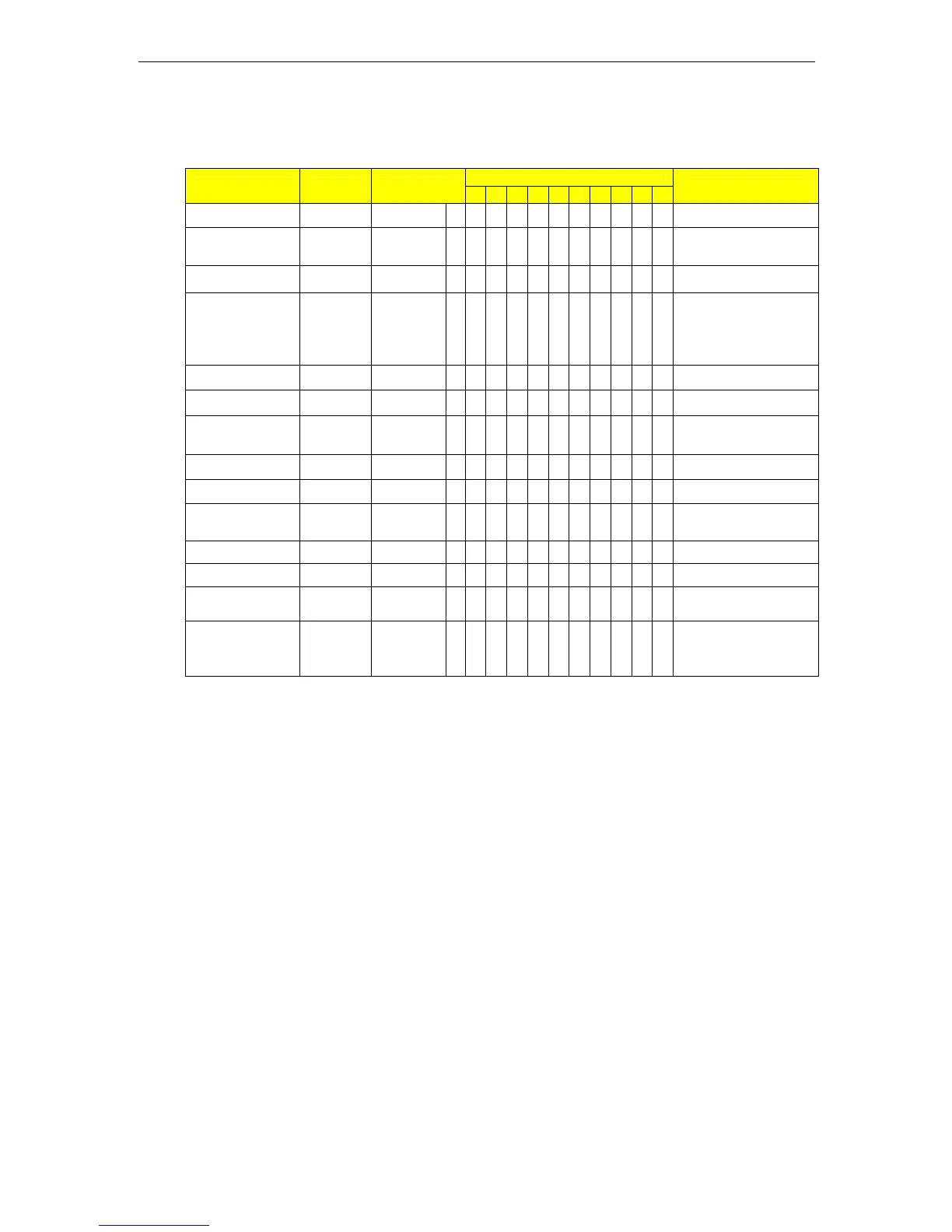
3.7. Set-Point Setting (SPEC8 BIT0 = 1)
Indication Flag: B - Bright S - Sparkling
1-ZERO 2-NET 3-STD 4-U.C 5-SAF 6-SAC 7-S1 8-S2 9-S3 10-S4
Indicator
Operation Key Weight
1 2 3 4 5 6 7 8 9 10
Remarks
Weight Stable 0.0000 kg B B Weighing mode
Enter into
setting mode
[Mode]
[Mode]
SET-1 Set for Point 1 *1)
Confirm [Enter]
0.0000
kg B Set value
Value change
[Shift]
[INC]
0.0050
kg B
[Shift] key to select
the digit, [INC] key to
change the value of
digit selected *1)
Confirm [Enter] SET-2 Set-Point 1 saved
Point 2 setting [Enter]
0.0000
kg B Set value *2)
Value change
[Shift]
[INC]
0.0100
kg B
Same method as
point 1 setting *2)
Confirm [Enter] SET-3 kg Point 2 saved *3)
Confirm [Enter]
0.0000
kg B Set value *3)
Value Change
[Shift]
[INC]
0.0100
kg B
Same procedure as
point 1 & 2 setting *3)
Confirm [Enter] SET-4 kg Point 3 saved *4)
Confirm [Enter]
0.0000
kg B Set value *4)
Value change
[Shift]
[INC]
0.0100
kg B
Same method as
above *4)
Confirm [Enter] 0.0000 kg B B
Point 4 saved and
back to weighing
mode *4)
Note 1: The indicators S1, S2, S3, S4 will be lighted when setting the corresponding Set-Point.
Note 2: When the weight exceeds the value of Set-Point 1, the indicator S1 will light.
When the weight exceeds the value of Set-Point 2, the indicator S1 and S2 are light.
When the weight exceeds the value of Set-Point 3, S1, S2 and S3 are light.
When the weight exceeds Point 4, S1, S2, S3 and S4 are light.
03 Main Operation Page No. 13


 To Next Page