EasyManua.ls Logo

DigiGrid IOX - User Manual

DigiGrid IOX
44 pages
Print Icon
To Next Page IconTo Next Page
Loading...
IOX
Question and Answer IconNeed help?

Do you have a question about the DigiGrid IOX and is the answer not in the manual?

Summary

Getting Started

System Requirements

Lists the necessary hardware and software for using the DiGiGrid IOX.

Software Installation

Details the installation steps for the IOX and SoundGrid Studio software.

Hardware Overview

IOX Front Panel Overview

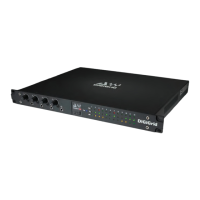
Description of the front panel controls, LEDs, and headphone jacks on the DiGiGrid IOX.

IOX Rear Panel Connections

Details the various input/output connectors and ports on the rear of the IOX.

Software Setup and Operation

Control Panel Interface

IOX Controls Page Overview

Explains the Controls page for configuring inputs, outputs, and preamps.

Analog Input and Output Controls

Describes controls for mic preamps, line inputs, and line outputs.

Clock Settings and Status

How to set clock source, sample rate, and monitor clock status.

Adding a DSP Server

Audio Routing in SoundGrid Network

Connecting I;O to a DAW

Steps to patch I/O devices to the SoundGrid ASIO/Core Audio driver for DAW use.

Patching I;O and Driver Connections

Detailed guide on creating device-to-driver and driver-to-device patches.

Installation and Safety Notes

Summary

Getting Started

System Requirements

Lists the necessary hardware and software for using the DiGiGrid IOX.

Software Installation

Details the installation steps for the IOX and SoundGrid Studio software.

Hardware Overview

IOX Front Panel Overview

Description of the front panel controls, LEDs, and headphone jacks on the DiGiGrid IOX.

IOX Rear Panel Connections

Details the various input/output connectors and ports on the rear of the IOX.

Software Setup and Operation

Control Panel Interface

IOX Controls Page Overview

Explains the Controls page for configuring inputs, outputs, and preamps.

Analog Input and Output Controls

Describes controls for mic preamps, line inputs, and line outputs.

Clock Settings and Status

How to set clock source, sample rate, and monitor clock status.

Adding a DSP Server

Audio Routing in SoundGrid Network

Connecting I;O to a DAW

Steps to patch I/O devices to the SoundGrid ASIO/Core Audio driver for DAW use.

Patching I;O and Driver Connections

Detailed guide on creating device-to-driver and driver-to-device patches.

Installation and Safety Notes

DigiGrid IOX Specifications

General IconGeneral
Bit Depth24-bit
Power SupplyExternal PSU
Form Factor1U Rackmount
TypeAudio Interface
Phantom PowerYes
Audio Inputs8 x XLR/TRS Combo
Digital ConnectivityEthernet (SoundGrid)
Sample RateUp to 96kHz
Word Clock I/OIn/Out
ConnectivitySoundGrid
CompatibilityMac, Windows
Headphone Outputs1 stereo headphone output