12
IOX
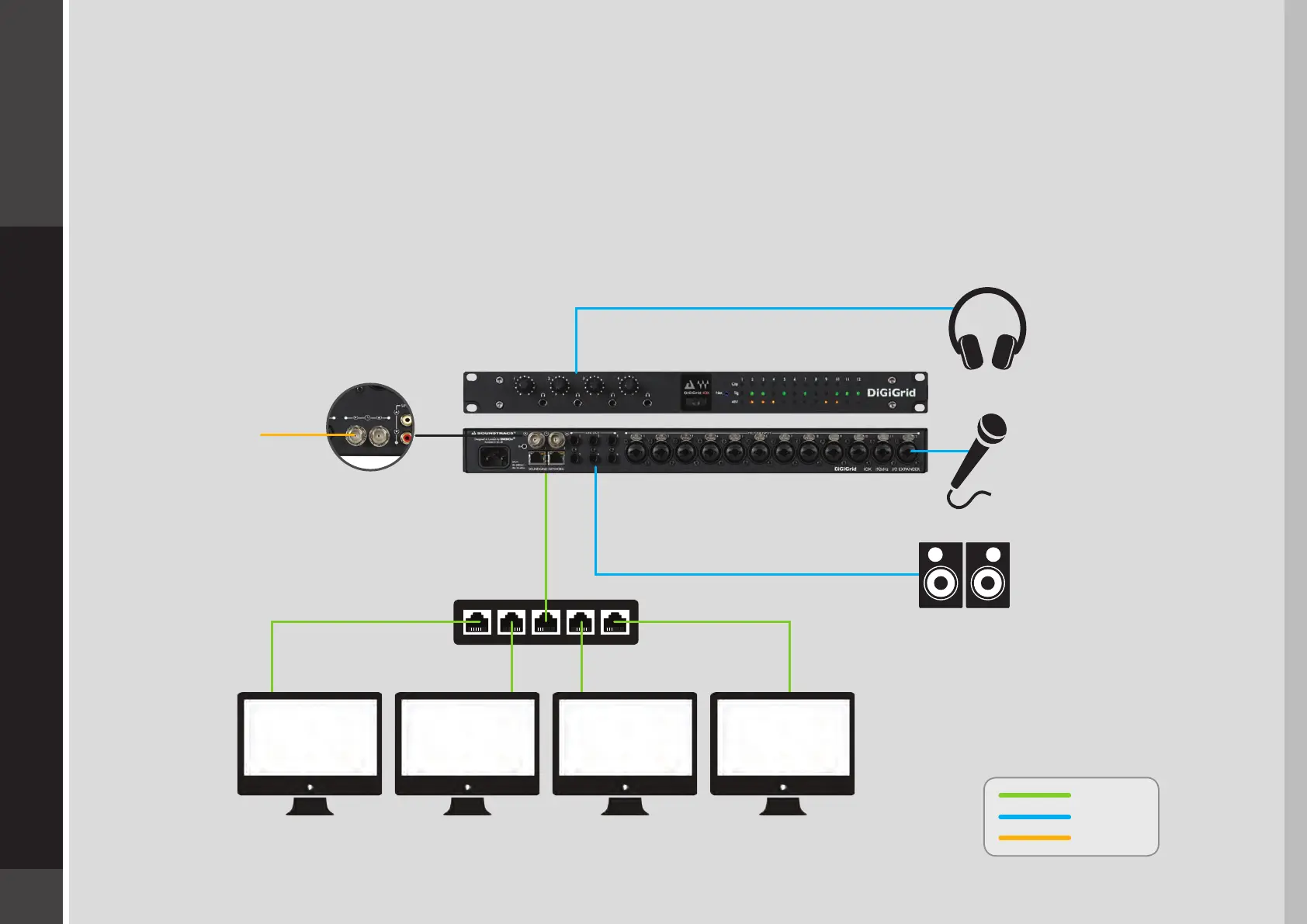
3.4 Multiple Computers with a Single DiGiGrid IOX
If you want to stream audio between several computers in order to combine multiple mixes or elements, connect several DAWs to
one IOX interface. Each DAW can send and receive an audio stream, and any one computer can control the I/O. Any native DAW—
or combination of dierent native DAWs—can be a part of this network, so each computer must have the IOX software installed.
Two computers can be connected to the DiGiGrid IOX Ethernet switch via a single Cat 5e or Cat 6 Ethernet cable. If you want to add
further computers, you will need to connect them to an approved external 1GB Ethernet swtich.
Ethernet
Analog
Clock
Computer 4Computer 2Host Computer Computer 3
External
Clock
DiGiGrid IOX


 To Next Page