13
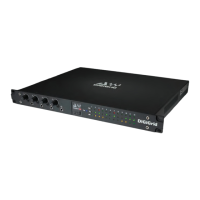
IOX
3.5 HD Mix Room and Several Smaller Recording/Editing Rooms
Let’s say you need lots of channels of audio between the control room and the live room. And you need exibility.
■ You record and mix with a large HDX system, and you’re happy with your present workow.
■ You want to be able to easily add I/O devices without signicant conguration changes.
■ Your studio is part of a large facility, and you’d like to have access to available I/O devices throughout the facility.
■ You want to move your local processing from your Pro Tools system to a DSP server in order to allow a greater plugin count.
Inventory
■ Pro Tools HD/HDX or HD Native system
■ Avid HD I/O (96, 192, Omni, etc.)
■ Two IOX I/O devices
■ Three IOC I/O devices
■ 1 GB network switch
The DLS serves as a bridge between a SoundGrid network and the control room’s Pro Tools HD. Once this link is established,
Pro Tools can access any device on the network.
In this example, Studio A’s control room uses a Digilink I/O interface for monitoring, but additional I/O channels can be added by
connecting one or more IOX interfaces to the DLS.
The live room is equipped with two input-rich DiGiGrid I/Os. This results in a large number of lines between the live room and the
control room over a single Ethernet Cable.
This conguration is part of a larger facility-wide network, so the control room’s Pro Tools HD has access to I/Os throughout the
building. The SoundGrid Studio Application on Studio A’s control room computer is used to manage all the Hardware I/Os on the
network and to connect them to the software I’Os (ASIO/Core Audio drivers) in Studios B, C, D.


 To Next Page