25
IOX
5.2 Clock Page
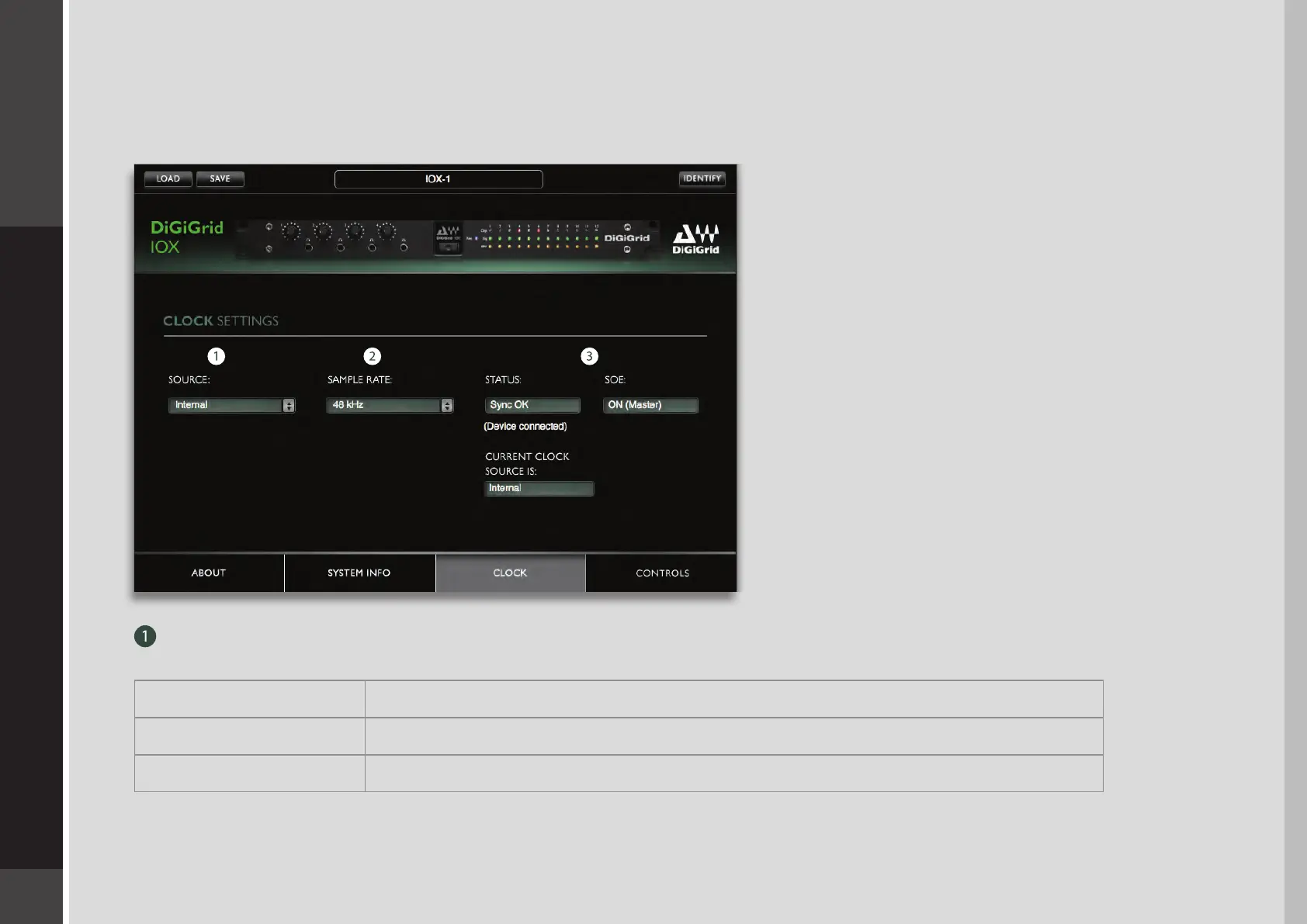
Use the Clock page to set the clock source and sample rate for the device and to assess clock status. Clock controls are on the left
side of the page; status indicators are on the right.
SOURCE sets the clock source
Internal The interface itself provides the clock.
External WC Clock is provided by an external device via the IOX Word Clock Input connector
Sync over Ethernet Word clock is transmitted between SoundGrid devices using Ethernet


 To Next Page