7
IOX
2. HARDWARE
IOX is a 1U rack-mounted device. Aside from headphone jacks, all connections are on the rear panel.
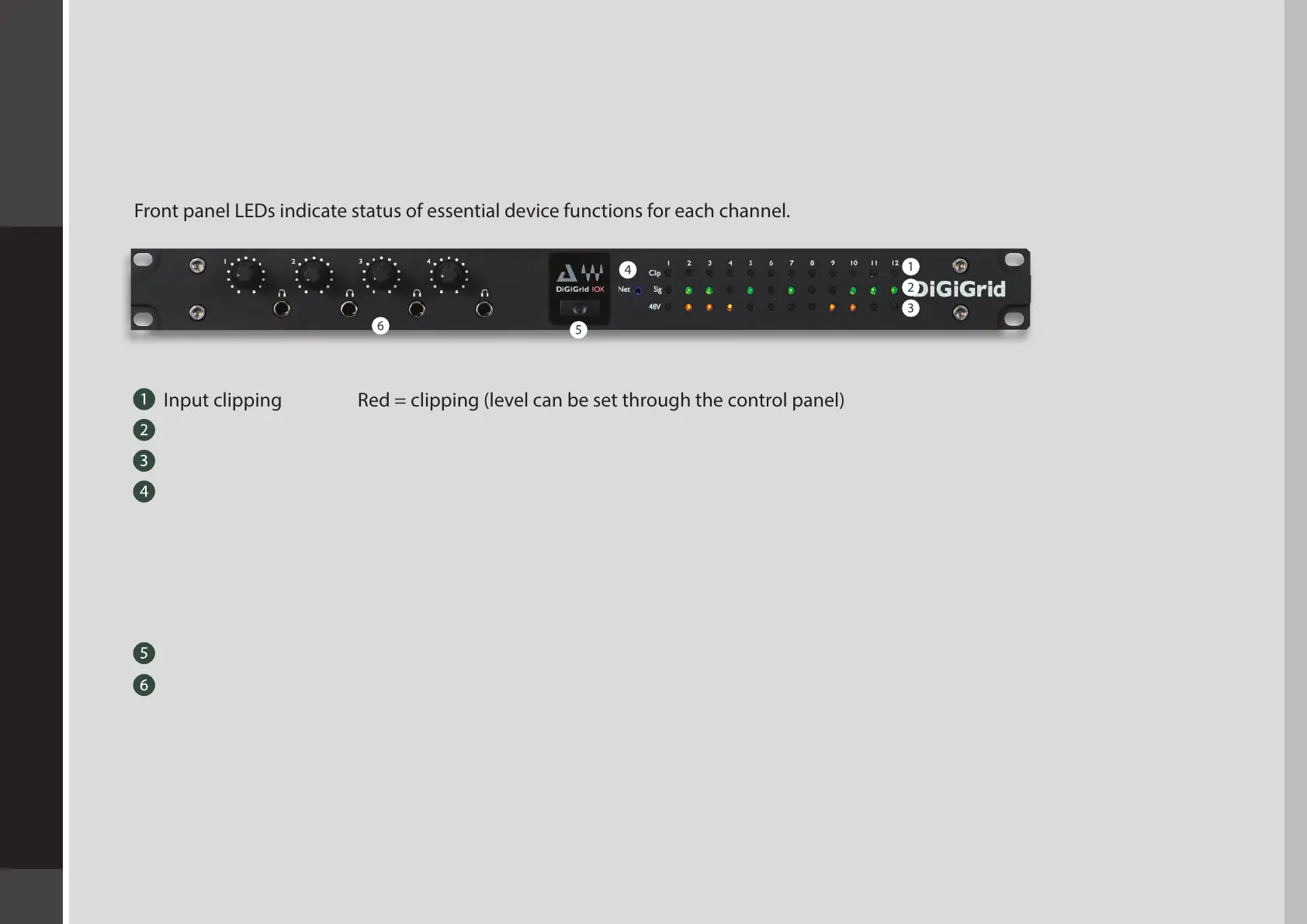
IOX Front Panel
Front panel LEDs indicate status of essential device functions for each channel.
Input clipping Red = clipping (level can be set through the control panel)
Input signal present Green = signal present
48v phantom power Orange = ON
Network status indicator
Blue: Device recognized by the SoundGrid network
Red: Device not recognized by the SoundGrid network
Yellow: Updating
White: Unit malfunction (e.g., rmware did not load properly, unit did not boot properly)
Cycling through colors: This LED is used to identify the unit from the control panel.
Power switch/indicator
Four ¼-inch TRS headphone jacks with individual volume control knobs;
8–600 ohms; gain = OFF to +15 dB


 To Next Page