23
IOX
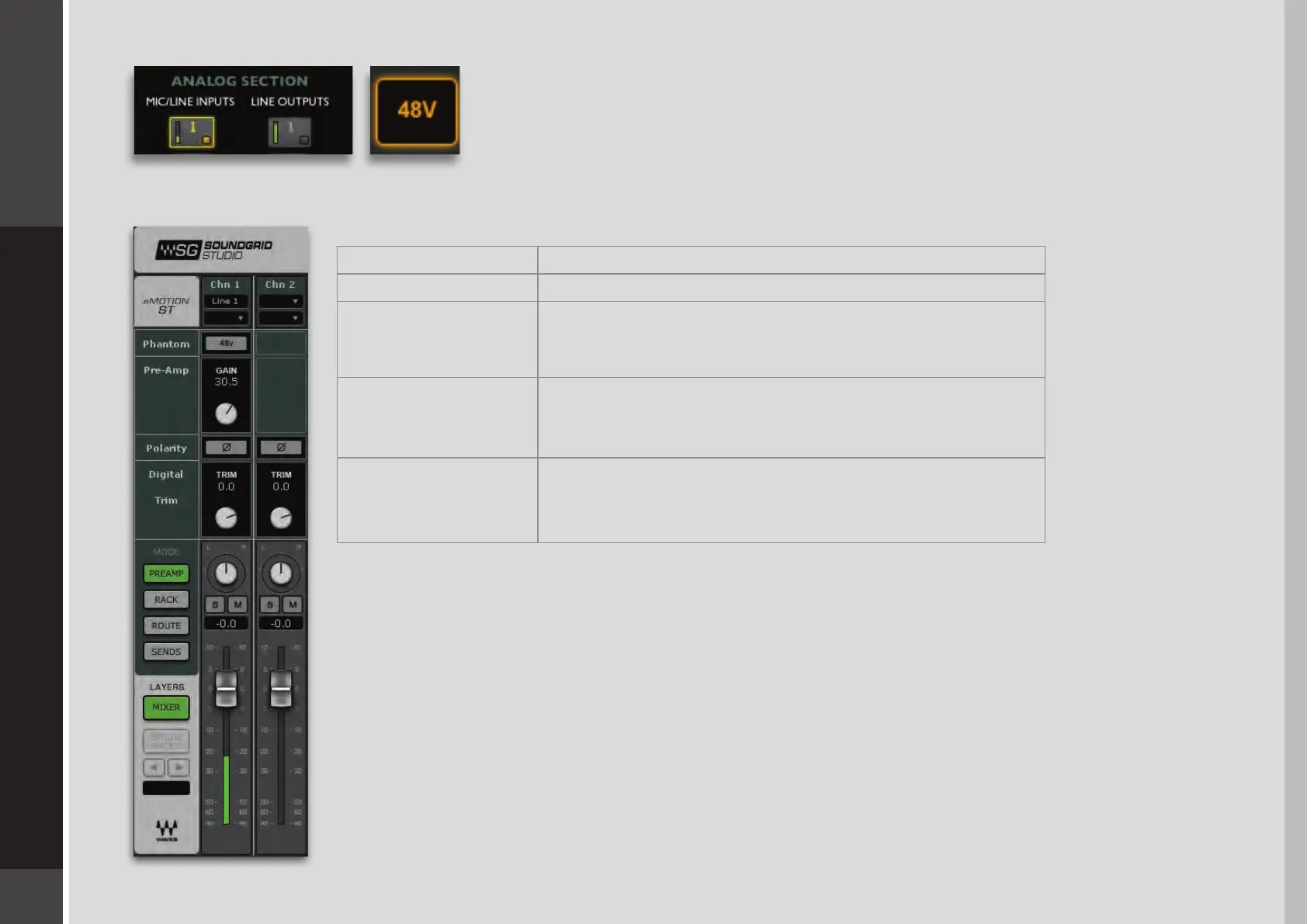
An orange light on a channel button indicates that phantom power for that channel is
active.
You can also control preamp functions from SoundGrid applications such as the eMotion ST mixer.
FunctionControl
On/O48v Phantom
Controls analog gain in an attached I/O device that
includes a controllable preamp.
Preamp Gain Input
Mono channels have one polarity reverse button. Stereo
channels have two. Buttons are latching and are colored
green when engaged.
Input Polarity
Controls input level from digital sources.
Separate controls for L/R when input is stereo.
Digital Input Trim
This allows you to control preamps “on the y,” without leaving your monitor mixer.
eMotion ST also provides a digital trim for incoming digital signals. Refer to the eMotion ST
user guide to learn how to integrate the IOX with the eMotion ST mixer.


 To Next Page