37
IOX
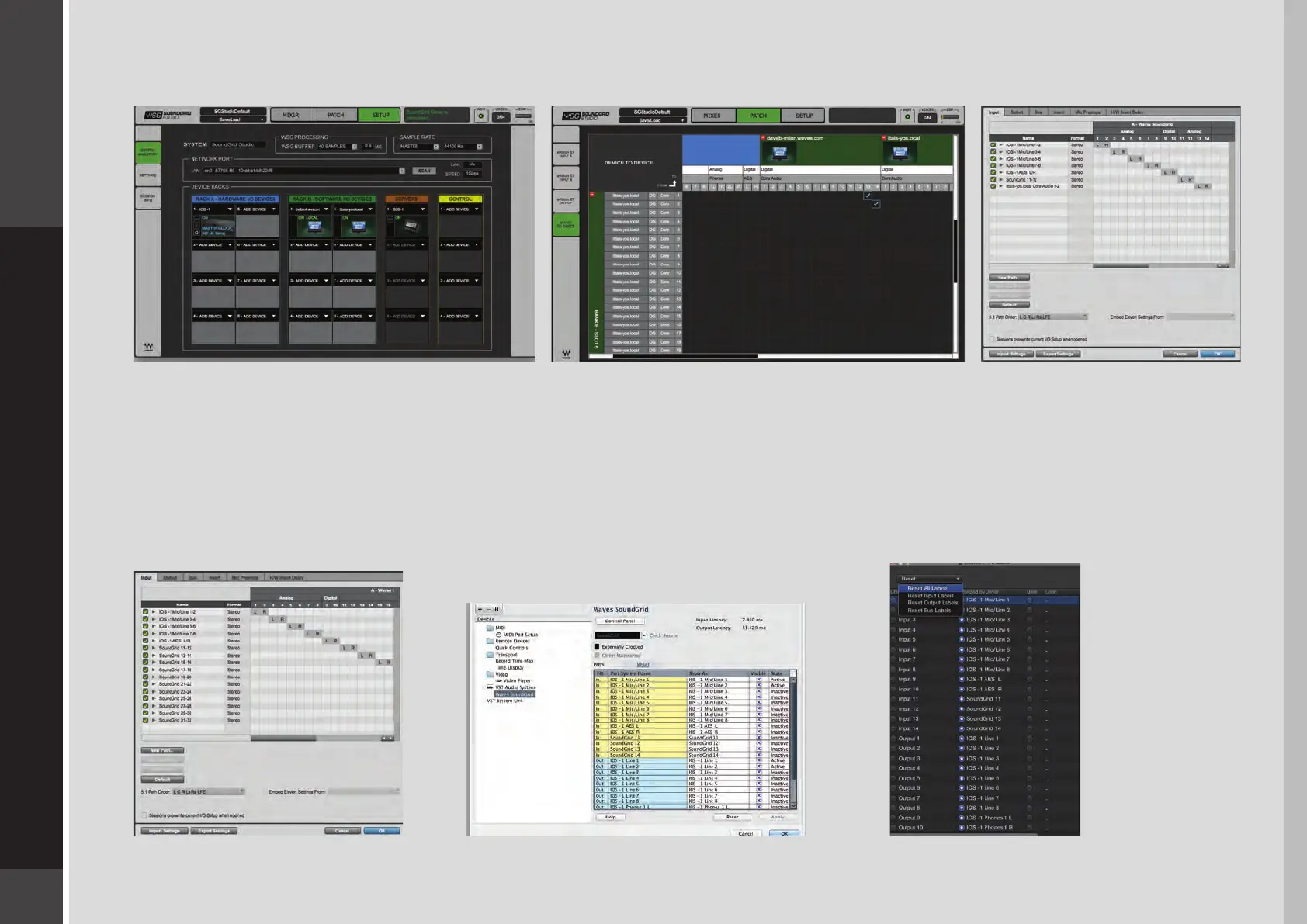
Here is an example of your DAW receiving input from another DAW on a secondary computer via networking:
To ensure that the names have been updated in your DAW, you may need to follow certain steps, depending on your DAW. Here are
a few examples.
Pro Tools
Go to Setup > I/O
Delete and reset all I/O
congurations to DEFAULT.
Cubase
Go to Devices > Device Setup >
Waves SoundGrid.
Select RESET above the PORT
System Name table.
Logic
Go to Mix > I/O Labels.
Select Reset All Labels.


 To Next Page