Digital Ally, Inc. | Device Conguration using VuVault
3-3
FirstVu HD Operation Guide | 860-00177-00 Rev J
Go Back To Table of Contents
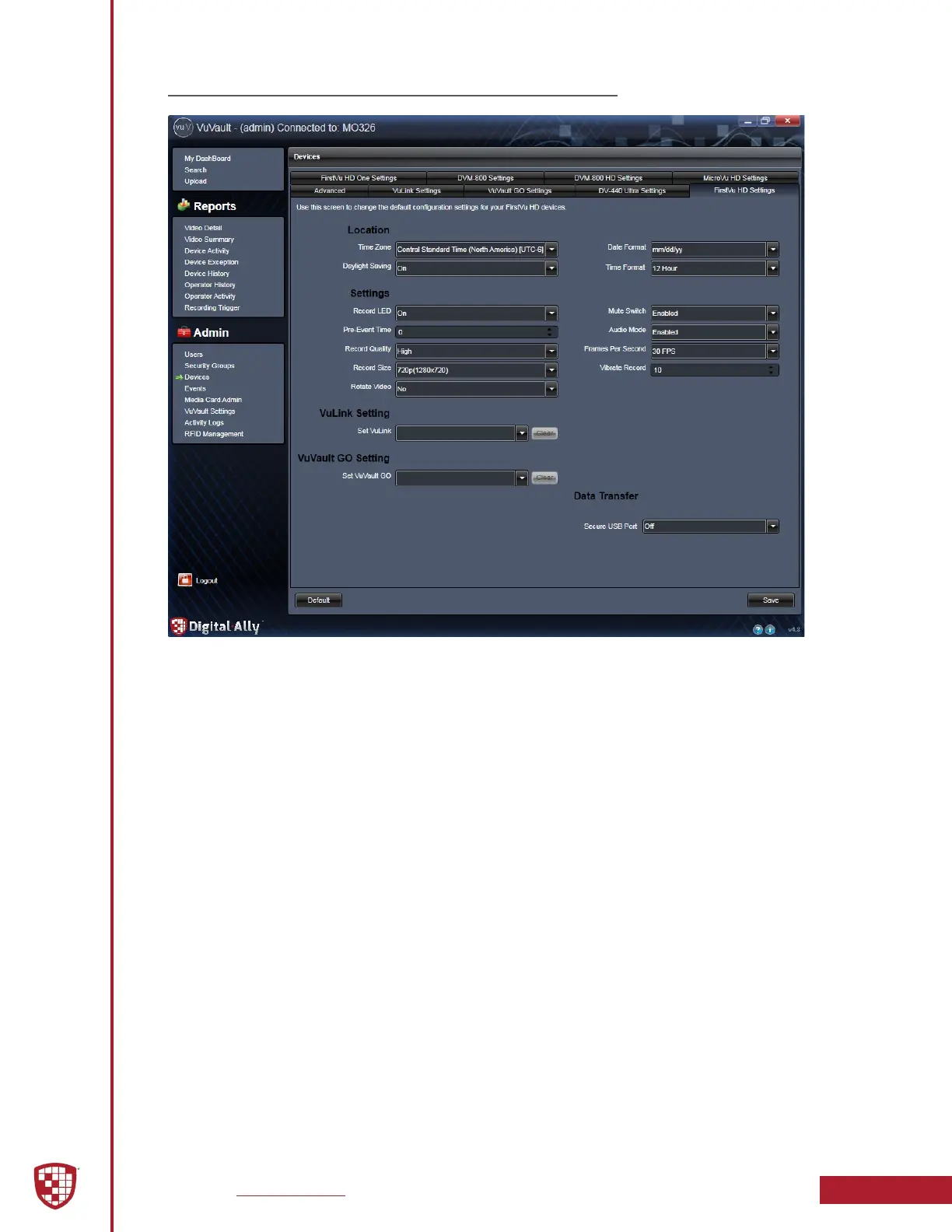
3.3 FirstVu HD Settings
Location
Time Zone
The local time zone is used to adjust the device when synchronizing to the Greenwich
Mean Time. During device conguration, the local time from the PC real time clock will
be used. Central Standard Time is set by default.
Settings: UTC, UTC-6 (CST) [default]
Date Format
The date format displayed on the event recordings is selected through this setting.
Settings: mm/dd/yy [default]; yy/mm/dd; dd/mm/yy
Daylight Saving
When set to On, the time will be automatically adjusted to Daylight Saving time for the
congured Local Time Zone. If this is disabled, time will not be adjusted for Daylight
Saving.
Settings: O, On [default]
Time Format
This setting allows the FirstVu HD to be congured in a 12-hour or 24-hour format.
Settings: 24 Hour, 12 Hour [default]


 To Next Page