23
DS6 User Manual
2. CONTROL / DS DMX page
If “DS MODE” is ”ON”, the selected PSU (and
the PSU underneath, if stacked) will assume
the standard DMX subset of the “DS16”
personality. (Universe is 0, Net 0, Subnet 0)
If PSUs are stacked all light modules con-
nected to the slaved PSUs will show up on
the DS DMX menu of the master PSU for
addressing purposes.
DS mode OFF/ DMX ADDR
When “DS Mode” is set to “OFF” the basic
DMX Mode is in use. The starting page will
be named DMX ADDR.
This mode enables control in a DMX
addressing system for operating com-
plex lighting configurations through a DMX
controller or the DS DMX app when wanting
to control 3rd party lighting equipment in
conjunction with DS gear.
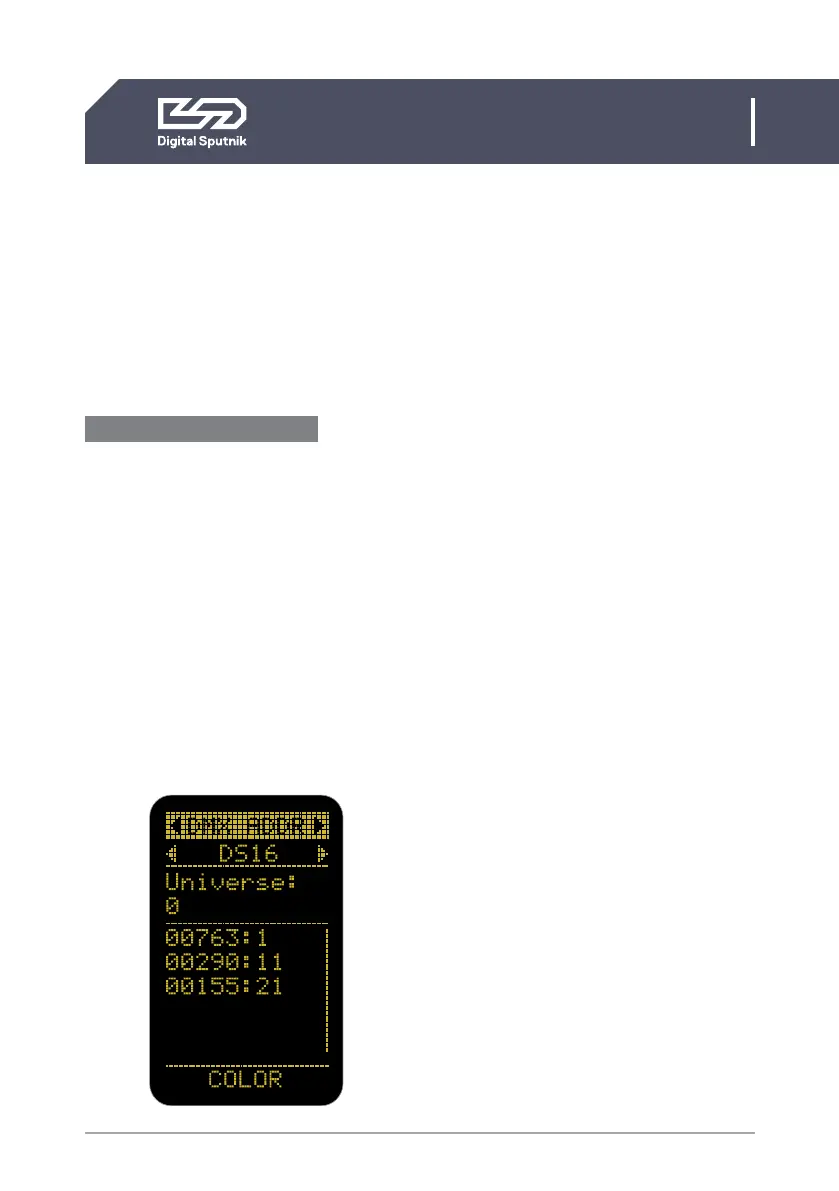
The DMX ADDR page on the display of the
PSU will have three variables.
DS mode OFF/ DMX mode example
• DS16 -
DMX personality.
Default is DS16
• Universe 0 - Defines the DMX universe fo
the PSU. Default is 0
• 00892: 1 - Lamp modules last five serial
number digits followed by
assigned address. In DMX
mode the Default is 1
Personality: There are various personali-
ties to choose from on your PSU. It is upon
this setting that the amount of channels
-or sliders on a DMX board- used to con-
trol the light module is determined. The
default personality is DS16, which allocates
10 channels for each light module, thus, if
the first module is assigned to channel 1,
it will effectively occupy channels from 1 to
10 for the control of its parameters. In such
a case, the second light module will start
on channel 11, the third on channel 21, if
going in succession. The number of chan-
nels -or sliders on a DMX board- used by a
light module is called footprint.
Please take a look at the Personality chart
below.
Use the 16 bit modes in combination with
controllers supporting 16 bit resolution to
obtain best results. The high resolution pro-
vides smooth dimming and precise color
adjustments. The coarse / fine modes utilize
two channels for most parameters and pro-
vide higher resolution compared to the 8 bit
modes.


 To Next Page