D2-912 User Manual | 6
**Important Notice: As the product may undergo modifications and improvements, product
specifications and design are subject to change without prior notice.
NOTE: Pictures in this manual are for reference only.
Chapter One: Overview
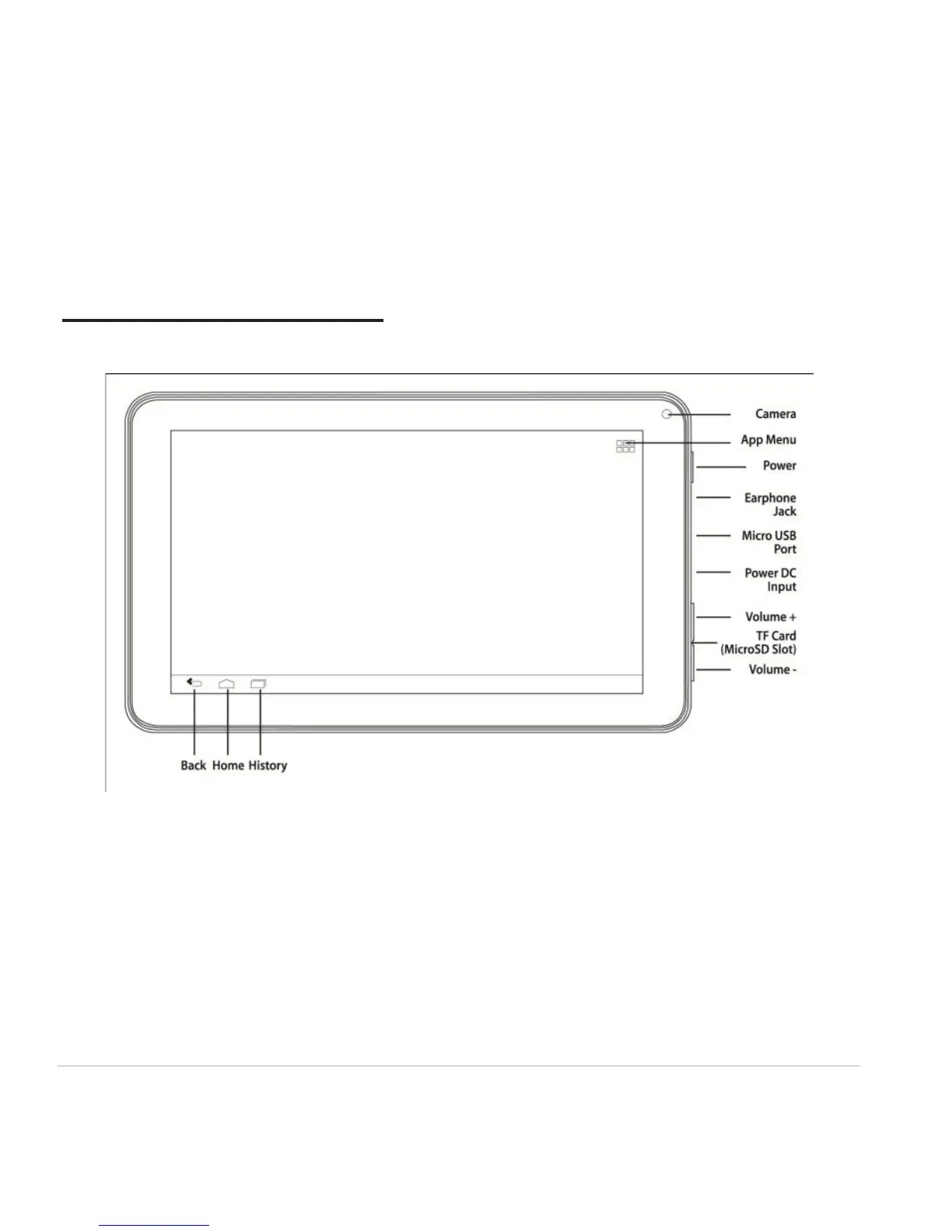
1.1 Product Overview
1.2 Power On and Off
Power on
Press and hold the power button (see Product Overview image) for 2-3 seconds, and the system will
begin to boot. While the unit is off and charging, press the power button to see charging notification.
Power off
While the unit is on, press and hold the power button until a dialogue window appears to confirm
power off. Press “OK” to continue.



 To Next Page