9
FM Mode
How to Switch to FM Mode?
1. Switch radio on and then press the DAB/FM button if currently it isn’t in FM mode.
2. For initial use, it will start at the beginning of the FM frequency range (87.50MHz). Otherwise, the
last FM station you were listening to will be selected.
3. Press or button to downward or upward adjust the frequency by 0.05MHz per step;
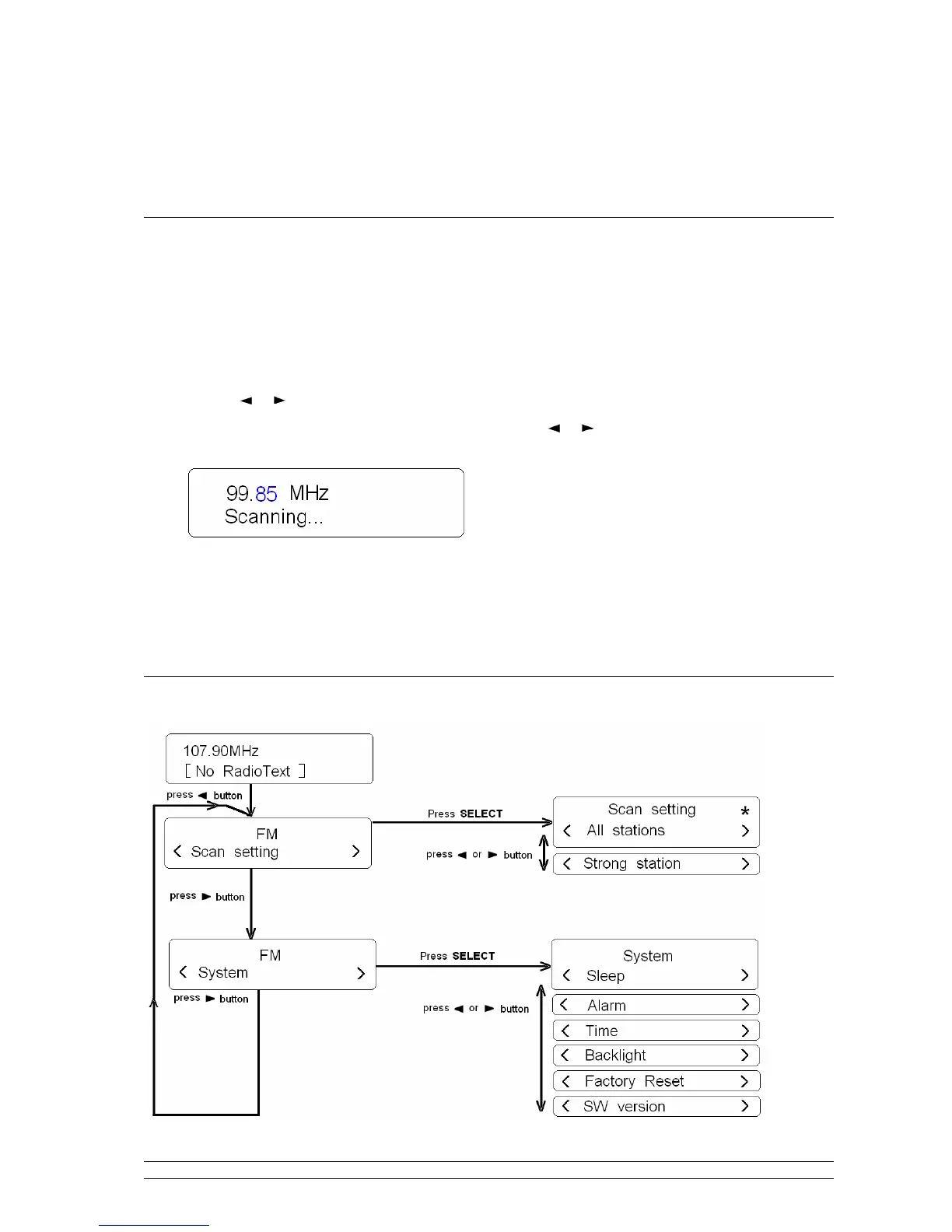
4. To automatically ‘SEEK’ active station, press and hold or button, or simply press the
SELECT button.
Note: a. To automatically scan the next active station, repeat above step (4), the unit will display the
frequency changing until it stops on the next station.
b. After it running to the end of the frequency range, it will restart searching.
FM Menu Tree


 To Next Page