3
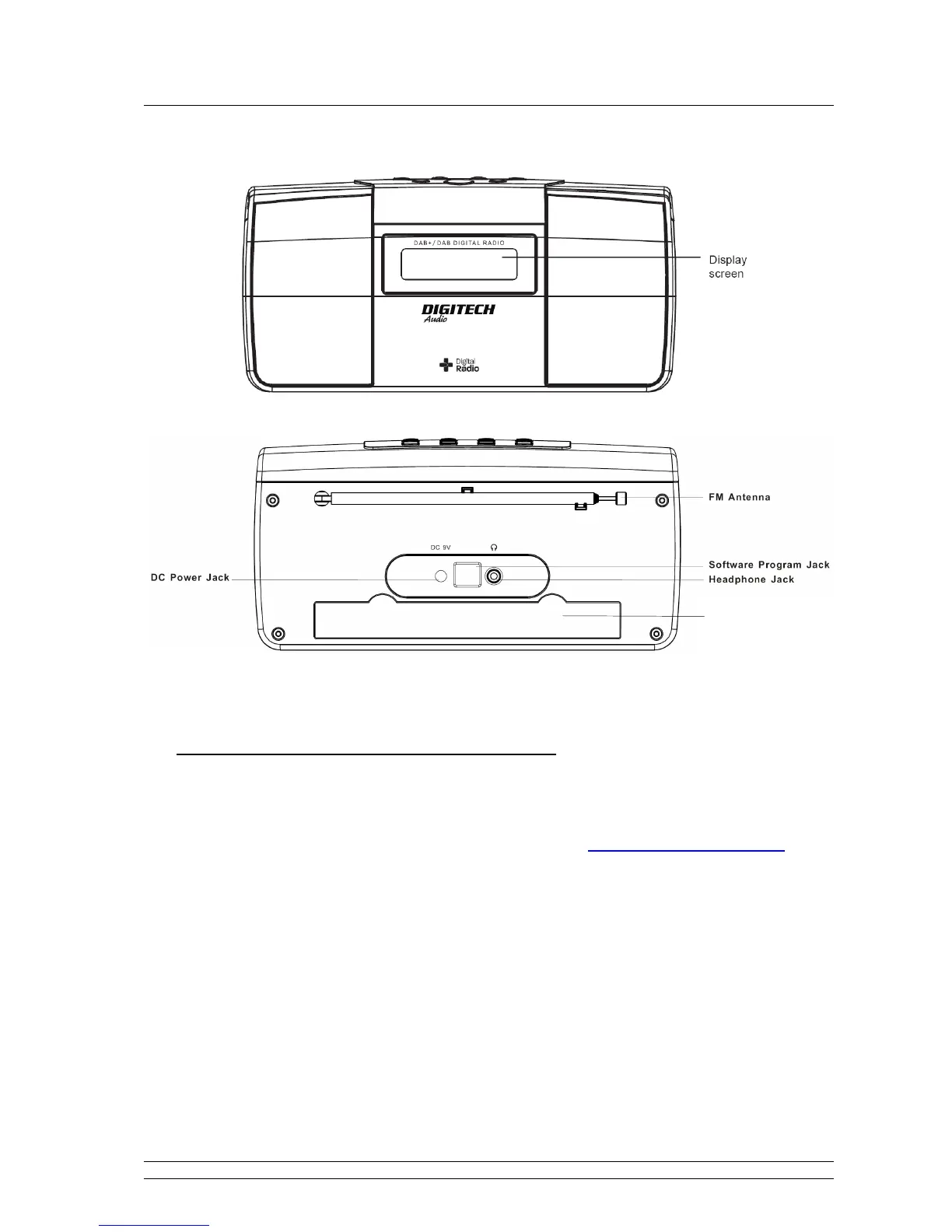
Controls Overview (a)
DIGITAL RADIO FRONT VIEW
DIGITAL RADIO BACK VIEW
Note
: For operate Software Program Jack, only limited to its original manufacturer.
• Battery Operation (Batteries Not Included)
Note: a. Before installing batteries, ensure that the radio is disconnected from the mains supply. Please do not
mix old and new batteries.
1. Remove the battery door at the back of the radio, refer to above DIGITAL RADIO BACK VIEW.
2. Referring to the markings inside the battery compartment, fit 6 pcs new 1.5V UM3/SIZE AA batteries,
remember position the red riband under batteries, and have this riband end exposing, this red riband
is designed for you to easy draw old batteries out.
3. Replace the battery door to cover the batteries and red riband.
4. Switch off the mains supply and remove the cable from the power socket. Battery operation will be
selected automatically.
5. If you are not going to use the radio for an extended period, please remove the batteries to avoid
damage.
Battery Door


 To Next Page