EDXtreme User Instructions 21
3.3 Displaying Peak Force
The EDX will store the peak force applied until that reading is cleared. To display the
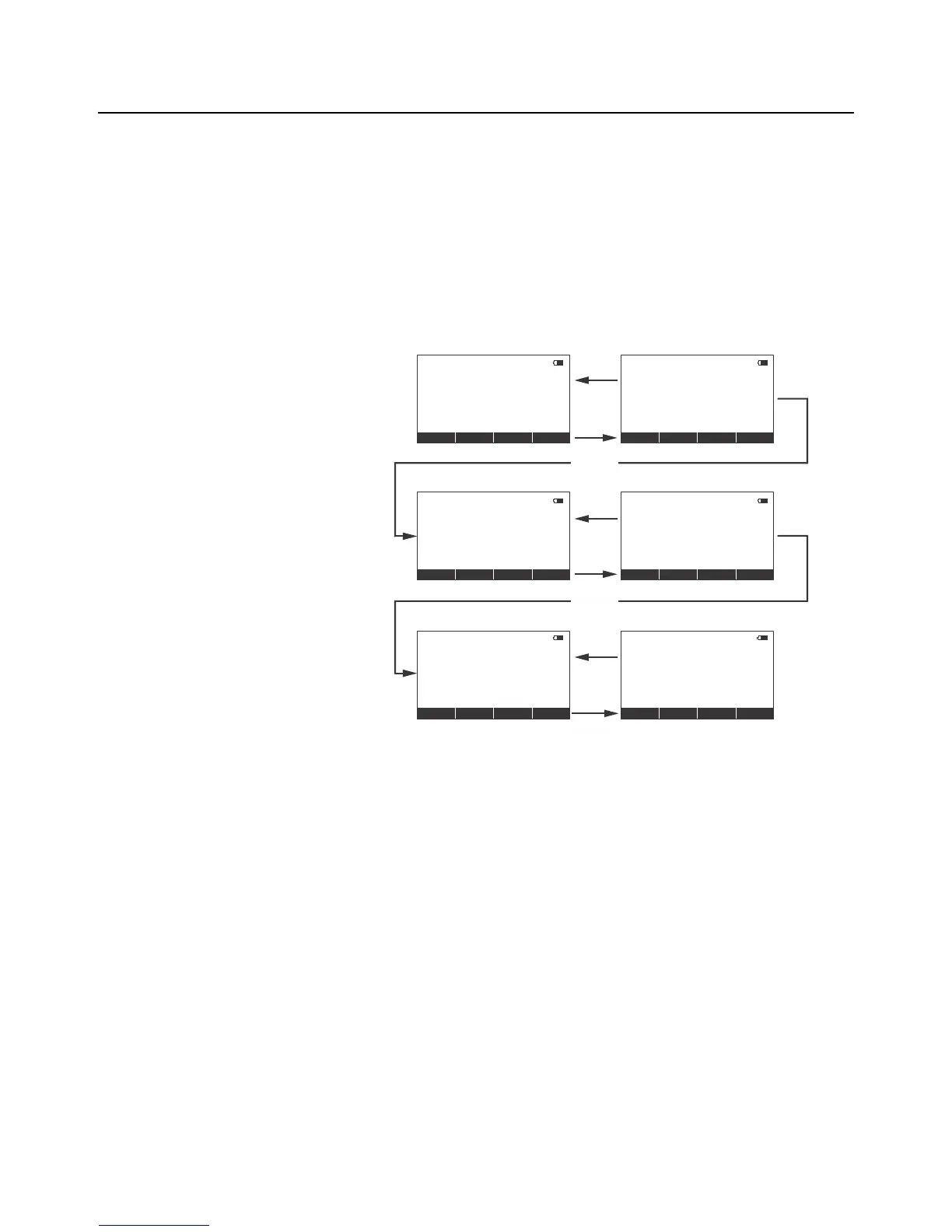
peak force applied to an EDX, from the force measurement mode, press the Mode soft
key. The display changes to display menu #2 shown in Figure 3.2 which is the peak
display mode. The peak force is displayed. You can clear this by pressing the Clear soft
key.
Peak reading is maintained after the instrument is powered off and will be recalled with
the next power-on. Peak reading may be lost if battery power is removed.
Figure 3.2 Display Mode Menu
Press the Mode soft key repeatedly until the desired display mode is reached.
Display #2Mode
Mode key
press
Mode key
press
Live force
reading
Display Mode #1
Force
lbf
lbf
00
Mode
ConfigSetup
Print
Clear
Units
Peak force
reading
Peak Peaklbf lbf
0
0
Mode
Print ClearUnits
ESC key
press
Mode
Dual display
Live & Peak
Force
Print
Clear
Units
ESC key
press
Arrow


 To Next Page