OPERATOR’S MANUAL
with Maintenance Information
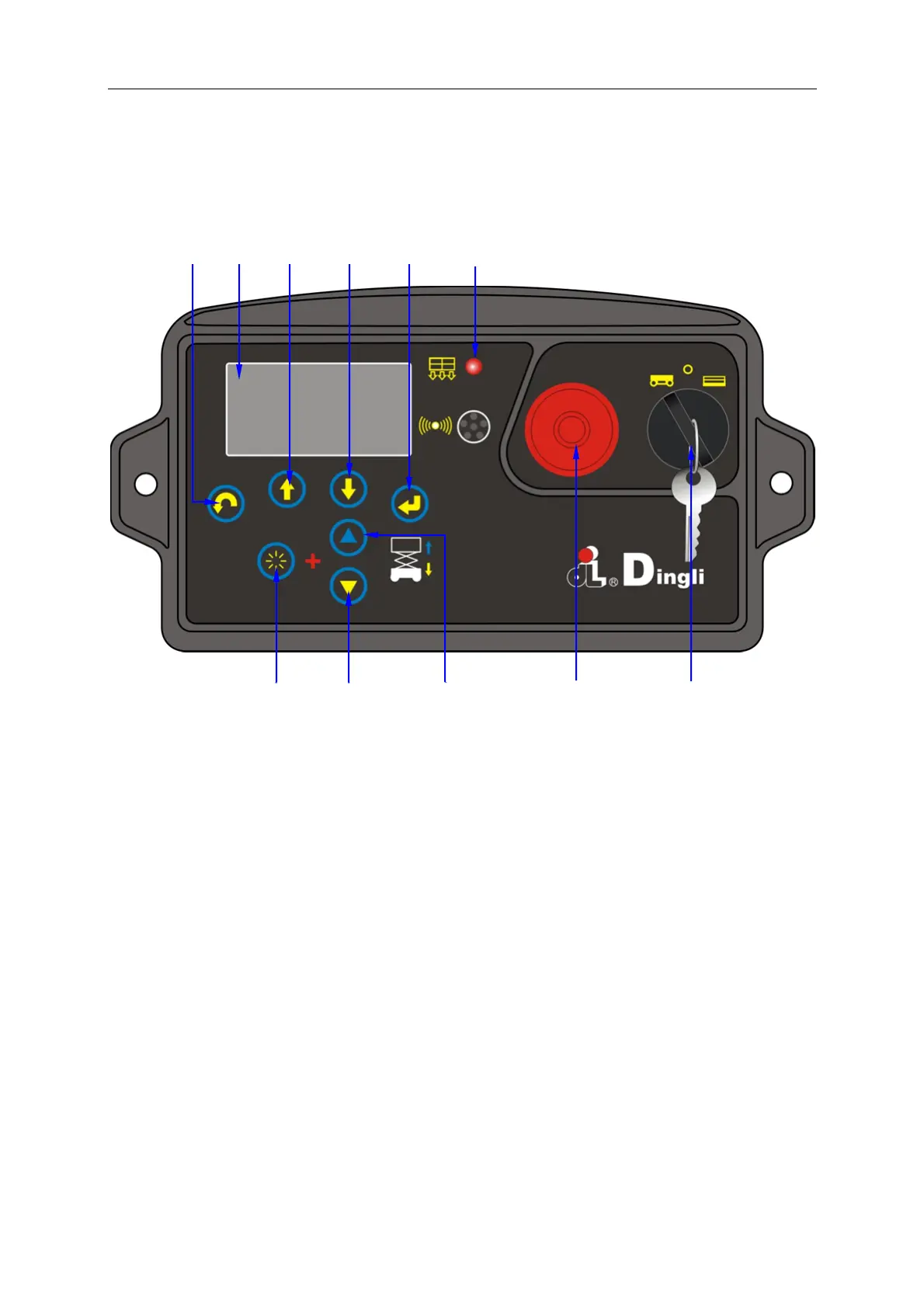
Control Panel
41
Ground Control Panel
1
Menu escape button 9 Platform up button
2 LED
readout screen
10 Red Emergency Stop button
Push in the red Emergency Stop button to
the off position to stop all functions. Pull
out the red Emergency Stop button to the
on position to operate the machine.
3 Menu up button
4 Menu down button
5 Menu enter button
11 Key switch
Turn the key switch to the platform
position and the platform controls will
operate. Turn the key switch to the off
position and the machine will be off. Turn
the key switch to the base position and the
ground controls will operate.
6 Overload indicator light
7 Function enable button
8..
Platform down button
1 2 3 4 5




 To Next Page