DAG1000&2000SeriesFXOVoiceGatewayUserManual
47
Dinstar Technologies Co., Ltd.
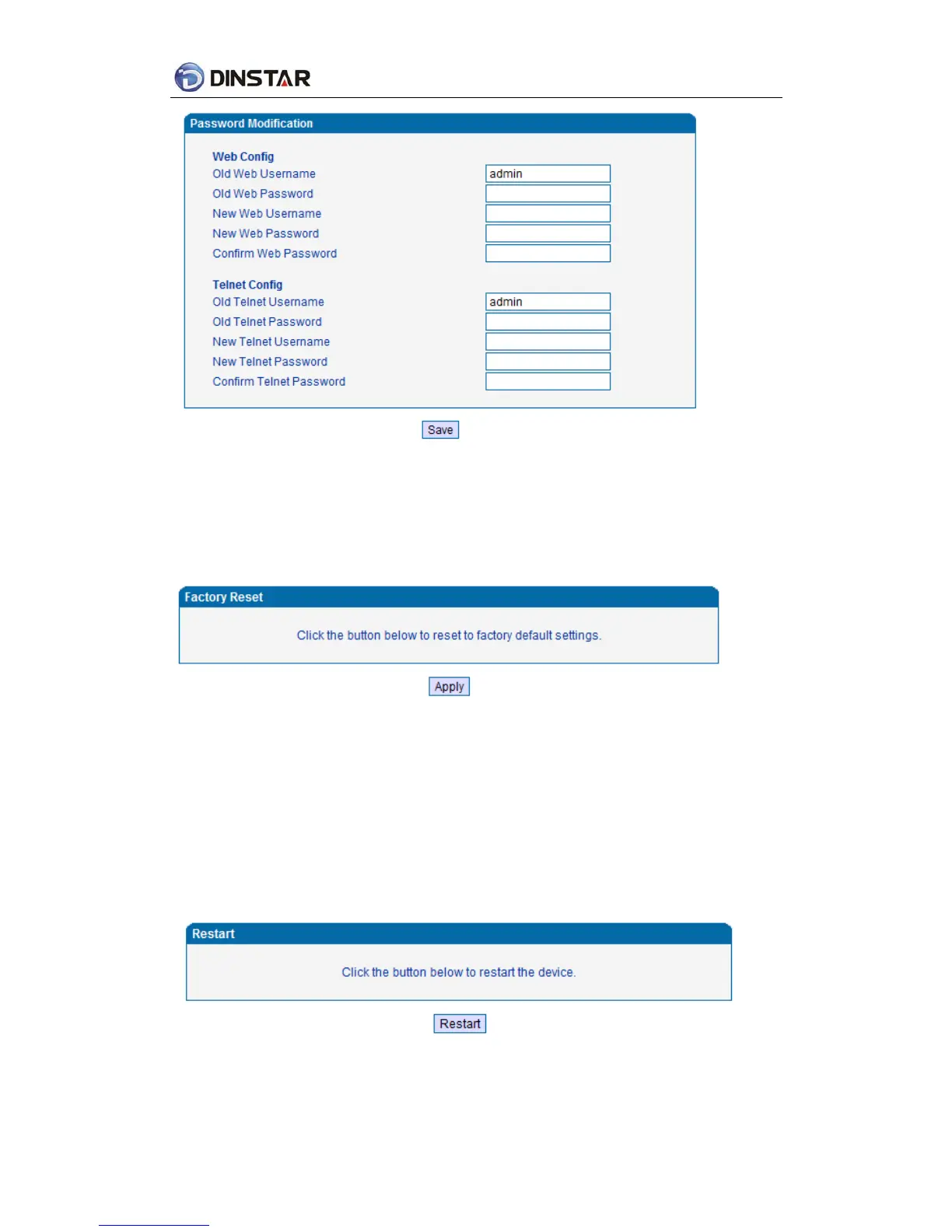
Figure 4.11-7 Password Modification Interface
4.11.8 Factory Reset
Click “Apply” to restore the factory settings.
Figure 4.11-8 Factory Reset Interface
4.11.9 Device Restart
Click the “Save” button in the Configuration page to save the changes to the equipment
configuration. The following screen confirms that the changes are saved. If the changes need
restart, reboot or power cycle the equipment to make the changes take effect.
Figure 4.11-9 Device Restart













 To Next Page