P.10 Guide de l’utilisateur
Veuillez noter que le mode prêt à démarrer peut être activé à l’aide de la télécommande ou du frein
de stationnement, selon l’option choisie par votre installateur. Par conséquent, vous devez suivre
la procédure appropriée parmi les deux décrites ci-dessous afin de faire passer votre véhicule en
mode prêt à démarrer.
Dès que le télédémarreur est en mode prêt à démarrer, on peut faire démarrer et éteindre à
distance le véhicule à volonté. Le système quitte le mode prêt à démarrer lorsqu’une portière, le
capot ou le coffre est ouvert, lorsque la pédale de frein est actionnée, lorsque le frein de
stationnement est relâché ou lorsque la clé est mise en position d’allumage (IGNITION ON (RUN).
Voici comment faire passer le télédémarreur en mode prêt à démarrer :
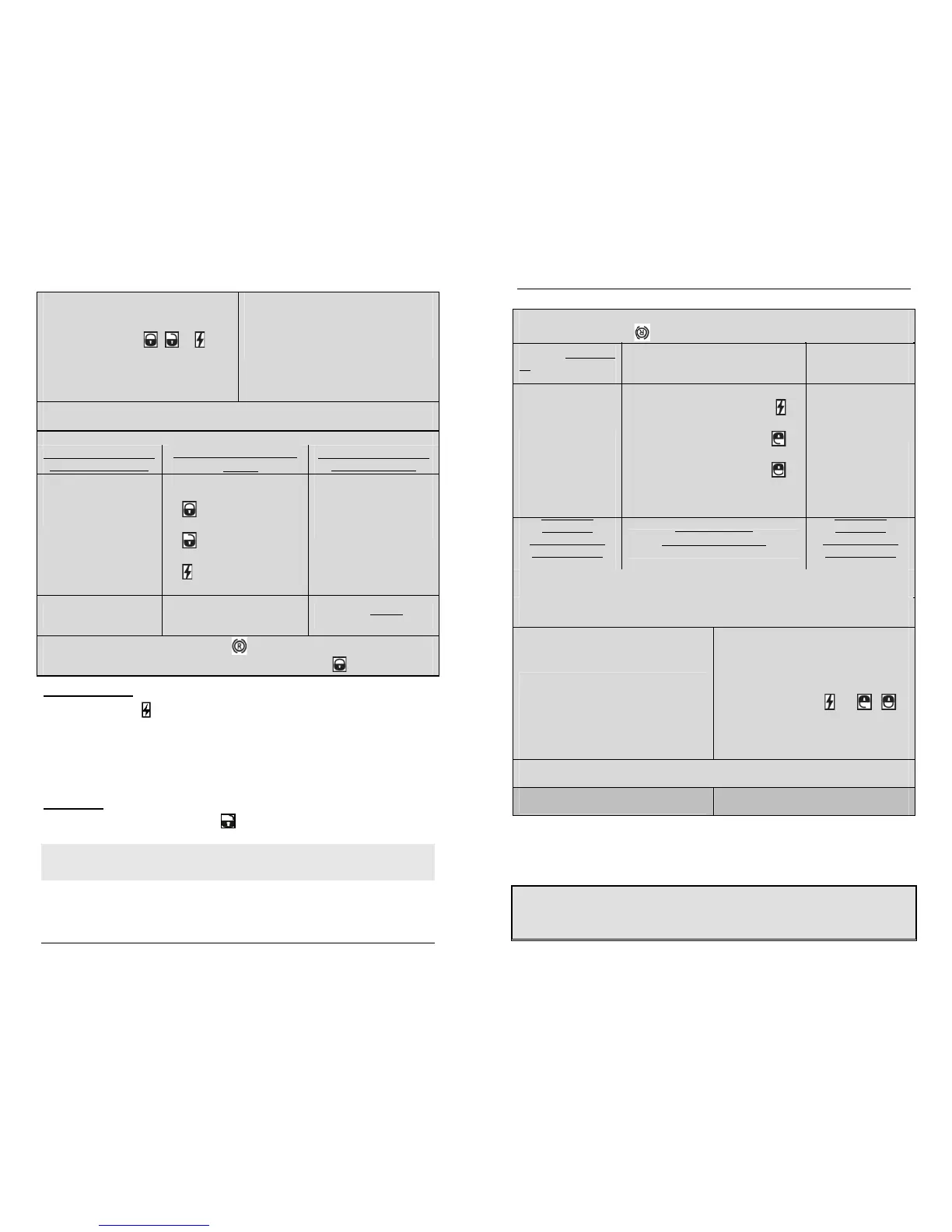
Si Prêt à démarrer est activé par la
télécommande
Si Prêt à démarrer est activé par le frein de
stationnement
1. Assurez-vous que toutes les portières, le capot et le coffre sont fermés et que le levier de
vitesse est en position neutre.
2. Pendant que le moteur est en marche,
engagez le frein de stationnement une fois et
relâchez la pédale de frein.
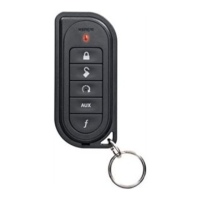
3. En 20 sec. ou moins, appuyez sur la touche
, ou de la télécommande et
maintenez-la enfoncée (SmartStart
MD
n’utilise que l’icône SmartStart
MD
).
4. Les feux de stationnement clignoteront 3 fois
rapidement et resteront allumés. Relâchez le
bouton.
2. Pendant que le moteur est en marche,
engagez le frein de stationnement 2 fois en
10 sec.
3. Assurez-vous que la pédale de frein est bien
relâchée.
4. Les feux de stationnement clignoteront 3 fois
rapidement et resteront allumés.
5. Retirez la clé : le moteur se maintiendra en marche.
6. Sortez du véhicule. Toutes les portières doivent être fermées, y compris le capot et le coffre.
7. IL Y A MAINTENANT 3 OPTIONS POSSIBLES POUR COMPLÉTER LE MODE PRÊT À
DÉMARRER (configurable à l’installation)
OPTION 1 : Arrêt
automatique sans
verrouillage
automatique
OPTION 2 : Arrêt manuel
(option par défaut)
OPTION 3 : Arrêt
automatique avec
verrouillage
automatique
Le système laisse le
moteur tourner 8 secs.
avant de finalement
arrêter le moteur, le tout
sans action de
l’utilisateur.
Le moteur continue de tourner jusqu’à ce
qu’une des touches suivantes soit
enfoncée :
x pour verrouiller les portières et
couper le moteur;
x pour déverrouiller les portières et
couper le moteur;
x pour couper le moteur sans affecter
les portières.
Le système laisse le
moteur tourner 8 secs.
puis verrouille les
portières avant de
finalement arrêter le
moteur, le tout sans
action de l’utilisateur.
AVERTISSEMENT : Le
véhicule n’est ni armé,
ni verrouillé.
AVERTISSEMENT : Le moteur tournera
continuellement jusqu’à l’expiration du
temps de marche préprogrammé.
AVERTISSEMENT : Ne
laissez pas vos clés
dans le véhicule !
8. Les feux de stationnement clignotent 2 fois et l’icône apparait à l’écran de la
télécommande pour confirmer la configuration du mode Prêt à démarrer. Si l’icône n’apparaît
P.10 User Guide
2. With the engine running, apply the parking
brake once and release the brake pedal.
3. Within 20 sec. of engaging the parking
brake, press and hold , or on the
transmitter (SmartStart™ uses only the
SmartStart™ icon).
The parking lights will flash 3 times quickly
and remain lit. Release the button.
2. With the engine running, apply the parking
brake twice within 10 sec.
3. Make sure to release the brake pedal.
The parking lights will flash 3 times quickly
and remain lit.
4. Remove the key: the engine will keep on running.
5. Exit the vehicle. All doors should be closed, including the hood and trunk.
6. THERE ARE THREE POSSIBLE OPTIONS TO COMPLETE READY MODE (programmable by installer)
OPTION 1: Automatic shut
down without auto lock
OPTION 2: Manual shut down
(default)
OPTION 3: Automatic shut
down with auto lock
The engine runs for 8 sec.
before finally shutting down
the engine, without user
interaction.
The engine keeps going until you
press either;
a. to lock the doors and shut
down the engine;
b. to unlock the doors and
shut down the engine;
c. to shut down the engine
without affecting the doors.
The engine runs for 8 sec.
then locks the doors before
finally shutting down the
engine, without user
interaction.
WARNING: The vehicle is
not armed or locked down.
WARNING: Engine runs until the
pre-programmed run time
expires.
WARNING: Do not leave
your keys in the vehicle!
7. The Parking lights will flash twice and the icon will appear on screen to indicate Ready
mode is set. If the icon doesn’t appear, refresh the screen by pressing .
RemoteStarting
1. Press the button for approximately 1 second and release.
2. The remote will beep once and the LCD will display “START”.
3. The remote will confirm the remote starter’s activation by beeping 3 times.
If your vehicle has an automatic transmission and it does not start at the first attempt, the system
will shut down, wait a few seconds and try to start the engine again. There will be 3 start attempts
before the system gives up.
DrivingOff
With the vehicle running remotely, press the button to disarm the system and the starter kill (if
installed) and unlock the doors. Enter the vehicle and do the following:
1. Turn the ignition key to the IGNITION ON (RUN) position. (Do not turn the key to the CRANK
position while the engine is running. This would cause the starter motor to re-engage.)
2. Press the brake pedal to disengage the remote starter unit.
You are now ready to drive off.
Note: On some Push-To-Start (PTS) vehicles, no takeover is possible as pressing the brakes will
shut the engine down. Please talk to your technician to determine if the “Takeover mode” can be
set for your vehicle.



 To Next Page