PTU-D46 User’s Manual (v2.14.0) NETWORKING
page 31
good quality cable. Though a good quality telephone cord cable can be used, use of a twisted pair
cable is highly recommended. A twisted pair whose impedance is about 100Ω is typically used for
longer RS-485 runs. The twisted pair provides good noise immunity owing to the relative signals
used by the RS-485 standard.
For some applications, the host computer may directly provide RS-485 full-duplex I/O. In
this case, you may use the RS-485 wiring diagram shown in Figure 7 to directly connect your host
computer to the PTU controller network. For computers with only RS-232, RS-485 connections
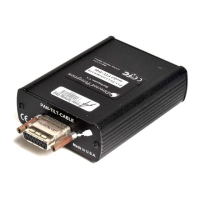
may be simply made using an external RS-232 to RS-485 converter. Directed Perception has
tested/qualified two coverters: ATEN IC-485S and Moxa A50 which both require a flipped RJ-12
connector (such as a standard phone cord). It is important to note that the network should be
terminated using 120Ω 1% resistors to protect against signal ringing on the network. Termination
is achieved by placing the resistors between the RS-485 Transmit+/Transmit- and Receive+/
Receive- wires at each end of the multidrop wiring network.
7.3 PTU Network Software Commands
This section describes the pan-tilt command set used to configure, set and query the network
configuration of your PTU controllers.
7.3.1 Unit Network ID
Description
Specify or query the PTU controller network unit ID number. By default, the
PTU unit ID is set to zero which indicates the PTU controller is not
networked, and the PTU controller is in the default interactive
communications mode. When assigning a unit ID number to a controller, the
unit ID number should be unique, the controller should be the only PTU
controller attached to the host computer or terminal (otherwise other
controllers may be set to the same unit ID number). A unit ID of zero may be
used to put a PTU controller back in interactive (non- networked) mode.
Syntax
Query current PTU network unit ID: U<delim>
Set PTU to interactive mode (non-networked): U0<delim>
Set PTU network unit ID: U<unit_ID><delim>
where 1 ≤ <unit_ID> ≤ 127
Figure 7: RS-485 Wiring
1 Shield
123456
2 R+
3 R-
4 T-
5 T+
6 Shield
view looking into
RJ12 (6P6C) receptacle


 To Next Page