page 2
QUICK START PTU-D46 User’s Manual (v2.14.0)
2 QUICK START
2.1 Overview
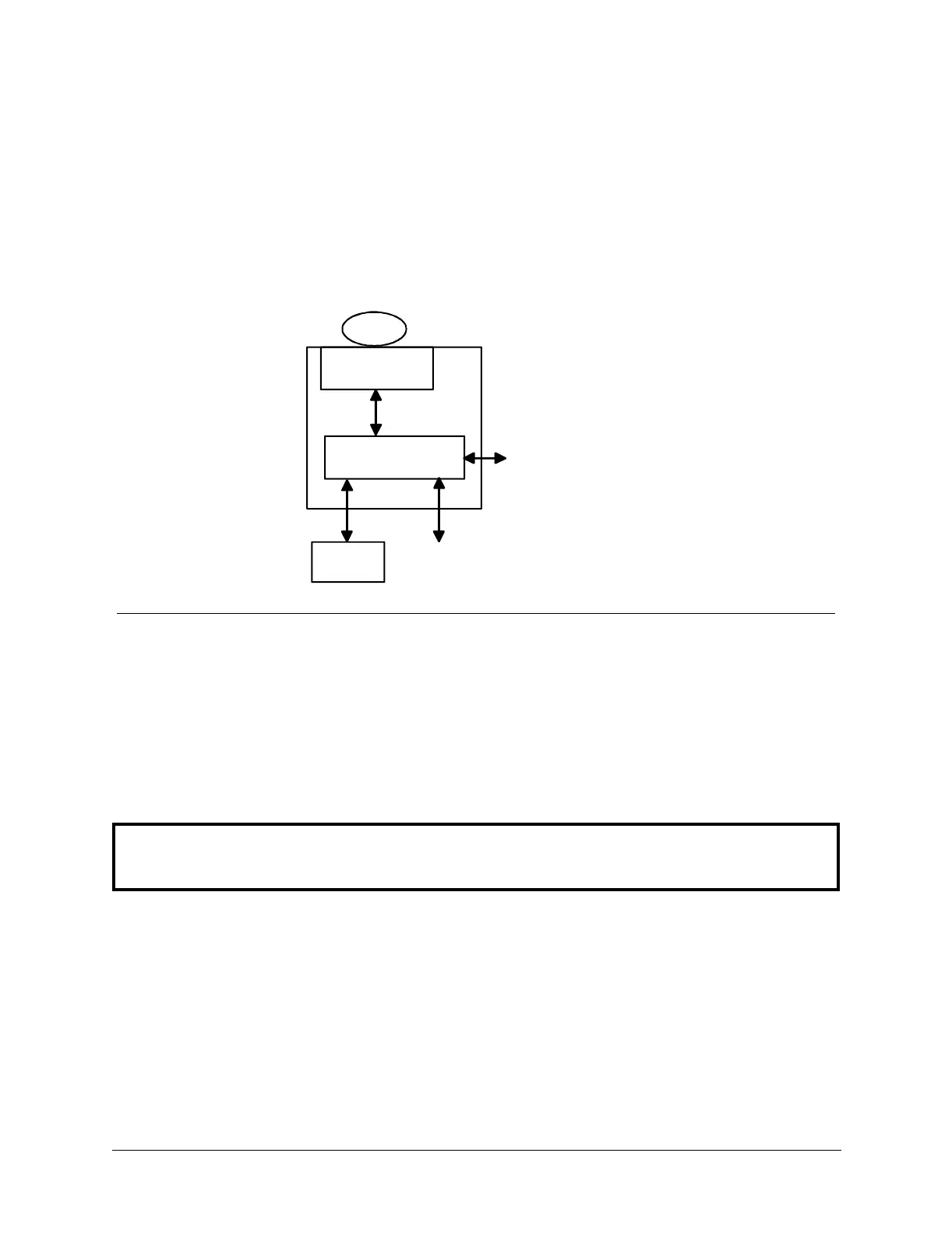
As shown in Figure 1, the pan-tilt unit is connected to the pan-tilt controller. Power for the
controller can be supplied from an optional AC/DC power supply or a battery power source. The
pan-tilt controller accepts commands via RS-232 from a host computer, and it drives the position
of the pan-tilt unit. A pan-tilt controller can be connected to other controllers via a multidrop RS-
485 network so that a single host computer serial port can control multiple pan-tilt units.
2.2 Installation Components
Components supplied with this manual are:
• Pan-Tilt Unit
• Pan-Tilt Controller
• Pan-Tilt Cable
• (optional) AC/DC Power Supply (model PT-PS-INT30V)
• (optional) C Programmer’s Interface (model PTU-CPI)
Figure 1: Pan-Tilt System Overview.
Pan-Tilt Unit
(model PTU)
Pan-Tilt Controller
(model PTU-D46)
payload
Host
Computer
RS-232
8-30VDC power source
(e.g., model PT-PS-INT30V)
other PTU
or host
RS-485 (controller network)
Only move the pan-tilt axes using the knobs mounted on the pan-tilt unit motors.
Manual rotation of pan-tilt axes (called backdriving) can degrade unit
performance and accuracy.


 To Next Page