page 26 of 72 ANDIAMO.MC Hardware Guide - Version 2.0
CHAPTER 4: Operation
Sample Rates
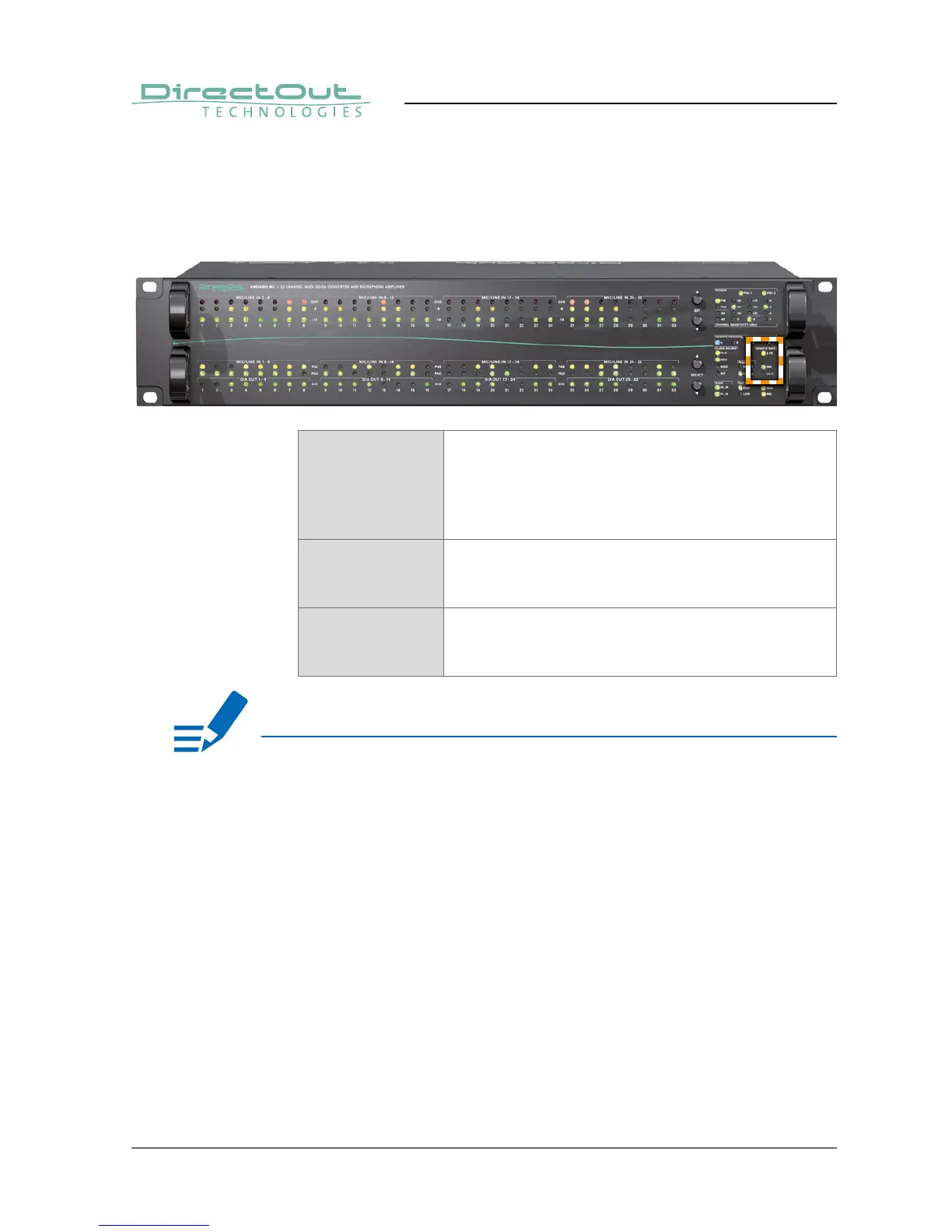
The scaling factor and the base sample rate are indicated by three LEDs.
2 FS LED (yellow): indicates scaling factor of
operation
LED ON = Scaling factor of sample rate set to 2 FS
LED blinking = Scaling factor of sample rate set to 4 FS
LED OFF = Scaling factor of sample rate set to 1 FS
48k LED (green): indicates the use of 48kHz as
base sample rate
LED ON = Base sample rate 48 kHz
44.1k LED (green): indicates the use of 44.1kHz as
base sample rate
LED ON = Base sample rate 44.1 kHz
NOTE
With the clock set to internal (INT) the sample rate can be adjusted in the menu.
All other clock sources (word clock, MADI) defi ne the base rate automatically and
the measured frequency of the clock source is indicated then.
The scaling factor of the sample rate has to be defi ned manually when the clock
source is set to internal or word clock.
When a MADI signal is used as clock source, the device will switch to 2 FS
operation automatically when a 96k Frame signal has been detected. With 48k
Frame signals no distinction is possible between 1 FS or 2 FS or 4 FS - so the
scaling factor has to be set manually.


 To Next Page