page 23 of 60EXBOX.MD Manual - Version 1.0
Chapter 3: Installation
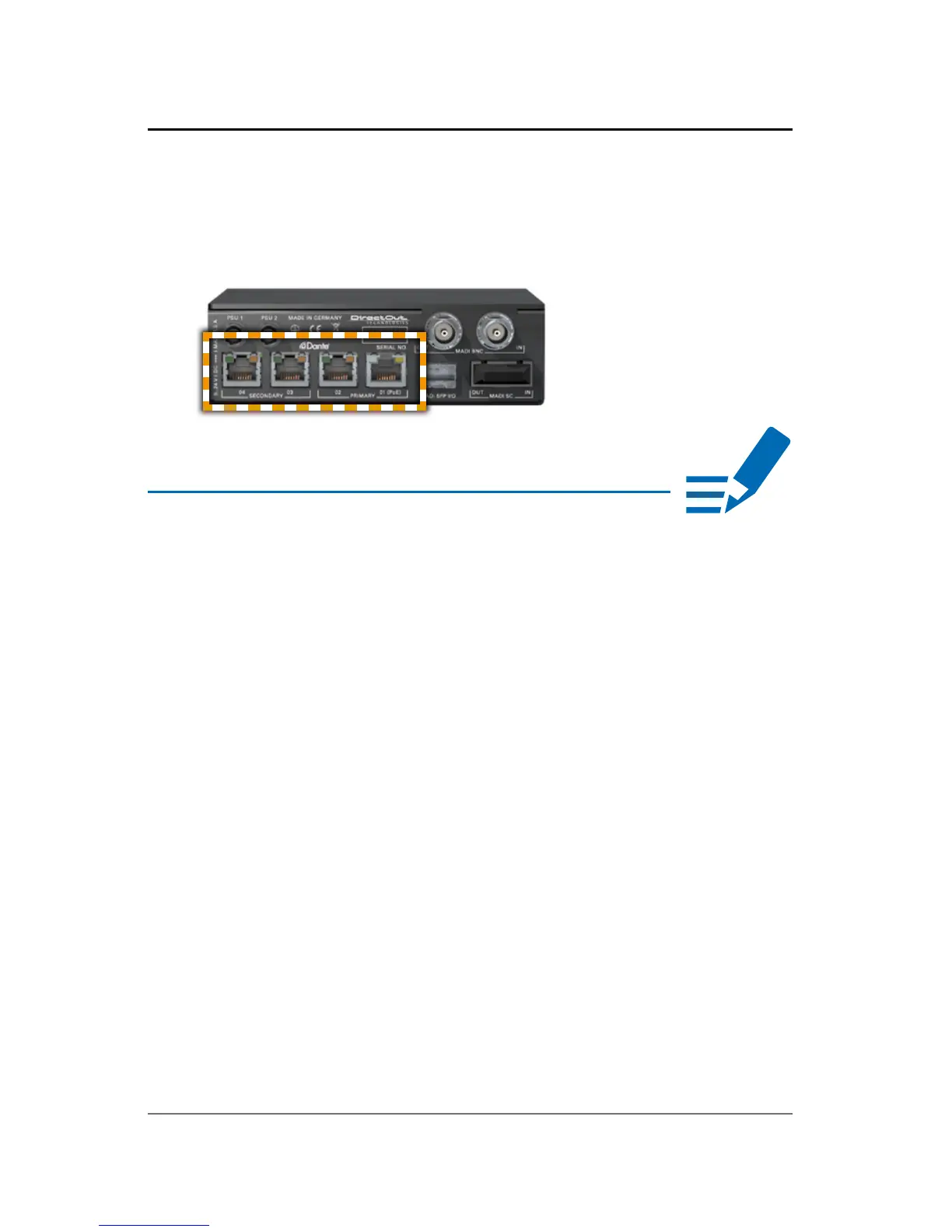
5. Plug in the network cable to the ethernet port(s)
to connect the device with your computer.
NOTE
Use appropriate network cables (CAT5E or better).
For larger setups an ethernet switch may become
necessary. Recommended features for use with
Dante:
• Managed Gigabit switch
• Quality of Service (QoS) with four queues
• Diffserv (DSCP) QoS, with strict priority
Information about network infrastructure:
https://www.audinate.com/resources/networks-
switches
Dante FAQ:
https://www.audinate.com/resources/faqs



 To Next Page