page 34 of 60 EXBOX.MD Manual - Version 1.0
CHAPTER 4: Operation
Input State / Clocking
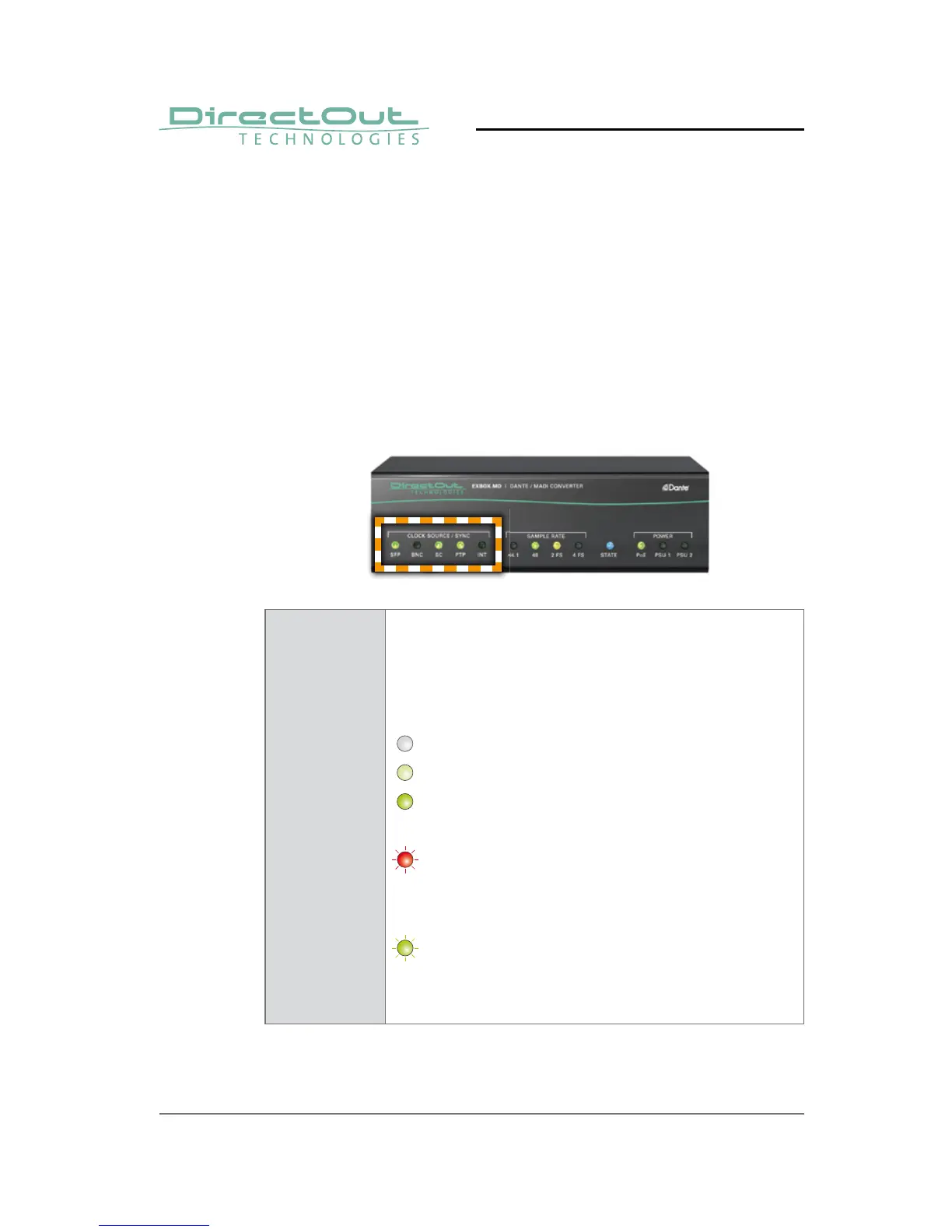
Five LEDs inform about the state of each signal input
and the selected clock source of the device.
The device ofers several options for clocking:
• PTP (Precision Time Protocol) -
IEEE 1588-2002 / PTPv1 or v2 in AES67 mode
• MADI input
• internal clock generator
CLOCK
SOURCE /
SYNC
SFP
BNC
SC
PTP
INT
LED RGB - indicates selected clock
source and the lock / sync state
of MADI input, PTP-clock or the
internal clock generator.
(OFF) = no signal lock
(50 % green) = signal lock, in sync
(100 % green) = signal lock, in sync,
selected clock source
(blinking red) = signal lock, not in sync
with selected clock
source
(blinking green) = input selected as
clock source and
no signal lock.



 To Next Page