27
2 Mode of function
GB
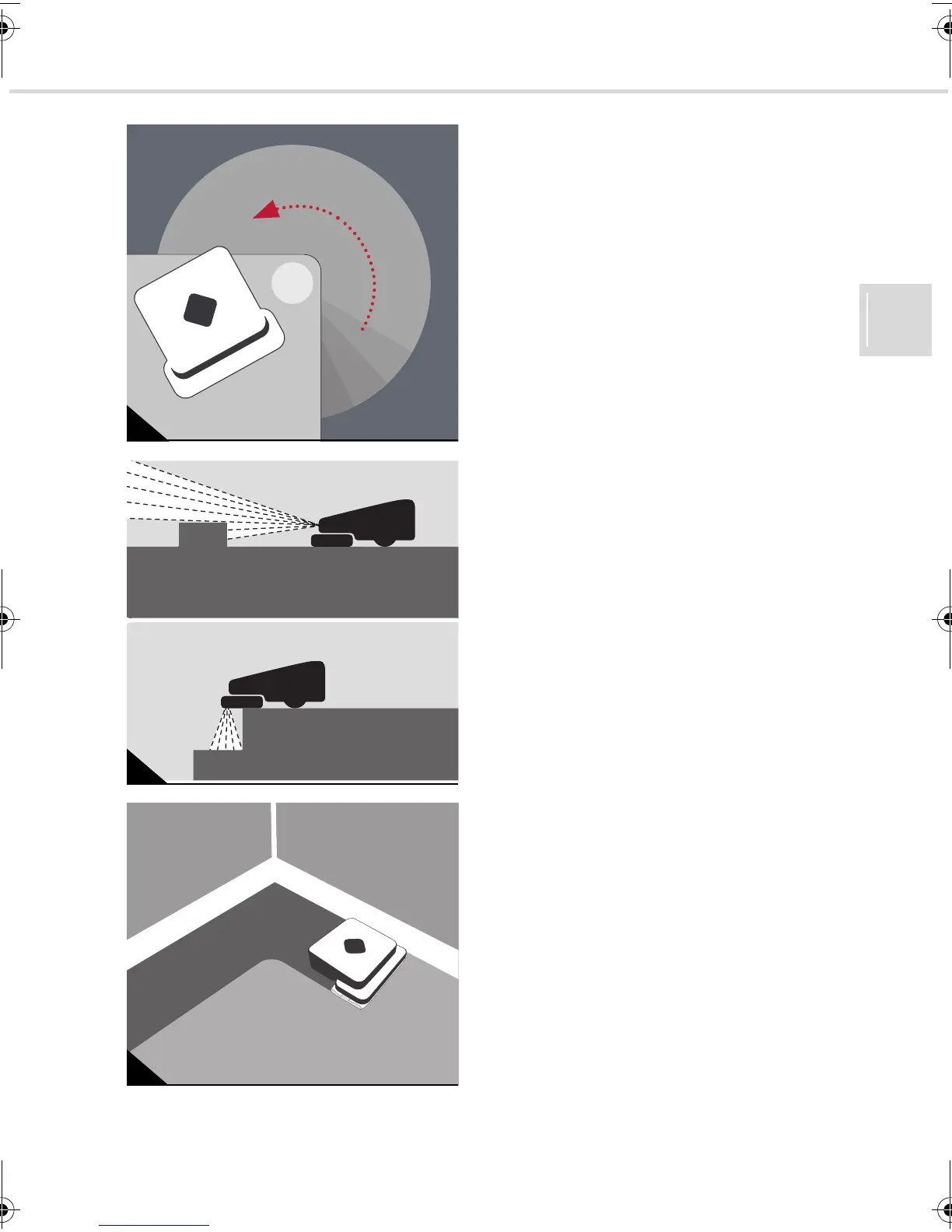
The EVO registers every obstacle in its path.
So after cleaning the whole area, it returns to
target certain parts (Fig. 6).
Thanks to its internal logic and the associated
ability to learn, it cleans faster and more ener-
gy efficiently over time.
If, however, you turn it off whilst it is cleaning,
it loses the virtual map it has constructed of
the area to be cleaned. When turned back on,
a new virtual map is created.
Your sweeping robot automatically recognis-
es obstacles and height differences in front of
it (Fig. 7). It consequently slows its speed be-
fore obstacles. So it recognises and avoids
drops in elevation such as stairs, as well as
objects above it e.g. carpets.
After going down the edges at the end of the
cleaning process (Fig. 8), the sweeping robot
automatically returns to its starting position.
You can also use the sweeping robot without
it communicating with the control cube. The
area you can then clean, however, is smaller,
and it does not go down the edges at the end
of the cleaning process.
6
7
8
Evo.book Seite 27 Donnerstag, 21. Oktober 2010 3:34 15














 To Next Page