36
7 After use
7 After use
7.1 Switching off
Proceed as follows to switch it off:
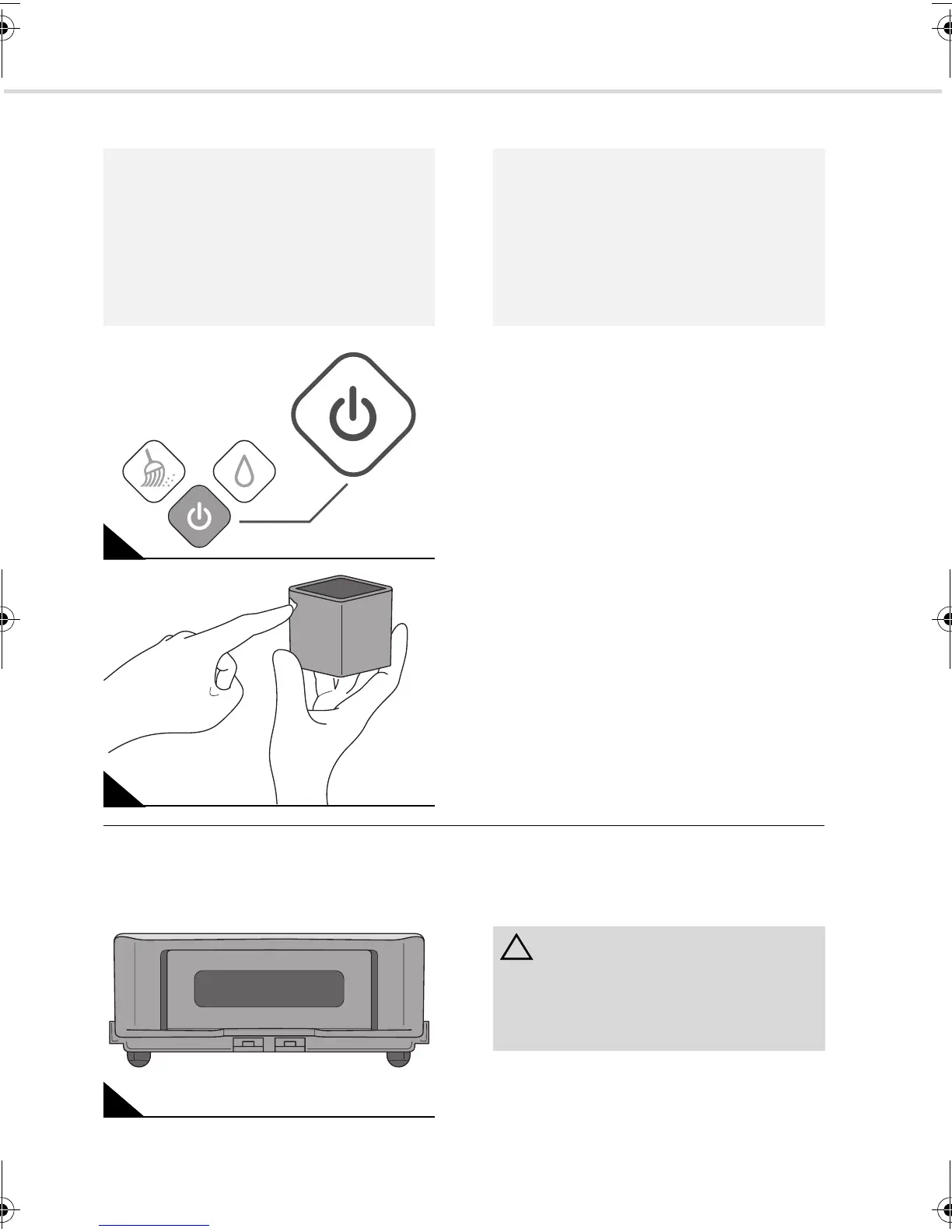
1. Turn off the sweeping robot by pressing
the on/off switch for (Fig. 23) 2 seconds.
2. Remove the dirty floor cloth and if neces-
sary replace it with a new one, ZChapter
5.1, "Attach floor cloth".
3. If, before turning the appliance off, its on/
off switch flashed red, charge its integrat-
ed batteries, ZChapter 4.3, "Charging the
batteries in the appliance".
4. If the control cube has not turned itself off,
switch it off at its on/off switch (Fig. 24).
7.2 Transport and storage
Carry your EVO by the carrying handle on
the tail (Fig. 25).
Always store the appliance in its original
packaging in a cool, dry place, and keep it out
of reach of children.
NOTE:
If your sweeping robot has completed a
room and returned to the starting position, it
goes into standby mode for about five min-
utes. In this case, none of the status LEDs
are illuminated, but the on/off switch
(Fig. 23) continues to emit a continuous
blue light. It is not yet off.
23
24
NOTE:
If none of the buttons of the sweeping robot
are pressed for approx. fives minutes after it
has finished cleaning a room, it switches to
sleep mode. The light of the on/off button
(Fig. 23) goes out. Instead the status LEDs
emit blue light periodically one after the
other. It is still not off.
25
ATTENTION:
Never store the appliance next to heat
sources (e.g. stoves or radiators). Avoid
exposing it to direct sunlight. Heat can dam-
age the appliance.
Evo.book Seite 36 Donnerstag, 21. Oktober 2010 3:34 15














 To Next Page