35
6Use
GB
6.3 Washing
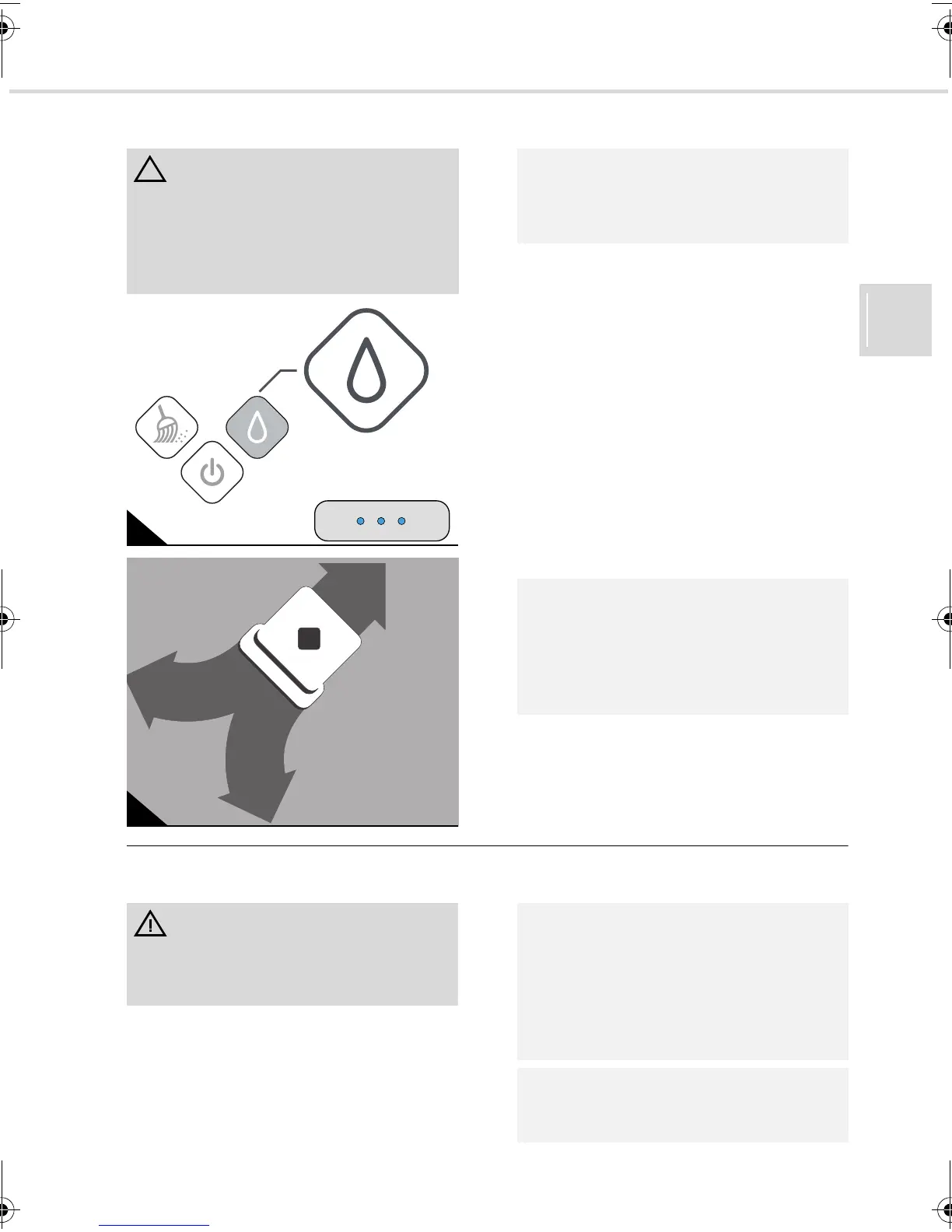
1. Press the ‘washing’ button (Fig. 21) if you
have attached a washing cloth and turned
on the appliance, ZChapter 6.1, "Switch-
ing on the appliance".
- A continuous blue light will be emitted
from the ‘washing’ button.
- A short melody sounds.
- The appliance will now start up. It begins
by cleaning the surface to its right, mov-
ing forward and back in arcs (Fig. 22). If
it bumps into an obstacle, it turns ac-
cordingly.
- According to the strength of the signal
from the control cube, 1–3 status LEDs
emit continuous blue light.
6.4 During operation
ATTENTION:
Ensure that your flooring is suitable for
being cleaned with water. Unsealed
wooden floors and other floors that are not
moisture-resistant are generally not suited
to being cleaned with water.
21
22
NOTE:
We recommend wiping up the dust with the
EVO before washing, ZChapter 6.2, "Wip-
ing up dust".
NOTE:
You can stop the robot at any time during
cleaning by pressing one of the illuminated
buttons. However, it then ‘forgets’ the virtual
map it has constructed and starts from
scratch once it is turned back on.
WARNING:
Danger of injury! You can leave the appli-
ance unsupervised, but always be careful
not to step on it and fall over.
NOTE:
If the integrated batteries have to be
charged, a short melody sounds, the appli-
ance drives back to its starting point, parks
and turns itself off. Then proceed as
described under ZChapter 4.3, "Charging
the batteries in the appliance".
NOTE:
If the EVO does not work as it should, see
ZChapter 8, "Troubleshooting".
Evo.book Seite 35 Donnerstag, 21. Oktober 2010 3:34 15














 To Next Page