Page 101
Resetting Receiver to Factory Default Settings
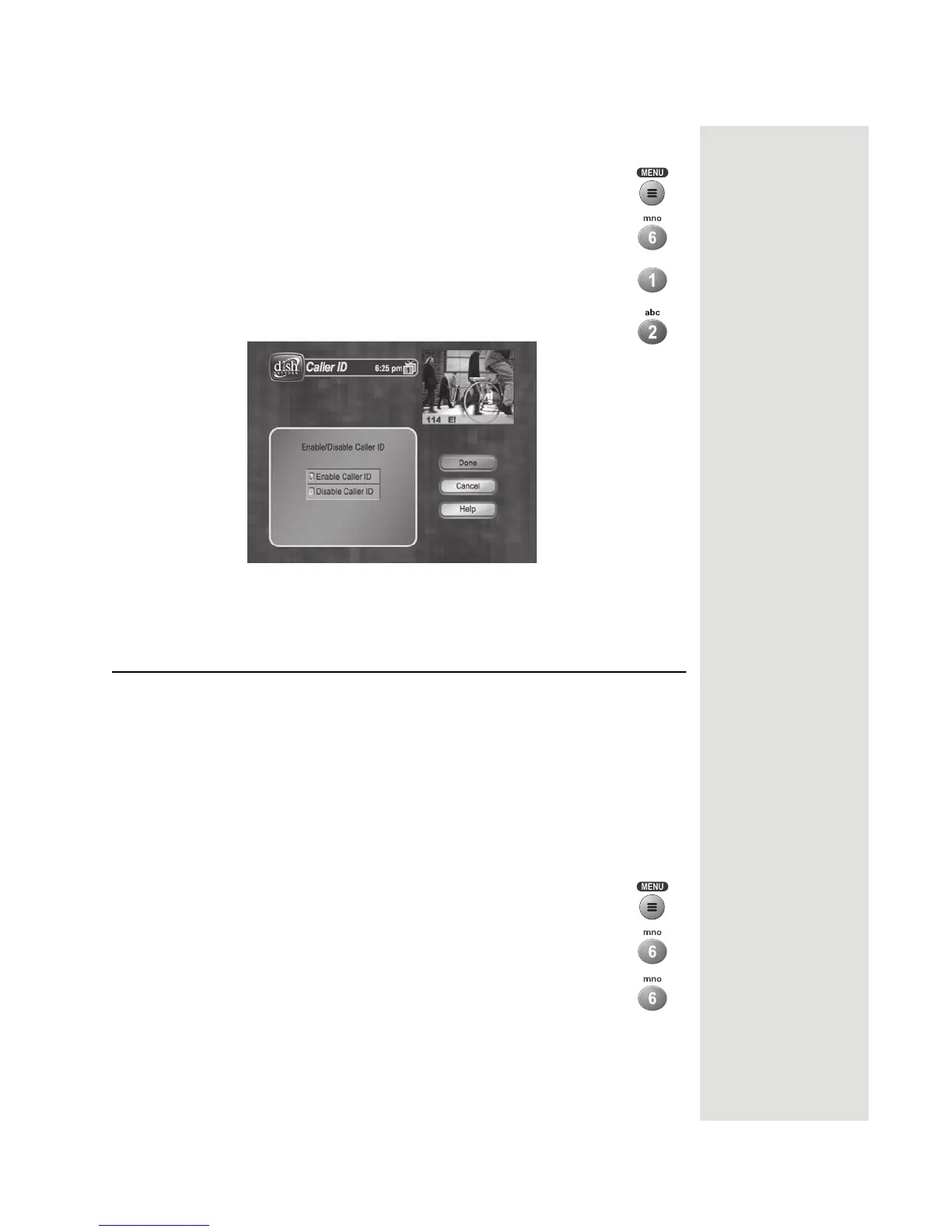
Turning Caller ID On and Off
1. Press MENU on the Remote Control.
2. Select System Setup.
3. Select Installation.
4. Select Caller ID.
5. Select Enable Caller ID or select Disable Caller ID.
6. Select
Done.
Resetting Receiver to Factory Default Settings
Note: Resetting the receiver to factory default settings discards all Favorite
Lists except the All Chan and All Sub lists.
Note: If you have set any locks on the receiver, and the receiver is locked, these
locks will be kept. If the receiver is unlocked, any such locks will be lost. You
cannot reset the receiver to default settings to discard a password you have
forgotten. Nobody can reset the receiver to bypass a receiver lock.
If you want to reset the receiver to be the same as when it was shipped from the
factory, do the following:
1. Press the MENU button.
2. Select the System Setup option.
3. Select the Factory Defaults option. When the receiver displays
a
Warning message, confirm that you want to reset the
receiver’s preferences by selecting
Yes.













 To Next Page