Page 9
Quick Tour of the Menus
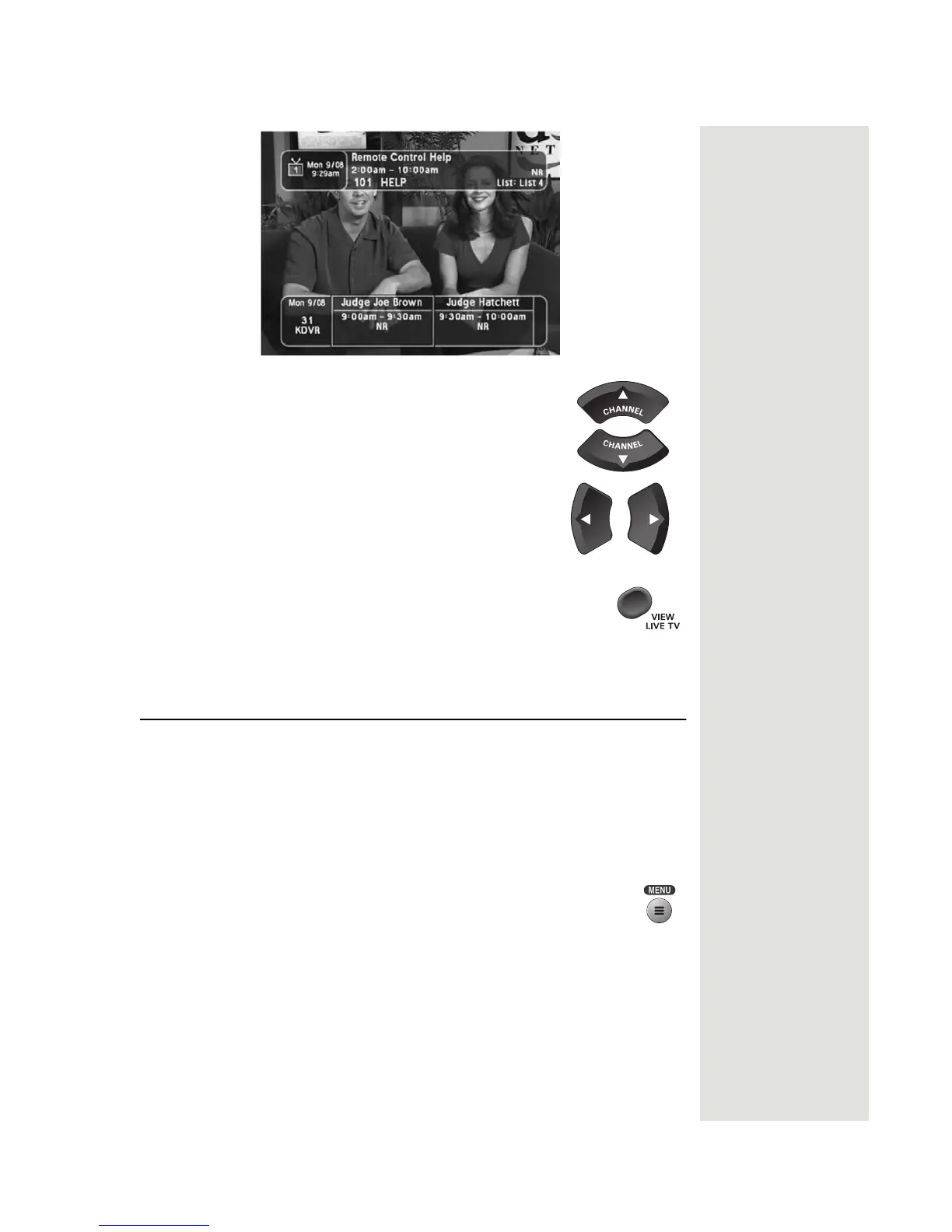
10. Press the UP or DOWN ARROW button to
change the channel information you see
at the
bottom of the TV screen.
11. Press the RIGHT ARROW button to highlight
the
program coming on next at the bottom. Press
the LEFT ARROW button to go back to the
program on now.
12. Press the VIEW LIVE TV button to clear the Browse
Banner from the TV screen and go back to watching a
program. Press SELECT to change to the highlighted
channel.
Quick Tour of the Menus
This tour guides you quickly through the basic features available through
the
Main Menu. See Chapter 3, Using the System, for more information
about these and other features.
Note: The menu buttons that are grayed out indicate that while the features
are not yet available on this system, they may become available with future
software upgrades.
1.
Tip: In Dual Mode,
Remote Control 1
is used to control
TV1 menus on the
nearby TV. Remote
Control 2 is used to
control TV2 menus
on the remote
TV(s).
Press the remote control MENU button to open the Main
Menu.













 To Next Page