Chapter 3
Page 52
Using the System
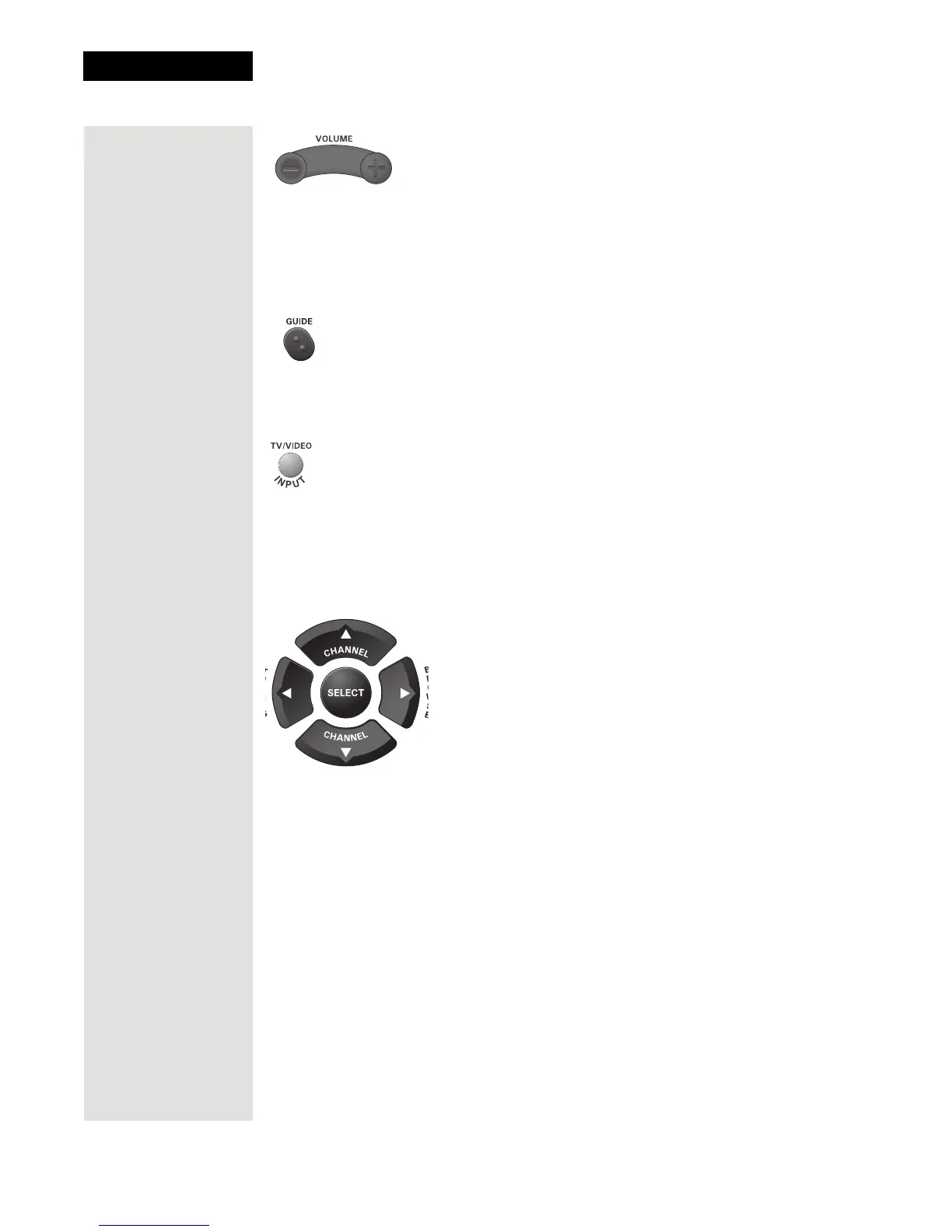
Volume Button
Press the minus (-) side of the VOLUME button to lower the TV volume. Press
the plus (+) side of the VOLUME button to raise the TV volume.
Note: You must program the remote to control your TV for the VOLUME
button to work as described. See page 104 for instructions.
Guide Button
Press the GUIDE button to open the Program Guide. When the Program
Guide is open, press the GUIDE button to switch among Favorites Lists.
TV/Video Button
If you connect the receiver using its back panel TV ANTENNA/CABLE IN
and
CHANNEL 3-4 connections, use this button to switch the receiver
CHANNEL 3-4 output between the satellite programming and another video
signal such as cable or broadcast TV antenna connected to the receiver’s
TV ANTENNA/CABLE IN.
Arrow Buttons
• Change channels while watching TV—Press the UP and DOWN ARROW
buttons.
• Open the
Browse Banner—Press the RIGHT ARROW button.
• Show
Themes—Press the LEFT ARROW button.
• Move around within the
Program Guide, menus, and Browse Banner—
Press the UP, DOWN, LEFT, and RIGHT ARROW buttons.
• Delete—Press the LEFT ARROW button to delete characters while using
Search. See page 88 for instructions.













 To Next Page