Page 33
Connecting the Receiver to the TV(s) in Another Room(s)
8. Pick the channel in the middle of the three you selected in step 7. Write that
Channel:
Air/Cable:
channel down in the blank provided in the margin. For example, if the three
channels you picked in the preceding step were cable channels 60, 61, and
62, pick channel 61 and write it in the margin.
9. If your TV is in off-air mode for the channels you picked in step 7, write
“Air” in the blank provided in the margin. If your TV is in cable mode for
the channels you picked in step 8, write “Cable” in the blank provided in the
margin.
10. Set all of your remote TV(s) to the channel mode (Off-Air or Cable) you
wrote in the margin.
11. Tune all of your remote TV(s) to the channel you wrote in the margin. This
is the channel you will use to receive your satellite programming.
12. Turn on the nearby TV (the TV that gets programming from the TV1
outputs).
13. Press the POWER button on Remote Control 1 to turn on the receiver's
green TV1 indicator.
14. You should now be looking at the
Point Dish screen on your nearby TV.
Select
Done.
15. Select the
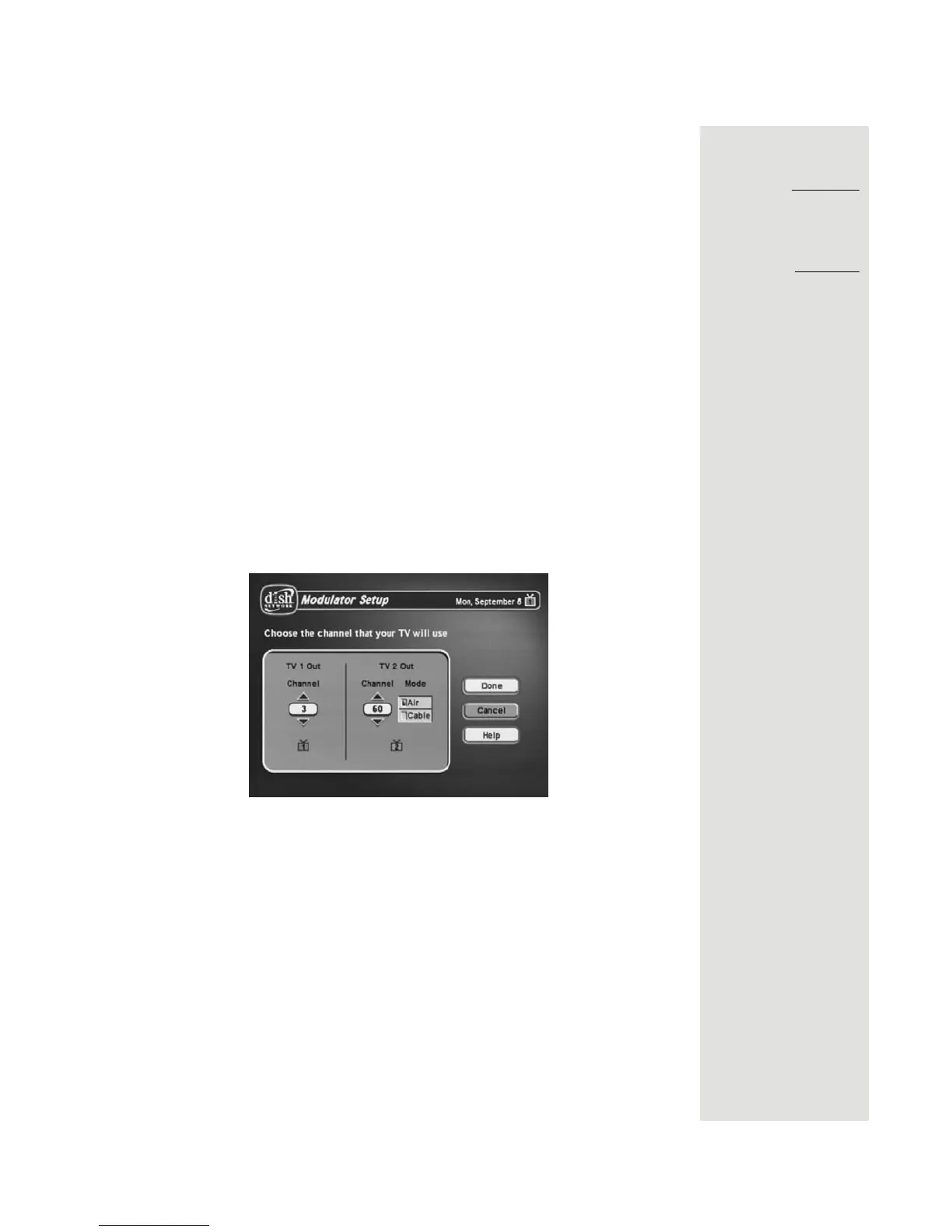
Modulator Setup.
16. With the Modulator Setup screen displayed on the nearby TV, use Remote
Control 1 to do the following:
a. Under
TV 2 Out, select either Air (for off-air channel numbers) or Cable
(for cable channel numbers) based on what you wrote down in the
margin in step 9.
b. Under
TV 2 Out, use the up and down arrow buttons to change the
modulator channel to the one you wrote in the margin in step 8.
c. Select
Done to save the changes.
17. Using Remote Control 2, press the POWER button and make sure the
receiver's blue TV2 indicator turns on.
18. For some TVs, you must run a channel scan so that the TVs will find and
display the selected channel from the receiver. Run channel scan on all
remote TV(s), if available. See your TV user guide for instructions.













 To Next Page