Chapter 2
Page 44
Receiver Description and Installation
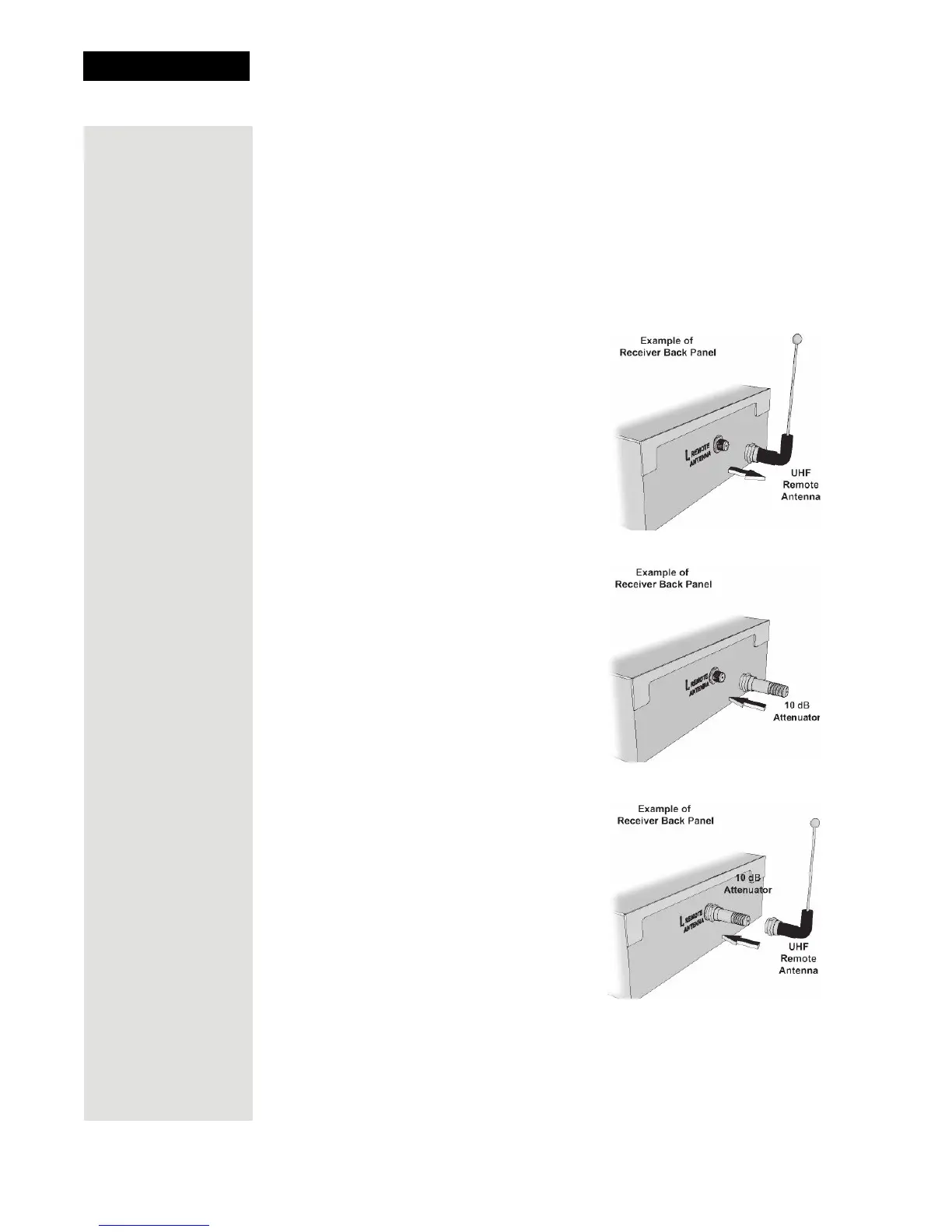
Attach a UHF Attenuator
Stray UHF signals can block signals from the remote control to the receiver. To
prevent this problem, you can install the attenuator provided with the satellite
receiver if it is not being used for TV connections as described on page 31.
Otherwise, obtain a 10 dB attenuator (you can buy one from an electronics parts
store).
Note: This will help keep out stray UHF signals, but also cut down how far
away you can use the remote control.
1. Take the UHF antenna off of the
receiver’s back panel UHF
Remote Antenna input
2. Put the attenuator onto the UHF
Remote Antenna input.
3. Put the UHF antenna onto the
attenuator.













 To Next Page