7
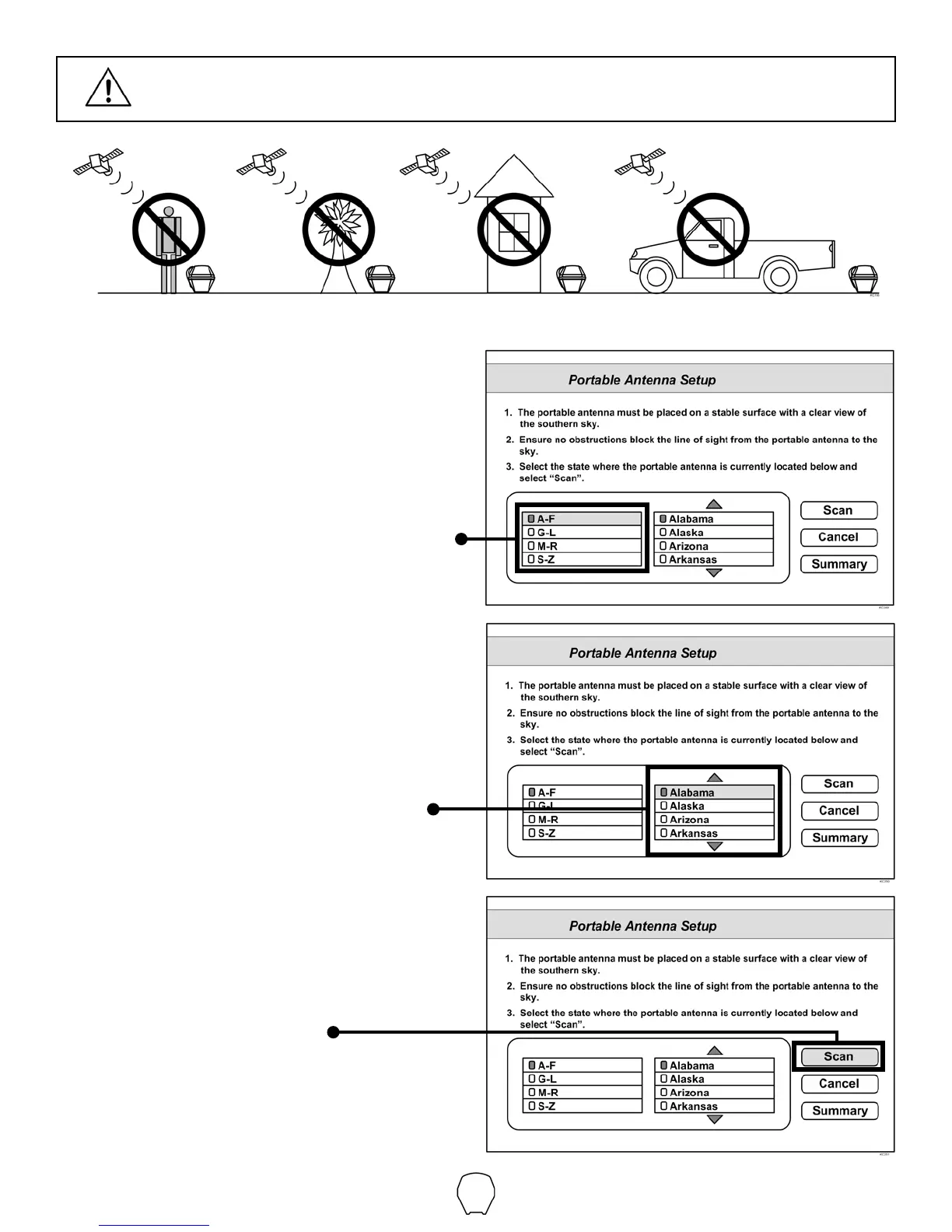
IN STEPS 2-6, DO NOT BLOCK THE TAILGATER’S LINE OF SIGHT TO THE
SATELLITES IN THE SOUTHERN SKY AT ANY TIME!
2. Use the arrow buttons on your remote to
highlight the letter group that includes the
rst letter of the state you are currently in.
Press SELECT.
3. Highlight the state you are currently in
from the state menu.
Press SELECT.
4. Verify Scan is highlighted.
Press SELECT.
The scan will begin and may take up to
several minutes to complete.



 To Next Page