12
Displays2go Rev. 10/15/19
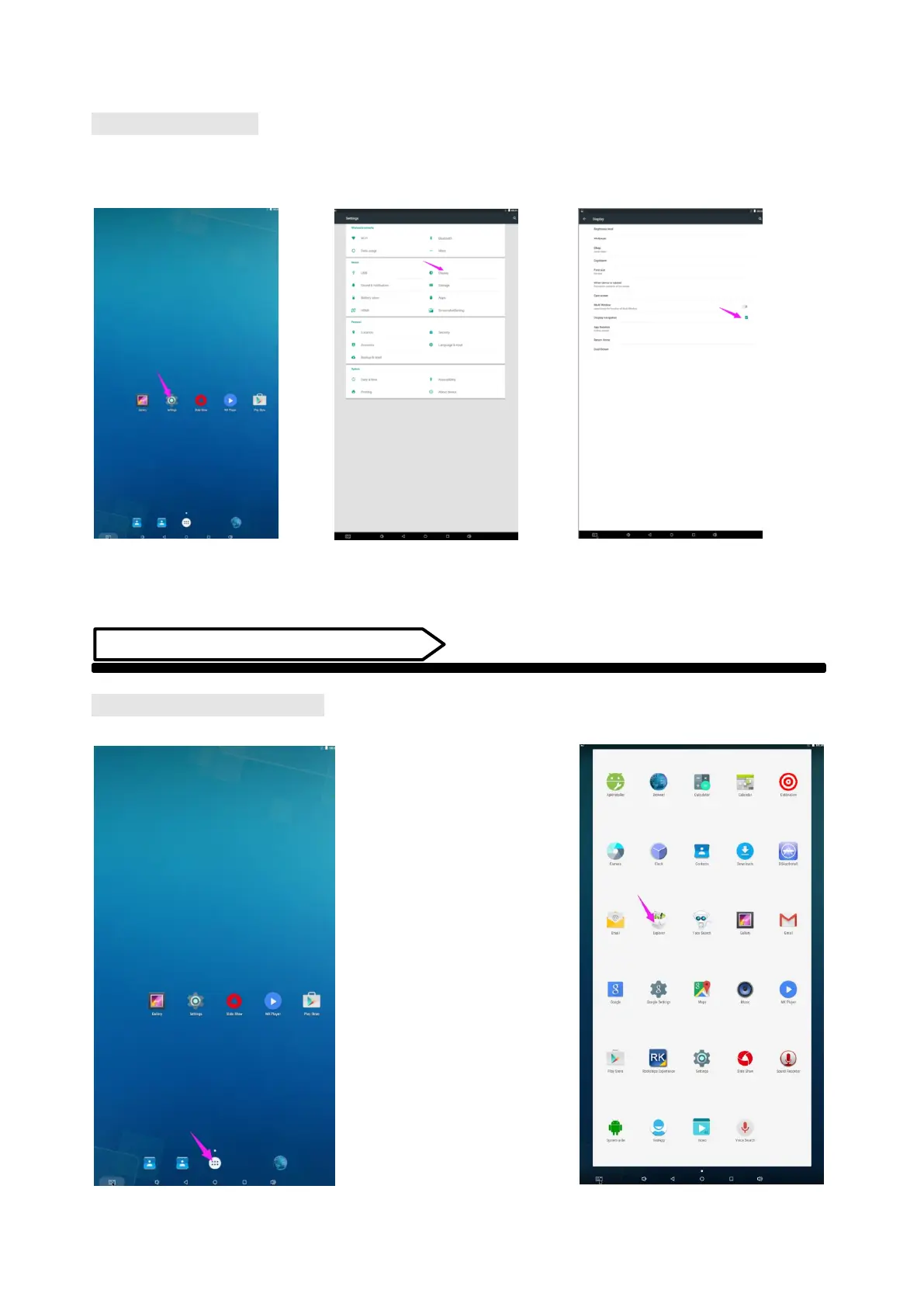
Status of Menu Bar
1. Click the setting
2. At the setting menu click the display menu
3. At the display setting menu unselect the display navigation check box
Fig. 1 Fig. 2 Fig. 3
Slide Show APP Introduction
How to Upload Media Files:
Step 1: Open the Android launcher screen and click the explorer app


 To Next Page