23
Displays2go Rev. 10/15/19
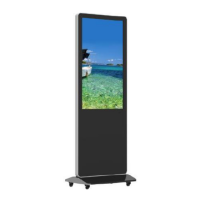
Troubleshooting the Digital Signs - DGFSNT43, DGFSNT55, DGFSTCH43, DGFSTCH55
➢ Unit not plugged into wall outlet
➢ Power cord not properly
connected to the terminal on the
back of the unit.
➢ Unit not powered on
➢ Wall outlet not working
□ Check that the unit is plugged into wall
outlet.
□ Confirm that the power cord is connected to
the terminal on the back of the unit.
□ Turn the on/off toggle switch located on the
back of the unit, lower center, to the “on”
position.
□ Unplug unit, wait 20 seconds, plug unit back
into outlet and try again.
□ Make sure that outlet is working by plugging
in a different electrical device.
❖ If all of the above have been checked and
the issue is not resolved, contact a customer
service representative.
⚫ No sound (but
picture is working)
➢ Volume not adjusted on the
remote control.
➢ Content/Video does not have
sound.
➢ Content format is not compatible.
➢ Speakers do not work.
□ Adjust volume using the remote control
□ Confirm content is one of the following
compatible formats: AVI, MPEG4, WMV,
MKV, flv, MP3, MP4, MOV.
□ If unit is connected to Wi-Fi, go to YouTube
and play video that has sound
□ Unplug unit, wait 20 seconds, plug unit back
into outlet and try again.
□ Try playing the content on a different device
(smart phone, computer or tablet)
❖ If all of the above have been checked and the
issue is not resolved, contact a customer
service representative.
⚫ No picture (but
sound is working)
➢ Content file damaged.
➢ Content format is not compatible.
➢ Screen damaged or defective.
□ Confirm content is one of the following
compatible formats: AVI, MPEG4, WMV,
□ MKV, flv, MP3, MP4, MOV.
□ Try playing the content on a different device
(smart phone, computer or tablet)
□ Unplug unit, wait 20 seconds, plug unit back
into outlet and try again.
❖ If all of the above have been checked and
the issue is not resolved, contact a customer
service representative.
⚫ Remote control not
working
➢ Batteries not inserted properly.
➢ Batteries are dead.
➢ Standing too close or too far from
the unit.
□ Check that battery is inserted properly with
positive and negative orientation.
□ Insert new batteries.
□ Stand within 1 foot of the front of the unit and
point the remote directly at the sensor (green
dot)
❖ If all of the above have been checked and the
issue is not resolved, contact a customer
service representative.


 To Next Page