6
Displays2go Rev. 10/15/19
Interfaces
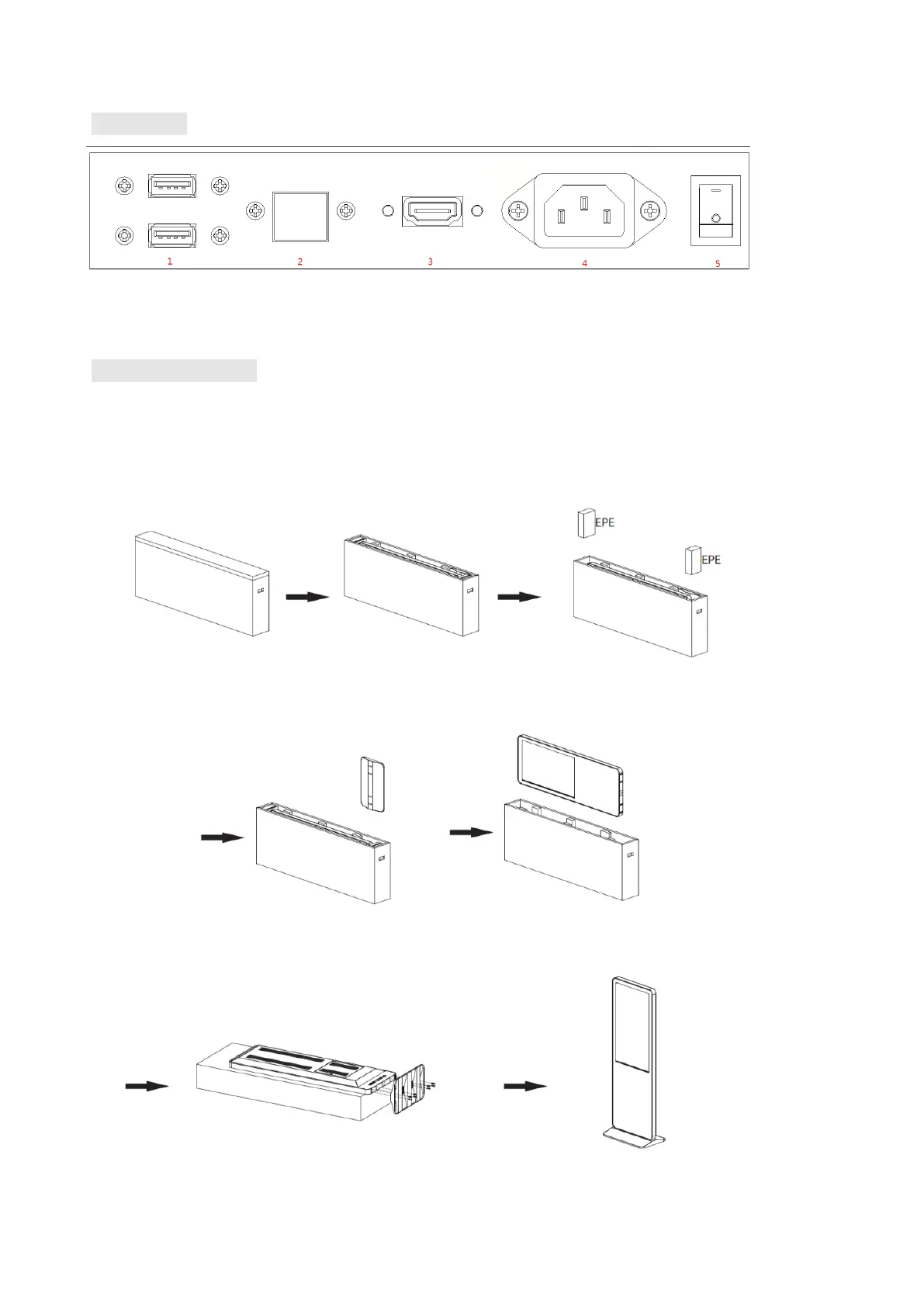
1. USB interface; 2. RJ45 interface(Ethernet); 3.HDMI input; 4.Power port; 5. On/Off button;
Note: Please pull out the power plug before installing or disassembling the unit!
Steps for Assembly
1. Open the top cover as shown in Fig. 2;
2. Remove EPE on both sides of the box as shown in Fig. 3;
3. Take out the base from the package as shown in Fig. 4;
4. Carefully lift out the unit as shown in Fig. 5 and place it on the shipping box (avoid scratching) (Fig. 6);
5. Assemble the base and the unit with dedicated screws using hex socket wrench as shown in Fig. 6.
(Fig. 1) (Fig. 2) (Fig. 3)
(Fig. 4) (Fig. 5)
(Fig. 6) (Fig. 7)


 To Next Page