19
Displays2go Rev. 10/15/19
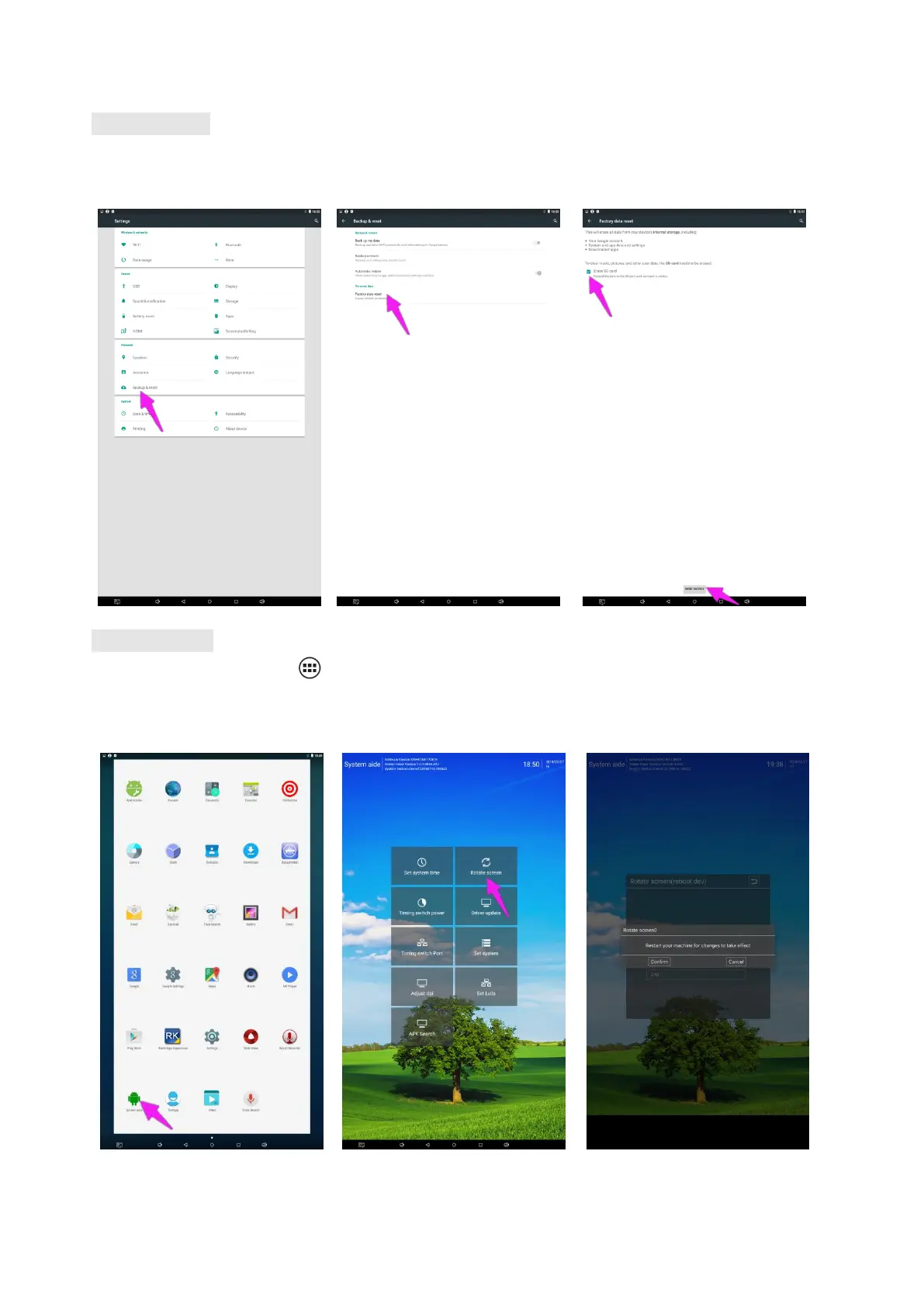
Factory Reset:
1. Get into Settings, then click “Backup & reset” (Fig. 1)
2. Click “Factory data reset” (Fig. 2)
3. Choose “Erase SD card”, then click “RESET DEVICE” to get the unit to Factory Reset (Fig. 3)
Fig. 1 Fig. 2 Fig. 3
Screen Rotate:
1. Click the Main Apps button “ ” in the Home page to enter the “APPS” menu interface (Fig. 1)
2. Click “System aide” into Fig. 2
3. Choose the degree you would like to Rotate screen, then click “Confirm”, after the restart, the screen will be
rotated (Fig. 3)
Fig. 1 Fig. 2 Fig. 3


 To Next Page