Systems and Equipment - 70 XT855 Operator’s Manual
Front Attachments
Front Attachments
Connect Attachment
Attachment
1. Position attachment on level surface with enough
space behind it to accommodate unit.
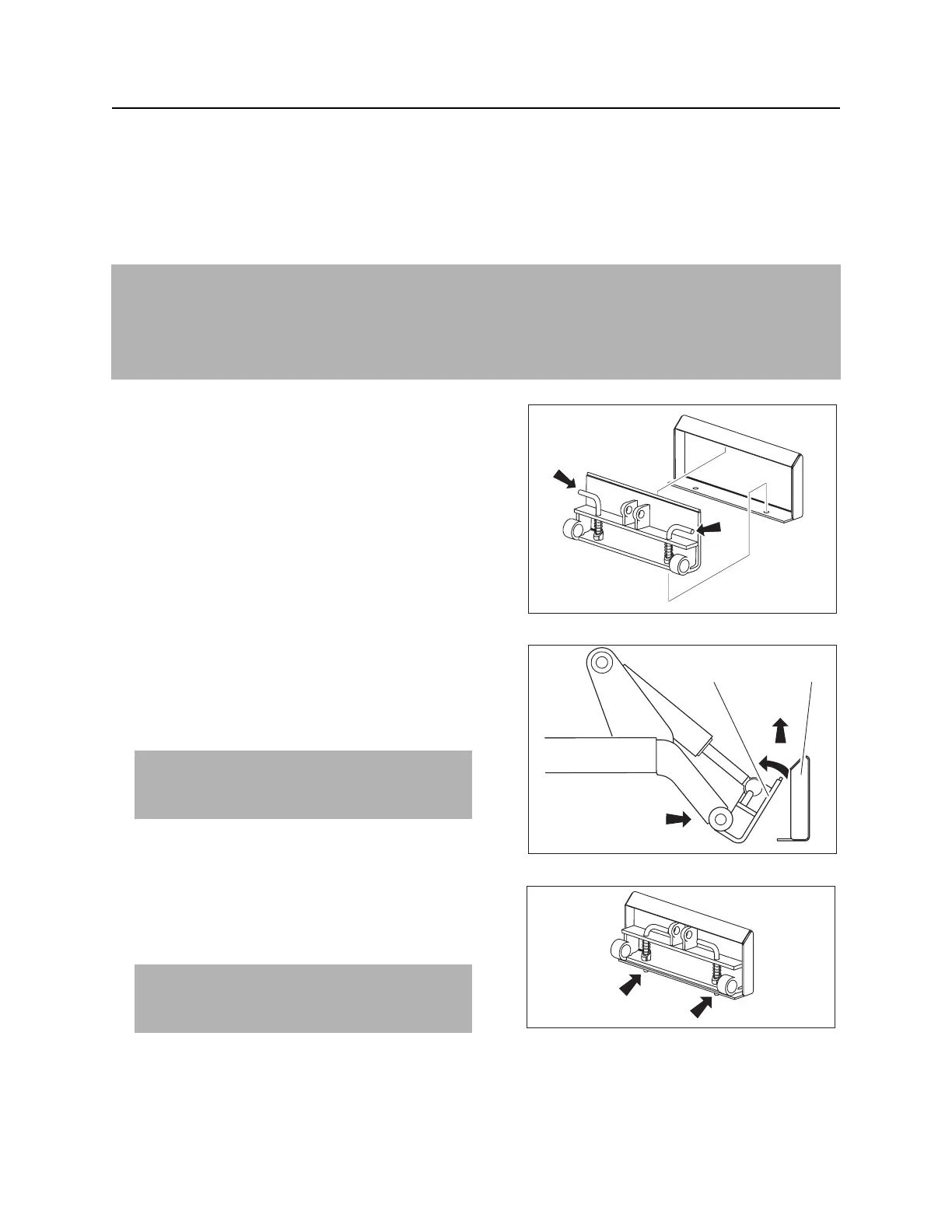
2. Ensure that lock pin handles (shown) on mount
plate are turned away from center of attachment.
3. Start engine.
4. Tilt mount plate (2) forward.
5. Position mount plate in the upper lip of the receiver
plate (1) on attachment.
6. Raise lift arms while tilting back mount plate.
7. Turn ignition switch off and remove key.
8. Rotate lock pin handles toward center of mount
plate to secure attachment to lift plate.
IMPORTANT:
• Use only Ditch Witch approved front attachments.
• Before connecting attachment to unit, ensure that mount and receiver plates are free of dirt and
debris.
IMPORTANT: Attachment should be raised
enough to clear the ground. Mount plate
should be tilted back fully.
NOTICE: To ensure proper connection, verify
that bottoms of lock pins are visible under
attachment receiver plate (shown).
t05om022c.eps
t05om026c.eps
12
t05om027c.eps



 To Next Page