Controls - 22 XT855 Operator’s Manual
Front Console
CMW
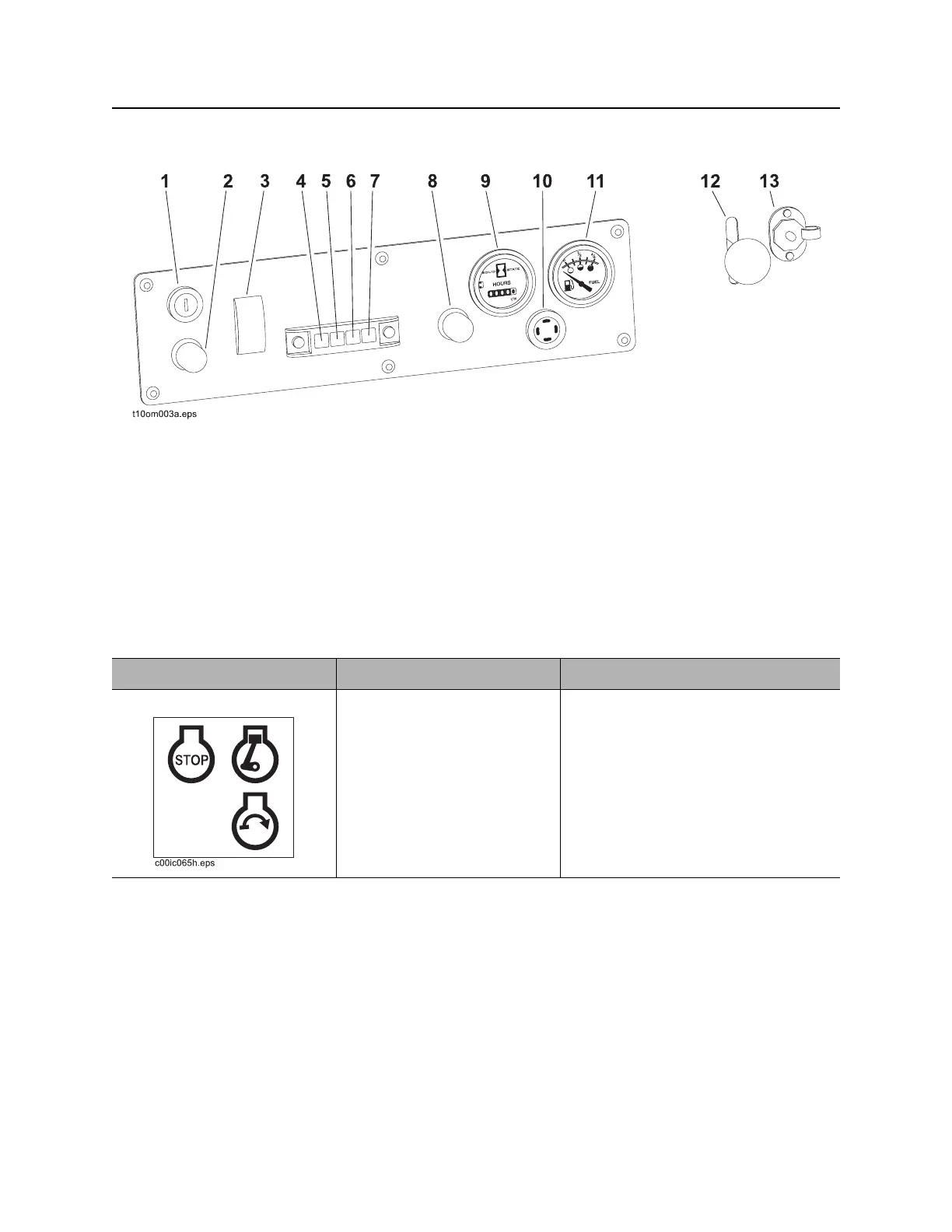
Front Console
1. Ignition switch
2. Cold start button
3. Work mode switch
4. Hydraulic fluid temperature indicator
5. Engine coolant temperature indicator
6. Operator presence indicator
7. Auxiliary hydraulic fluid flow/pressure indicator
8. Horn
9. Hourmeter
10. Hydraulic fluid temperature alarm
11. Fuel gauge
12. Throttle
13. Auxiliary power outlet
Item Description Notes
1. Ignition switch To start engine, insert key and
turn clockwise.
To stop engine, turn key
counterclockwise.
IMPORTANT: If engine does not start
or stalls, turn key to STOP and then
restart.



 To Next Page