XT855 Operator’s Manual Controls - 23
Front Console
CMW
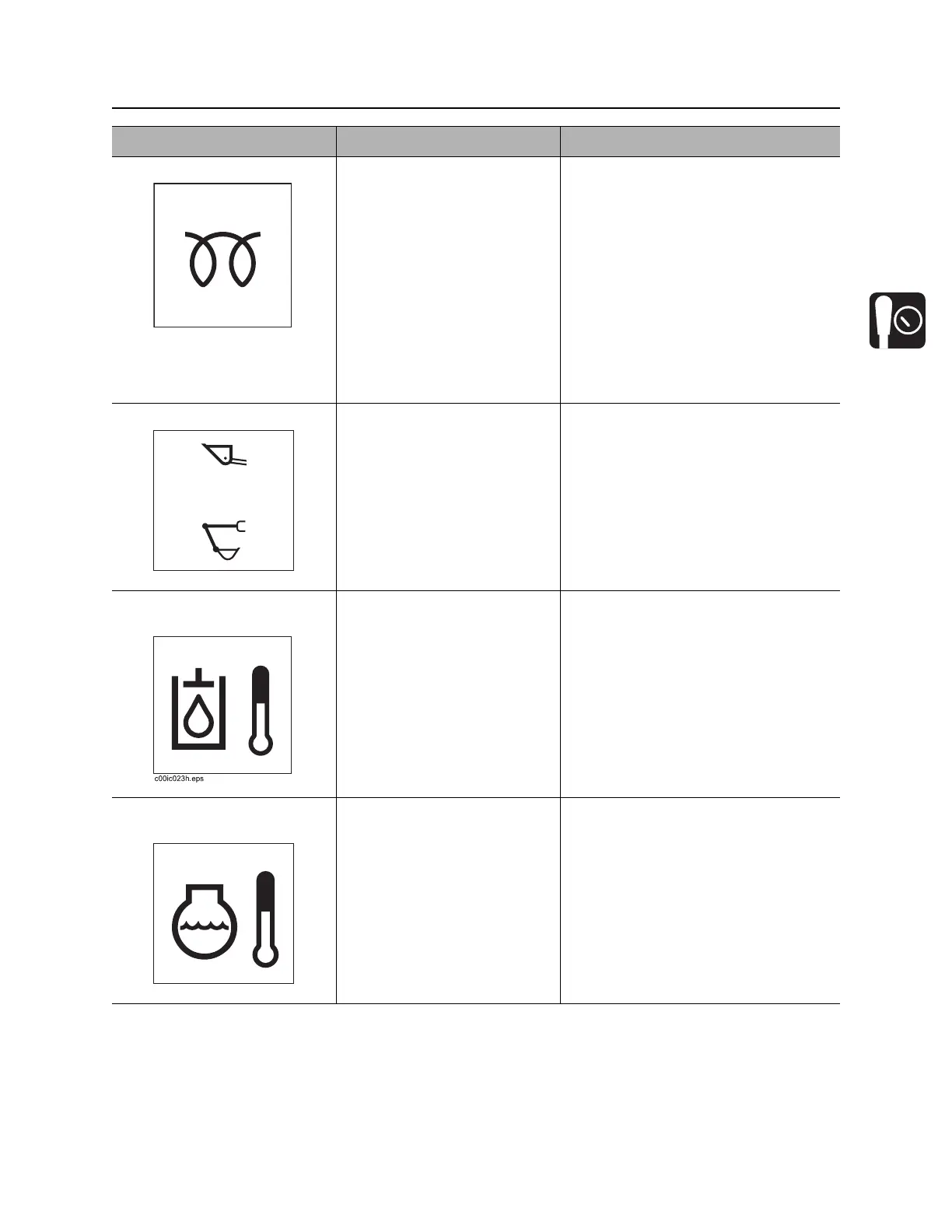
2. Engine cold start button To help start cold engine, turn
ignition switch to first position.
Press cold start button as
directed in notes.
Release button, then turn
ignition switch all the way
clockwise.
NOTICE: Do not press and hold
button more than 20 seconds.
IMPORTANT: Press cold start button
according to temperatures below.
• If ambient temperature is below
40° F (4° C), press and hold
button for 5 seconds.
• If ambient temperature is below
23° F (-5° C), press and hold
button for 10 seconds.
3. Work mode switch To select tool carrier mode
and control lift arms and
ground drive, press top.
To select excavator mode and
control excavator bucket,
press bottom.
4. Hydraulic fluid
temperature indicator
Lights when hydraulic fluid is
over 210°F (100°C).
• Allow engine to cool.
• Check hydraulic fluid level.
5. Engine coolant
temperature indicator
Lights when engine coolant
temperature is over 230°F
(110°C).
• Allow engine to cool.
• Check coolant level.
Item Description Notes
c00ic108h.eps
c00ic229h.eps
c00ic120h.eps



 To Next Page