10
IP2162EN
EN
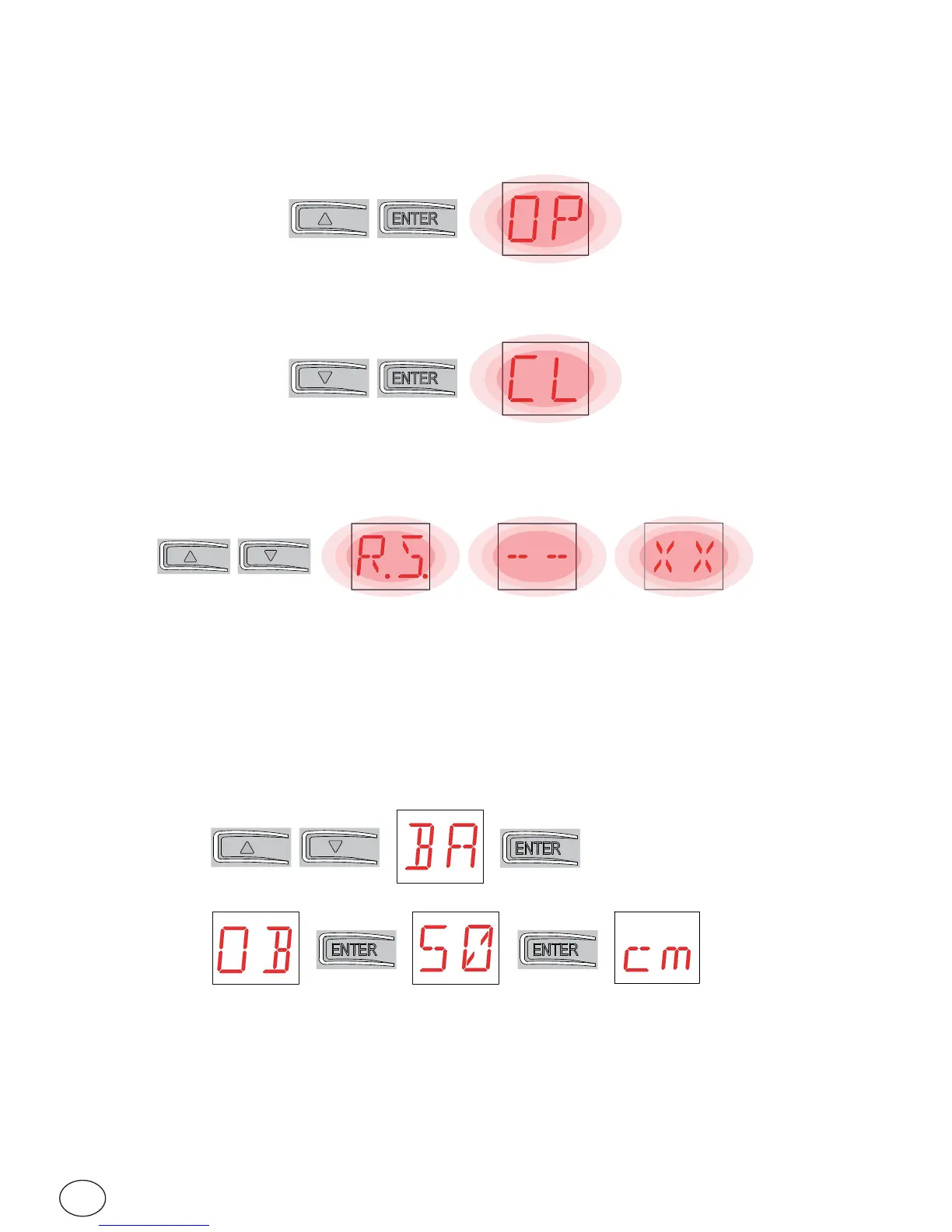
• Simultaneous pressing of the keys ↑and ENTER performs an opening com-
mand.
• Simultaneous pressing of the keys ↓and ENTER performs a closing command.
• Simultaneous pressing of the keys ↑ and ↓ performs a POWER RESET com-
mand. (interruption of the power supply and restart of the automation).
• Keeping press the UP ↑ or DOWN ↓ key, fast menu scrolling begin. To stop
menu scrolling.
• In some menus, the parameter unit of measurement can be displayed by press-
ing the ENTER key once the value has been displayed (in the example, 50 cm).
7.2 Key combinations


 To Next Page