35
IP2162EN
EN
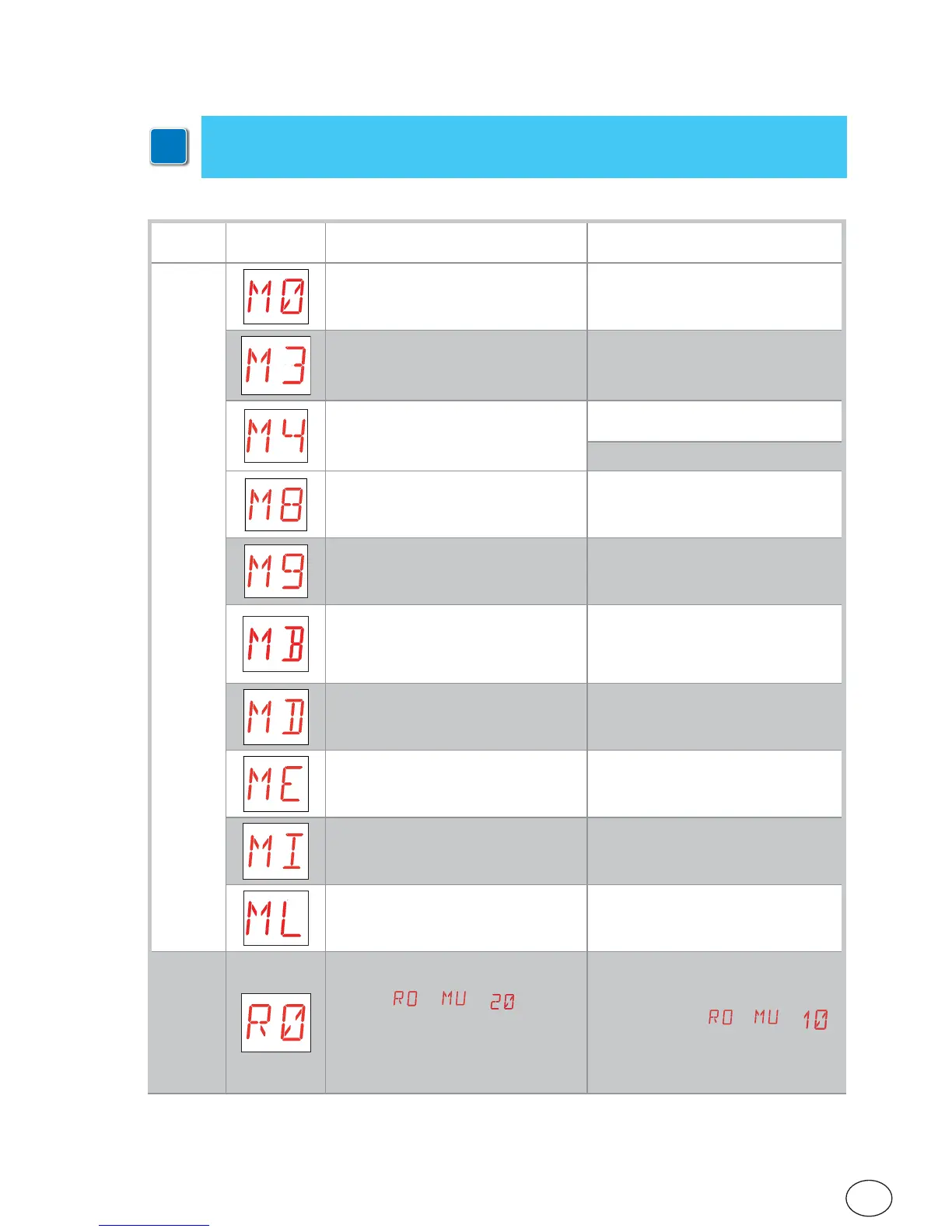
8.3 Display of alarms and faults
i
Alarms and faults can be displayed with any display selection. The signalling of alarm
messages takes priority over all other displays.
Type of
alarm
Display Description Operation
Mechanical alarm
M0 - Selected motor not suitable. Set correct motor wiring.
M3 - Automation blocked (open/closed) Check the mechanical parts
M4 - Motor short circuit Check the motor is correctly con-
nected.
Check the motor is working properly.
M8 - Gate too long error (>25 m) Check the rack / chain belt
M9 - Gate too short error (< 200 mm) Manually check that the door wing
moves freely.
MB - Absence of motor during an op-
eration.
Check connection of motor.
Check motor brush contacts.
If the problem persists, contact Tech-
nical Support.
MD - Irregular functioning of motor
opening limit switch.
Check connection of the motor open-
ing limit switch.
ME - Irregular functioning of motor
closing limit switch.
Check connection of the motor closing
limit switch.
MI - Detection of fifth consecutive ob-
stacle.
Check for the presence of permanent
obstacles along the stroke of the au-
tomation.
ML - Inverted limit switches Check limit switch connection.
Power supply
operations alarm
R0 - Insertion of a storage module con-
taining over 100 stored remote controls.
Warning:
→ → is set au-
tomatically.
The alarm is displayed 3 times only.
To save the system configurations on
the storage module, delete any stored
remote controls and bring the total to
less than 100. Set
→ → .


 To Next Page