5
IP2162EN
EN
4. Commands
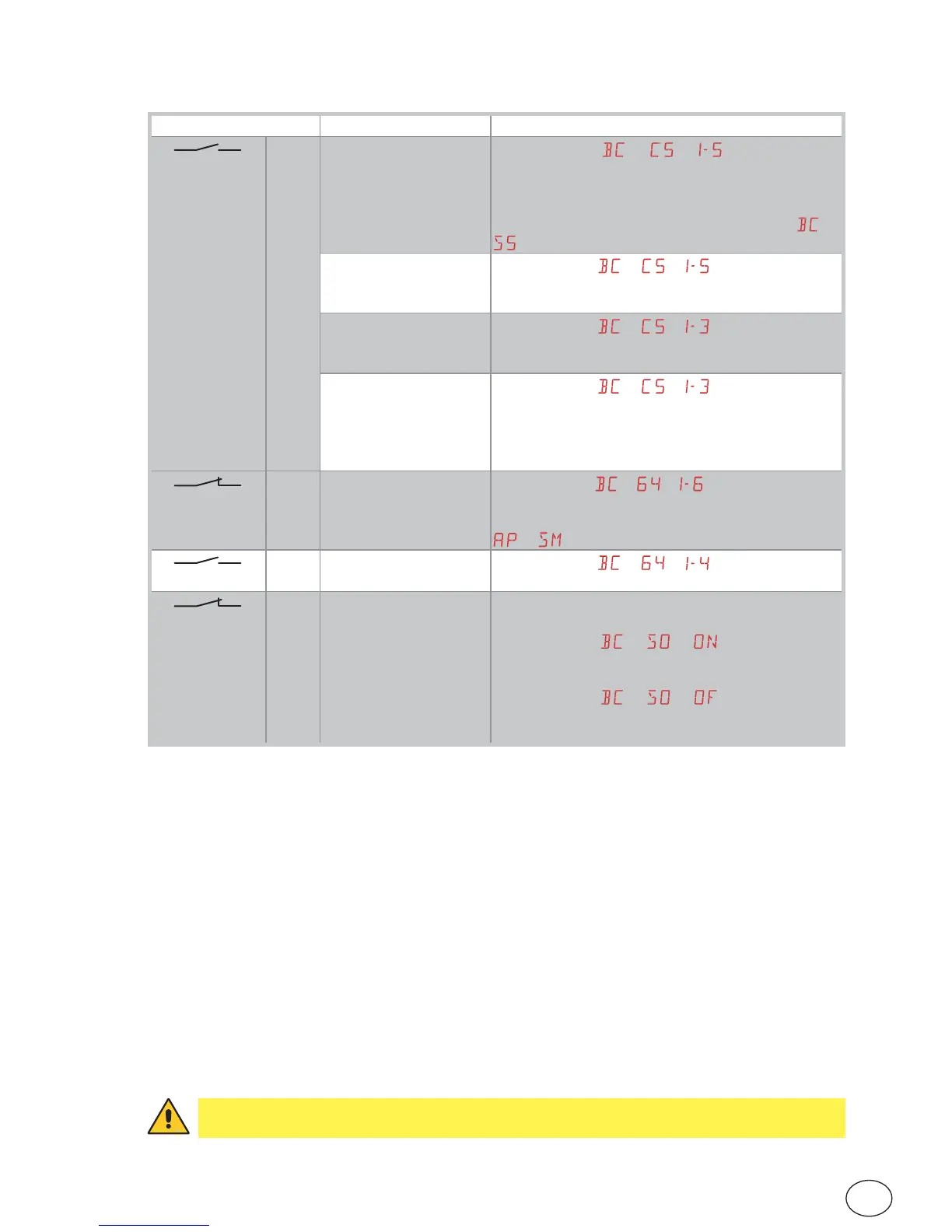
Command Function Description
1
5 NO STEP-BY-STEP
WITH AUTOMATIC
CLOSING
When selecting
→ → , closing the con-
tact starts a sequential opening or closing operation:
opening-stop-closing-opening.
WARNING: if automatic closing is enabled, the dura-
tion of the stop can be selected by selecting →
.
STEP-BY-STEP
WITHOUT AUTOMATIC
CLOSING
When selecting
→ → , closing the contact
starts a sequential opening or closing operation:
opening-stop-closing-opening.
OPENING
WITH AUTOMATIC
CLOSING
When selecting
→ → , closing the contact
activates an opening operation.
OPENING
WITHOUT
AUTOMATIC
CLOSING
When selecting
→ → , closing the contact
activates an opening operation.
N.B.: Once the automation stops, command 1-5 per-
forms the opposite operation to the one performed
before the stop.
1
6
NC CLOSING
SAFETY DEVICE
When selecting
→ → , opening of the safety
contact stops and prevents any movement.
N.B.: to set different safety contact functions, see the
→ parameter settings.
1
6 NO CLOSING
When selecting → → , closing the contact
activates a closing operation.
1 8
NC CLOSING
SAFETY DEVICE
Opening the safety contact triggers a reversal of the
movement (reopening) during the closing operation.
When selecting → → , with the automa-
tion idle, opening of the contact prevents any opera-
tion.
When selecting
→ → , with the automa-
tion idle, opening of the contact only prevents clos-
ing.
WARNING: make a jumper for all NC contacts if not in use. The terminals with the same
number are equal.


 To Next Page