24
IP2162EN
EN
7.8.1 Additional SF level parameters that can be configured
(available with → enabled)
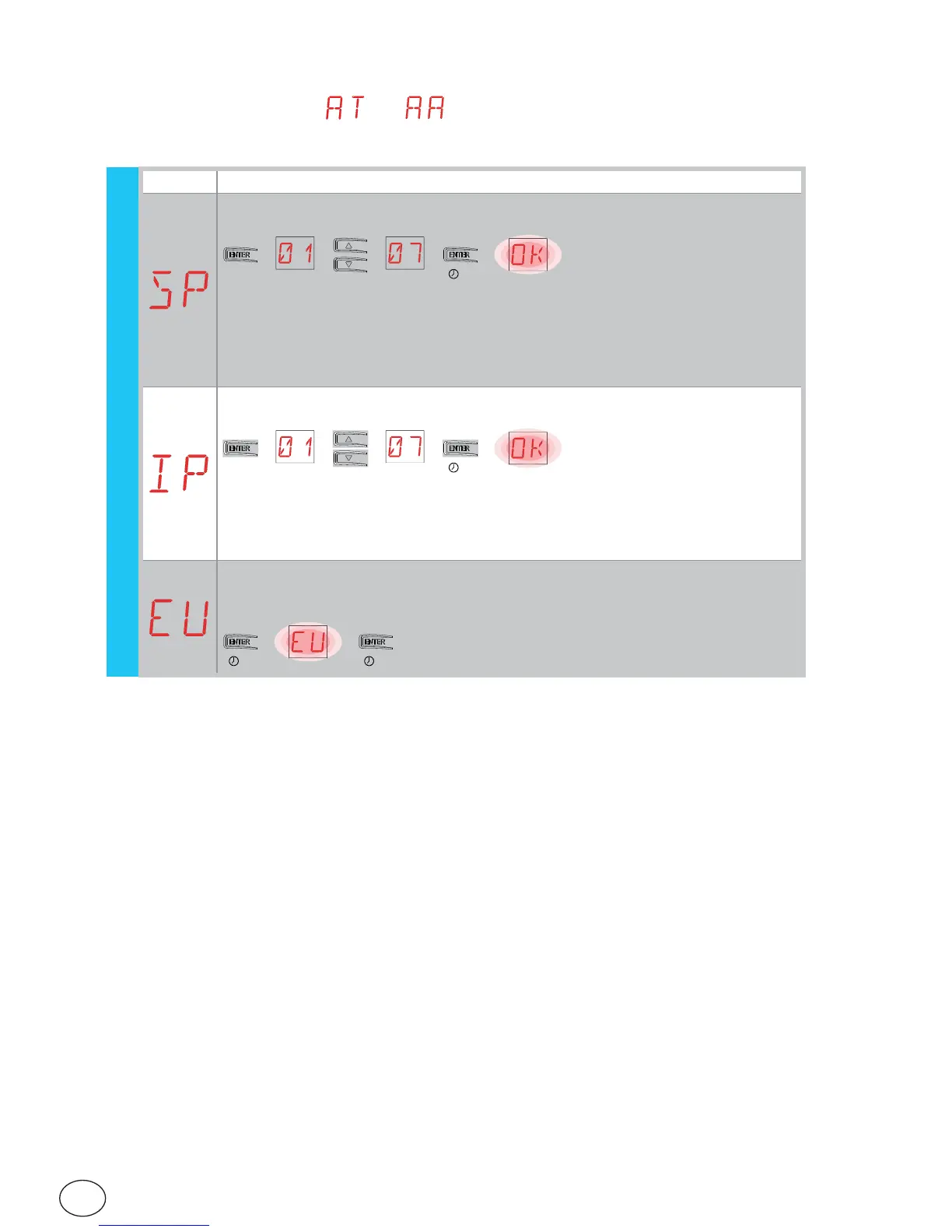
Display Description
SP - Setting the password.
[esempio]
→
2”
→→→→
N.B.: this can only be selected when the password is not set.
Setting the password prevents unauthorised personnel from accessing se-
lections and adjustments.
You can delete the set password by selecting the sequence JR1=ON, JR1=OFF,
JR1=ON.
IP - Inserting the password.
[esempio]
→
2”
→→→→
N.B.: this can only be selected when the password is set.
When the password is not inserted, you can access the display mode regard-
less of the selection made with JR1.
When the password is inserted, you can access in maintenance mode.
EU - Cancellation of user configurations and last configuration set in the
storage module.
→→
2” 2”
(example)
(example)
SF


 To Next Page