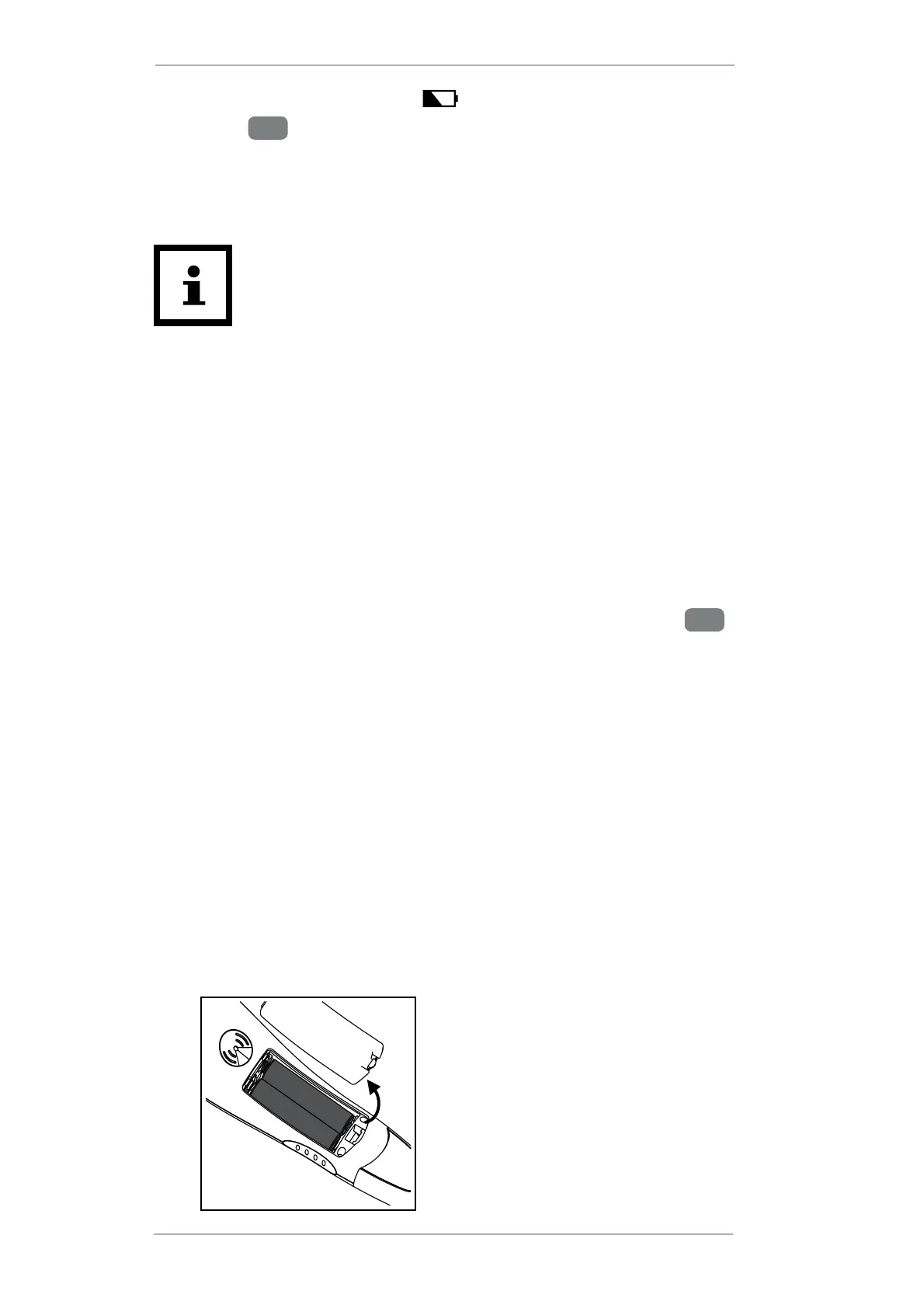
Changing the battery
58
If the battery symbol ( ) appears on the LCD
display
1
or the thermometer no longer
functions, the batteries should be replaced
immediately.
All settings and entries in the memory
will be erased if the batteries are emp-
ty or when changing weak batteries.
Therefore, after inserting new batter-
ies, the date, time and energy-saving
mode must be reset (see chapter
“Date and time setting”).
1. Type AAA alkaline batteries are required
for the thermometer. Do not use any re-
chargeable batteries.
2. To open the battery compartment cover
11
,
push against the locking clip on the back of
the thermometer and take the cover off.
3. Remove the empty batteries.
4. Then insert two new alkaline batteries
(type AAA). When inserting the batteries,
make sure that the polarity of the batteries
is correct (see marking/stamped informa-
tion in the battery compartment).
5. Put the battery compartment cover back
in and push it against the thermometer
housing until it locks back into place.


 To Next Page